Account Guard
Product information
Release v0.2.0 (Updated )
Reviews
0 von 5 Sternen
0 purchases
Suspend user accounts, sign in as a user, require a new password and require 2FA with a grace period.
€12,99
Release historyDescription
Pterodactyl can suspend servers, but not the person behind them. Locking out a customer after a chargeback means changing their password by hand and hoping they don't use "forgot password"; seeing what a user sees means asking for screenshots. Account Guard adds the account controls Pterodactyl lacks.
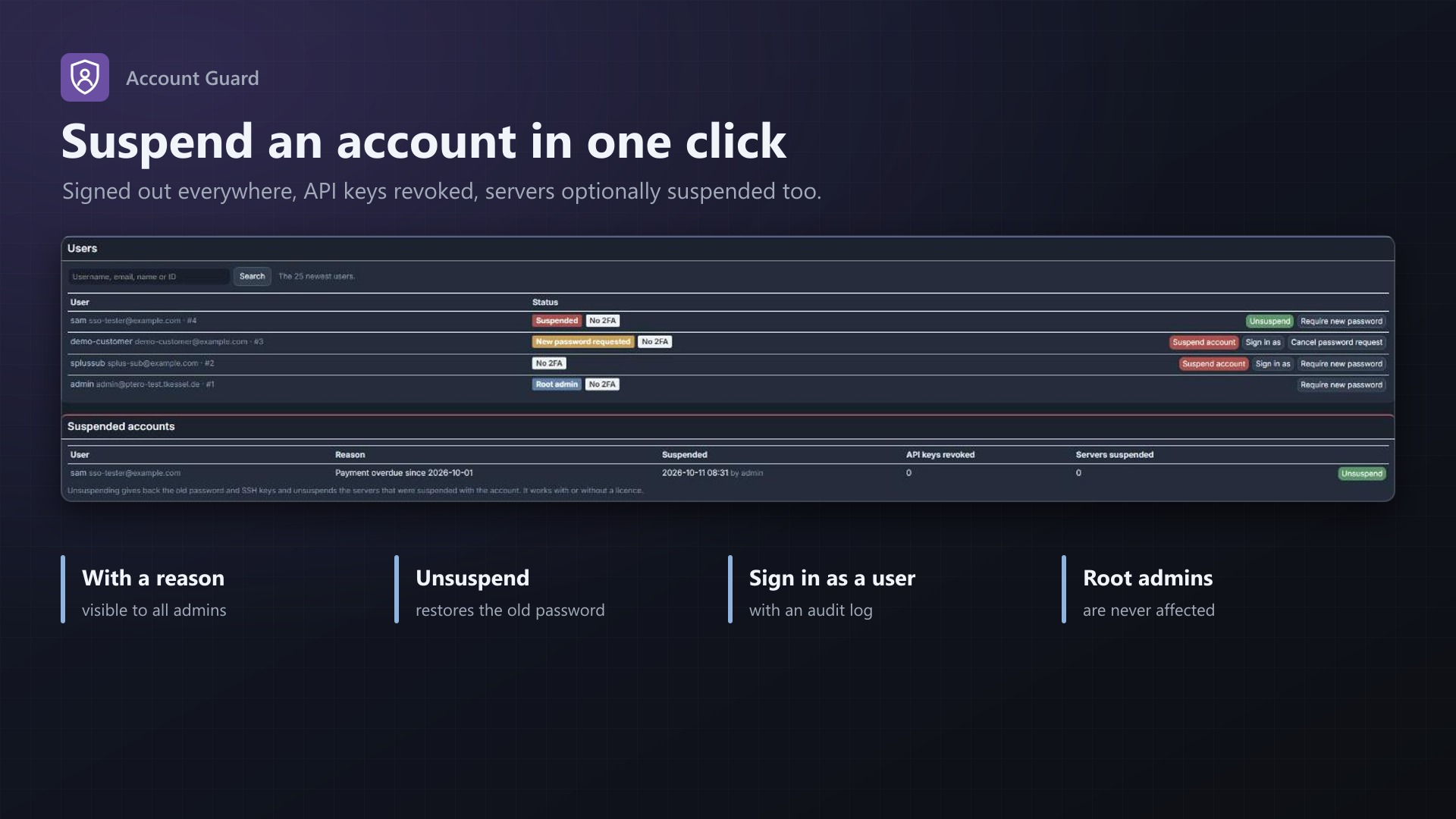
Suspend accounts
- Suspend a user with one click, with a reason only admins see
- Signed out everywhere at once, in the panel and the API, "remember me" included
- API keys revoked (optional), SSH keys put aside, SFTP stops
- Optionally suspends the user's servers too, and unsuspends exactly those again
- "Forgot password" doesn't get around it: the user is signed out on the next page
- Unsuspend gives everything back: old password, SSH keys, servers
Sign in as a user
- Root admins see the panel exactly as a user does, for support or to check permissions
- A bar on every page leads back to the admin account
- Never as another root admin; logged in the user's activity log and on the extension's page
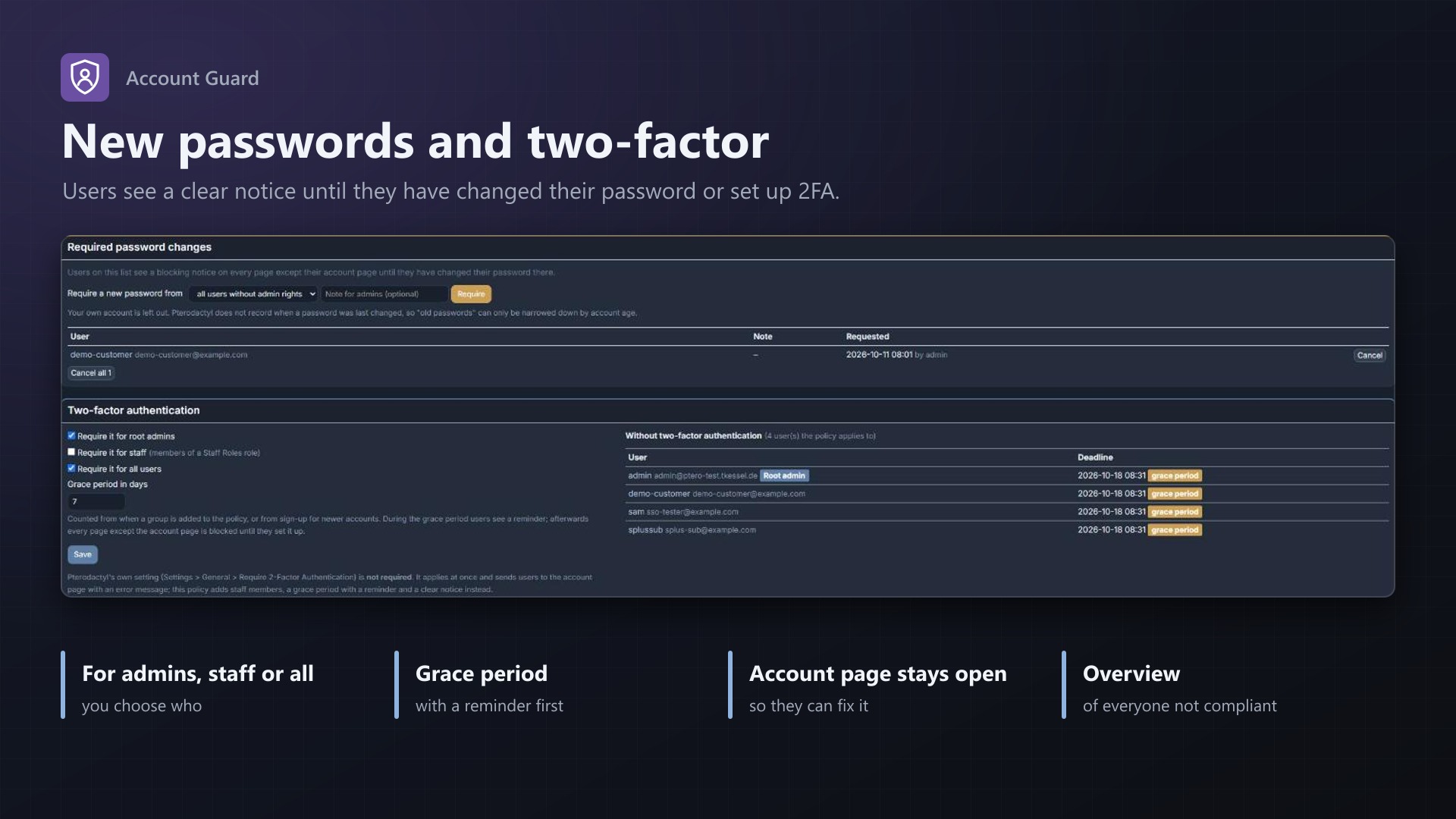
Require a new password
- Ask one user, all users or users created before a date to choose a new password
- A notice covers the panel until they have changed it on their account page
Require two-factor authentication
- For root admins, staff (Staff Roles members) or all users
- Grace period with a reminder and the deadline, then a clear notice until 2FA is set up
- List of everyone who still has to set it up
Security rules (new in 0.2.0)
- Password rules: minimum length (12 by default), uppercase, lowercase, digit, symbol, no username or email in the password, optional check against leaked passwords (Have I Been Pwned, only 5 characters of the hash leave the panel)
- They apply on the account page, for "forgot password" and in the admin user form, with a logged box to ignore them for one password
- Old passwords: see how many accounts still have a password from before the rules, and ask them for a new one with one click
- Sessions: sign in again after a number of days, root admins signed out after idle minutes
- Application API keys: limit the admin keys to IP addresses or CIDR ranges, with a warning for open and unused keys
- Security status at the top of the page
No core files modified.
Licence
One purchase = one licence = one panel. The licence is bound to one panel domain and the server it runs on. Subdomains count as separate panels: test1.example.com and test2.example.com can't share a licence. You can move the licence to another panel at any time on texus-addons.de.
After buying, sign in on texus-addons.de with your sourceXchange email address. Your licence key is created automatically; download the extension there with the key built in, or enter the key on the extension's admin page.
Requirements
- Pterodactyl Panel 1.15.x
- Blueprint (beta-2026-08 or newer)
- A licence key from texus-addons.de, free with your purchase, for one panel
- Outgoing HTTPS from the panel to texus-addons.de
Installation
- Upload
texusguard.blueprintto/var/www/pterodactyl - Run
blueprint -install texusguard - Enter the licence key under Admin > Extensions > Account Guard
Support
The README in the download explains every option. Questions and bug reports through the support link.
Website: texus-addons.de – licence keys, downloads and your account
Support: Discord support server or support@texus-addons.de