Auto Ports | Pterodactyl v2
Product information
Release v1.0.1 (Updated )
Reviews
0 von 5 Sternen
0 purchases
Hands out extra ports to every new server automatically, by rules per egg and node, from a port range you choose. Two servers never get the same port, and each customer sees what their server got. Official 2.0 extension, no core edits.
$7.99
Release history

Description
Extra ports for every new server, without picking allocations by hand
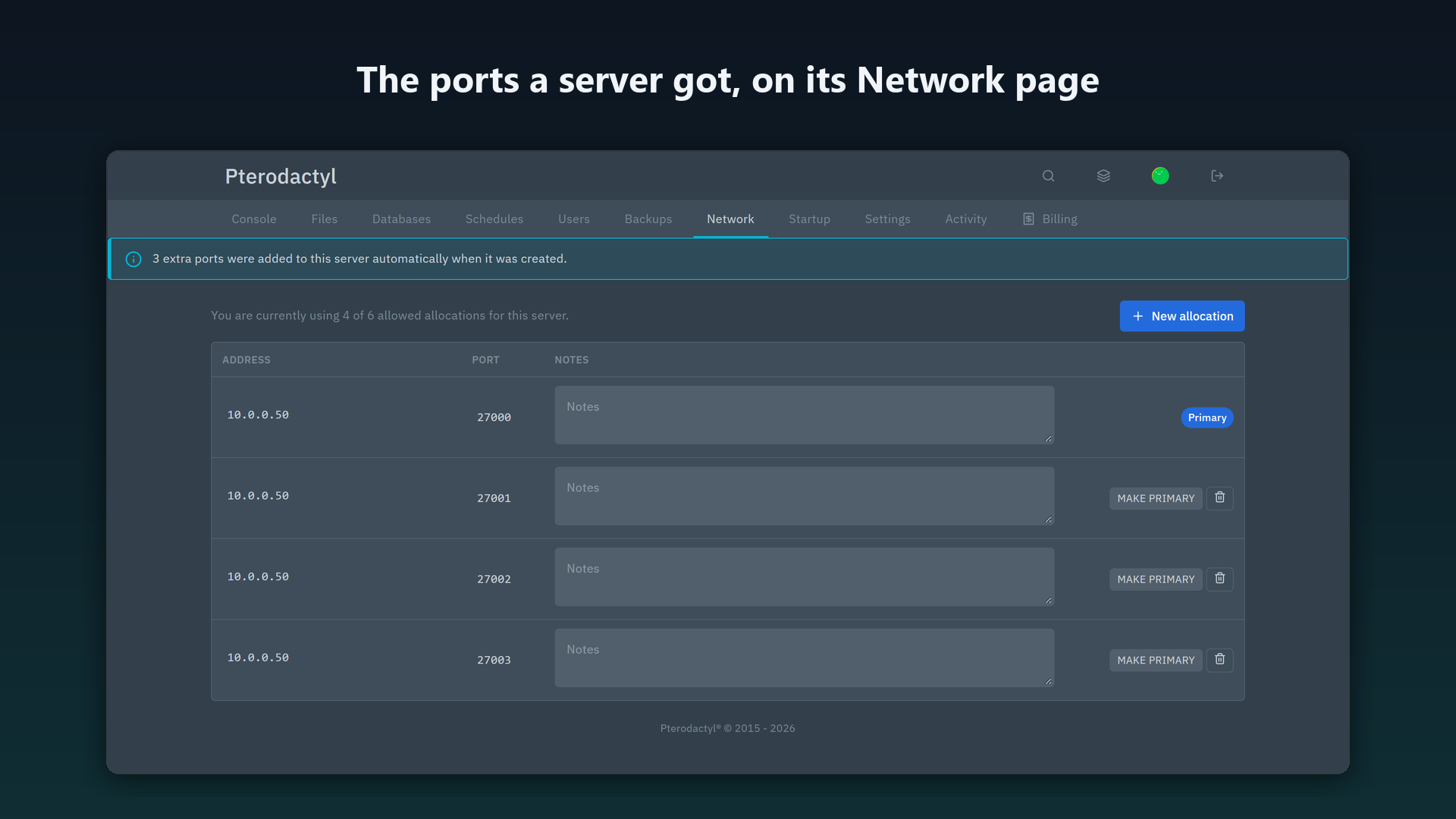
Game servers often need more than one port: a query port, an RCON port, a voice or plugin port. Pterodactyl 2.0 lets customers add ports themselves, but a new server only gets the one allocation it was created with. Auto Ports gives every new server its extra ports automatically, following rules you set per egg and node.
What it does
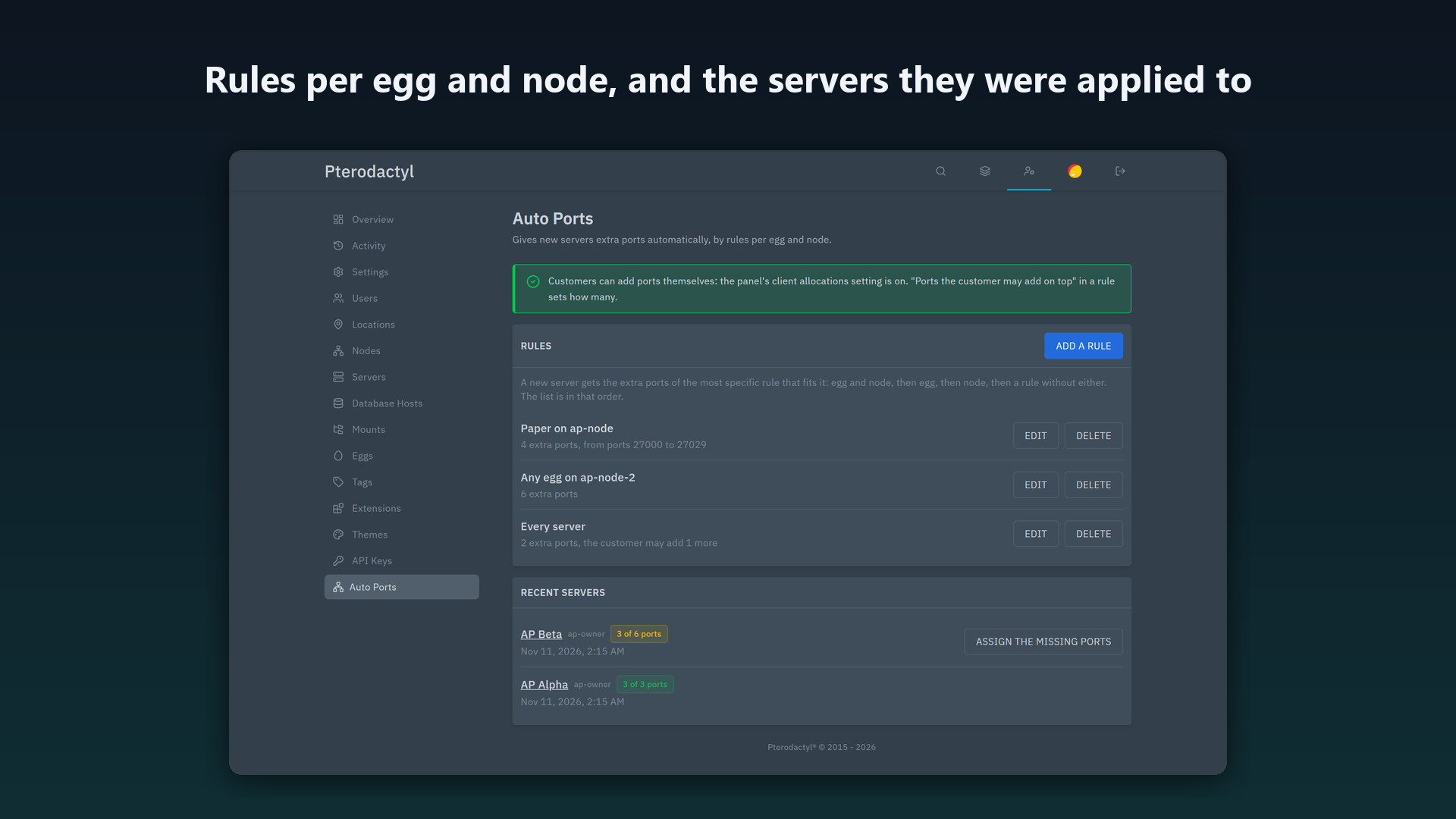
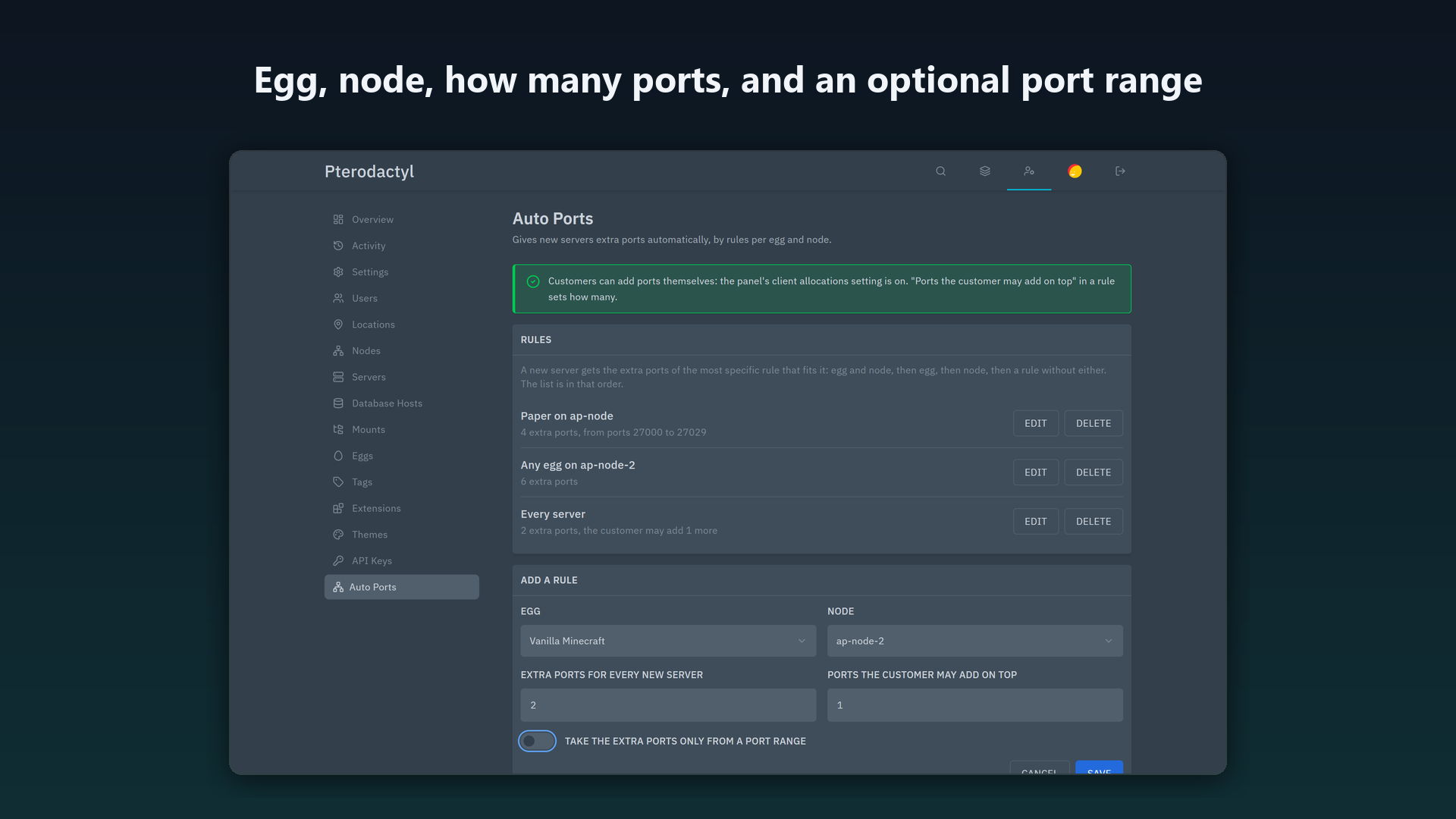
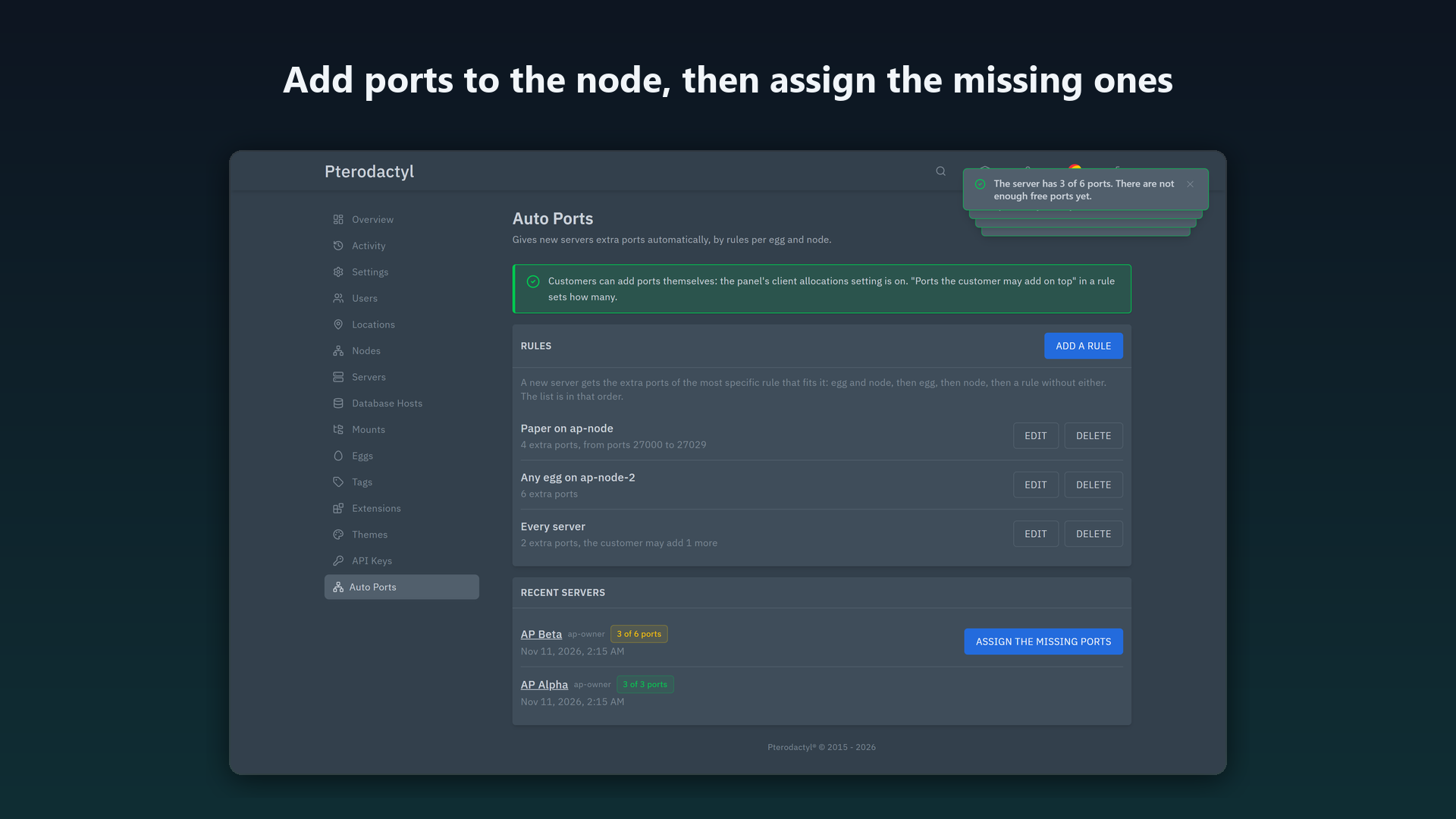
- Rules per egg and node. "Every Paper server gets 3 extra ports", "every server on node 2 gets 1", "Paper on node 1 gets 4". The most specific rule that fits a server is used.
- Works for every way a server is created: the admin pages, the admin API, the Application API (so a billing system's servers get their ports too) and deployments.
- From the pool you choose. Ports come from the node's free allocations with the same IP address as the server's primary port, lowest first, and optionally only from a port range, so extras never use up the ports you keep for primary allocations.
- Never the same port twice. Servers created at the same moment get different ports: tested with six servers created at once.
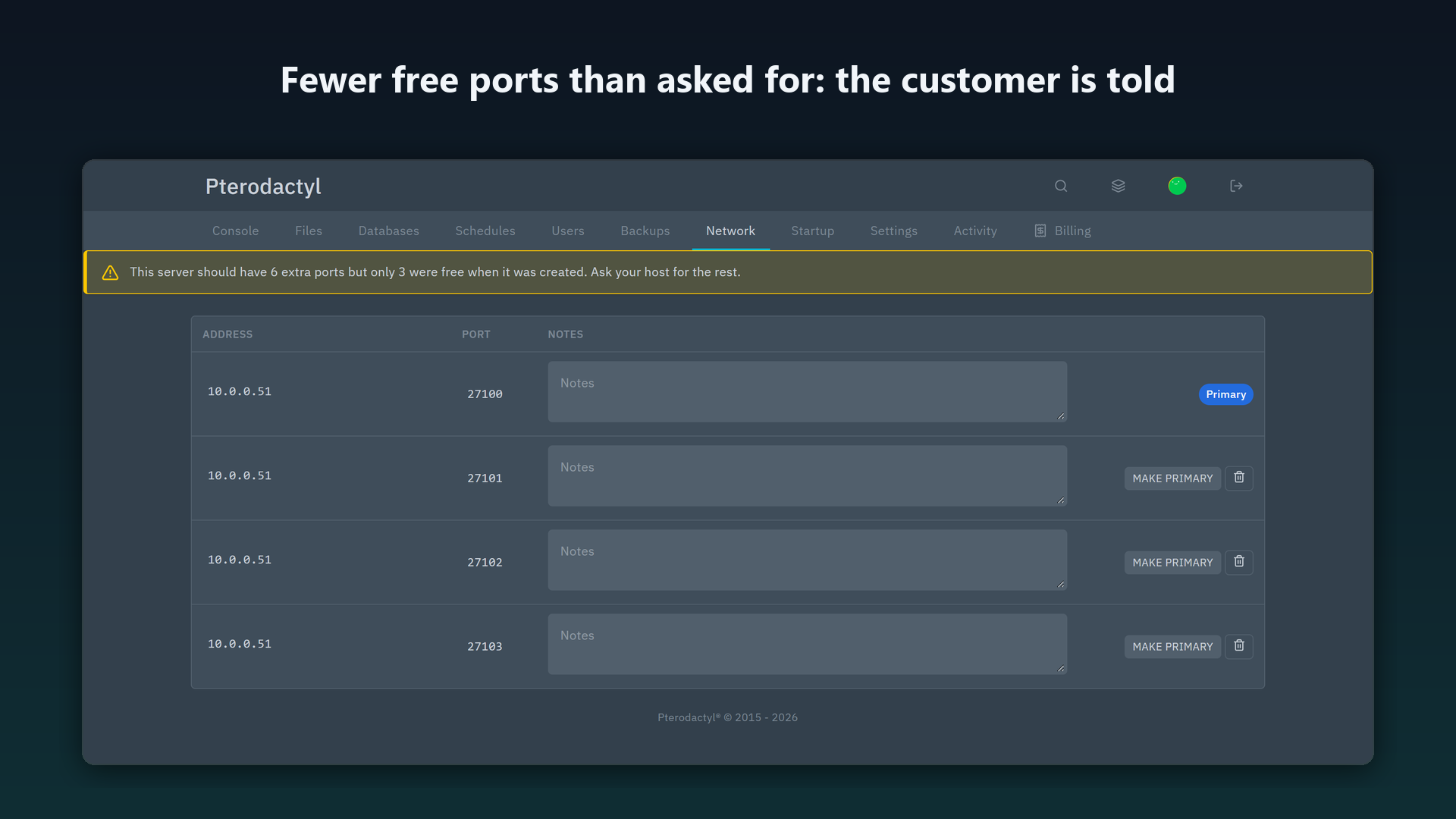
- Not enough free ports? The server still gets what is free, its customer sees a notice on the Network page, and after you add allocations to the node one click assigns the missing ports.
- Customers can add their own. A rule can say how many more ports the customer may add on top. Auto Ports sets the server's allocation limit, so the panel's own New allocation button works up to that number, and the ports the customer added keep counting when missing ports are assigned later.
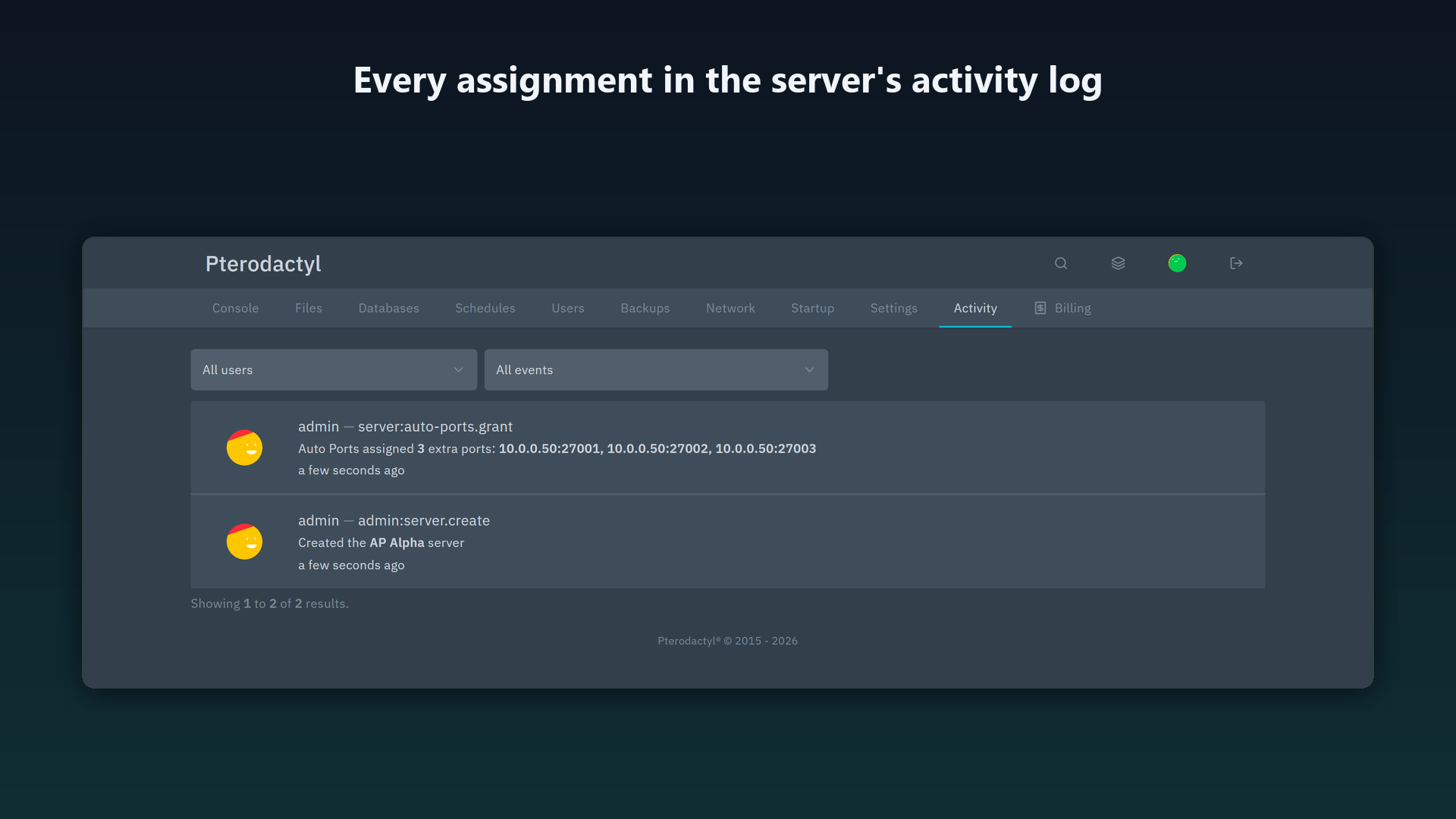
- Notice for the customer on the server's Network page, and activity log entries for every assignment.
What it does not do
It does not replace the panel's own feature for customers adding ports, it does not create allocations, and it gives a server its ports once, when it is created: changing a rule later does not change servers that already have theirs.
Compatibility
- Tested on Pterodactyl Panel 2.0.0-beta.2 (PHP 8.4), with a fake Wings. Not for Pterodactyl 1.x.
- Built with Pterodactyl 2.0's own extension system. No panel file is edited and nothing is installed on your nodes.
- Customers adding ports themselves needs the panel's client allocations setting (Settings, Advanced, or its environment variables in a Docker panel); the admin page shows whether it is on.
- One internal: the two activity sentences are added to the panel's
activitytranslation group through Laravel's translation loader. The README explains it.
Install
- Copy
auto-ports.pteroextto the panel server. - Run
php artisan p:extension:install auto-ports.pteroext --enablein the panel folder, thenchown -R www-data:www-data extensions public/assets/extensions(use your web user). - Reload the panel: Admin → Auto Ports appears. Add a rule.
FAQ
Does it work when servers are created by Paymenter or WHMCS? Yes, through the Application API the rule is applied once the panel has created the server.
What if two rules fit? The most specific wins: egg and node, then egg, then node, then the rule for every server.
What happens to the ports if I remove the extension? They stay with their servers. One command removes the extension's tables.
Support
Use the support link on this page, or write to support@karelialabs.com. Please include your panel version. Made by Karelia Labs. Not affiliated with Pterodactyl.