Backup Vault
Product information
Release v0.1.0 (Updated )
Reviews
0 von 5 Sternen
0 purchases
Incremental, deduplicated, encrypted server backups with restic: 30 daily backups cost little more than one, stored in S3 or on any server.
€29,99
Release historyDescription
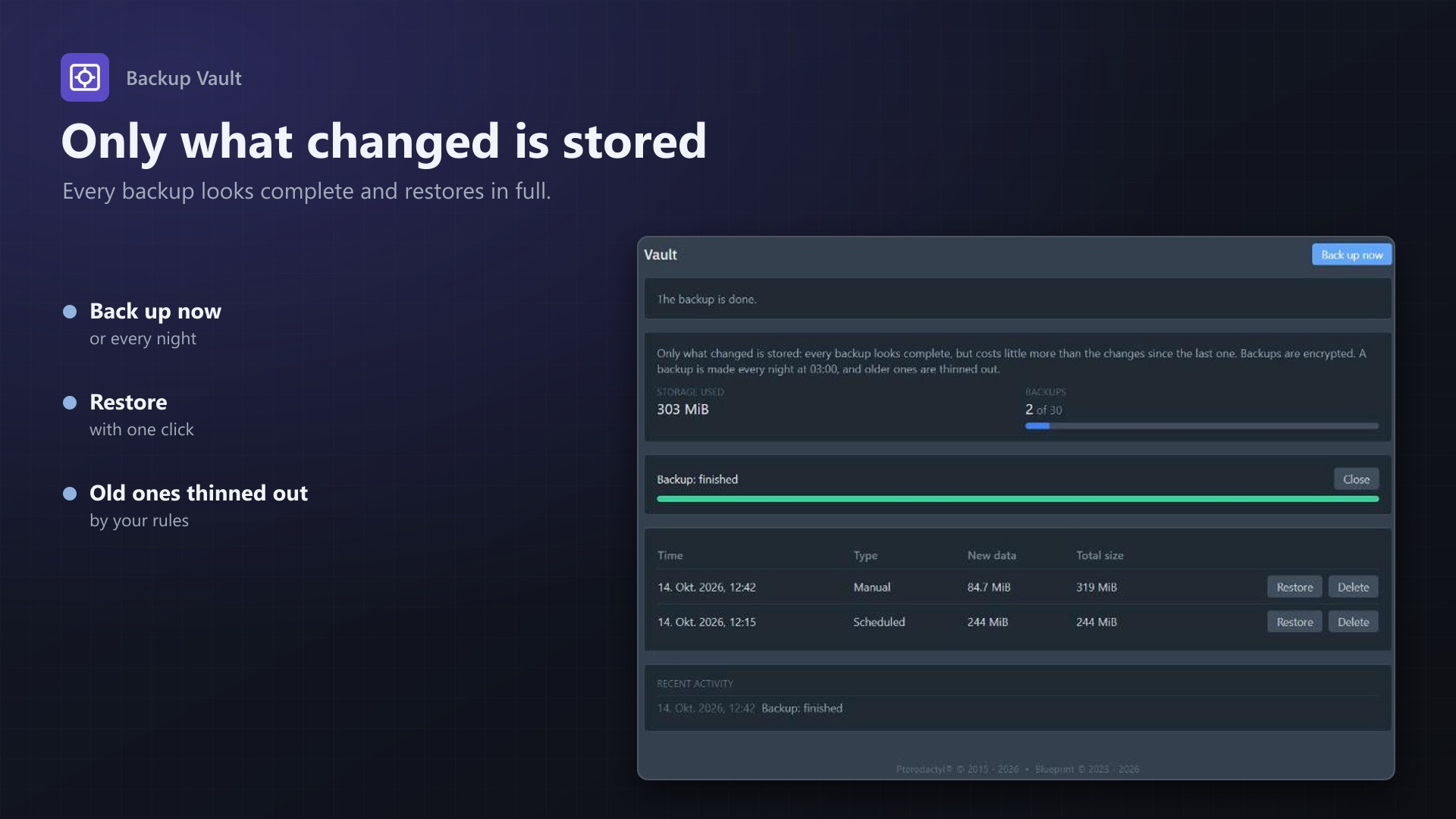
Pterodactyl's built-in backups are full archives: an 18 GB server needs 18 GB for every backup, and thirty nightly backups fill over 500 GB. Backup Vault stores only what changed. Thirty daily backups cost little more than one, every backup still restores on its own, and everything is encrypted. Keep them in S3 instead of on the node's disk.
For your customers
- A Vault tab on the server page: all backups with time, new data and total size
- Back up now with live progress
- One-click restore: the server is stopped, the backup is restored with progress, and the server can start again by itself
- Delete backups, see usage bars against your limits
- Uses the panel's own backup permissions (read, create, restore, delete)
For you
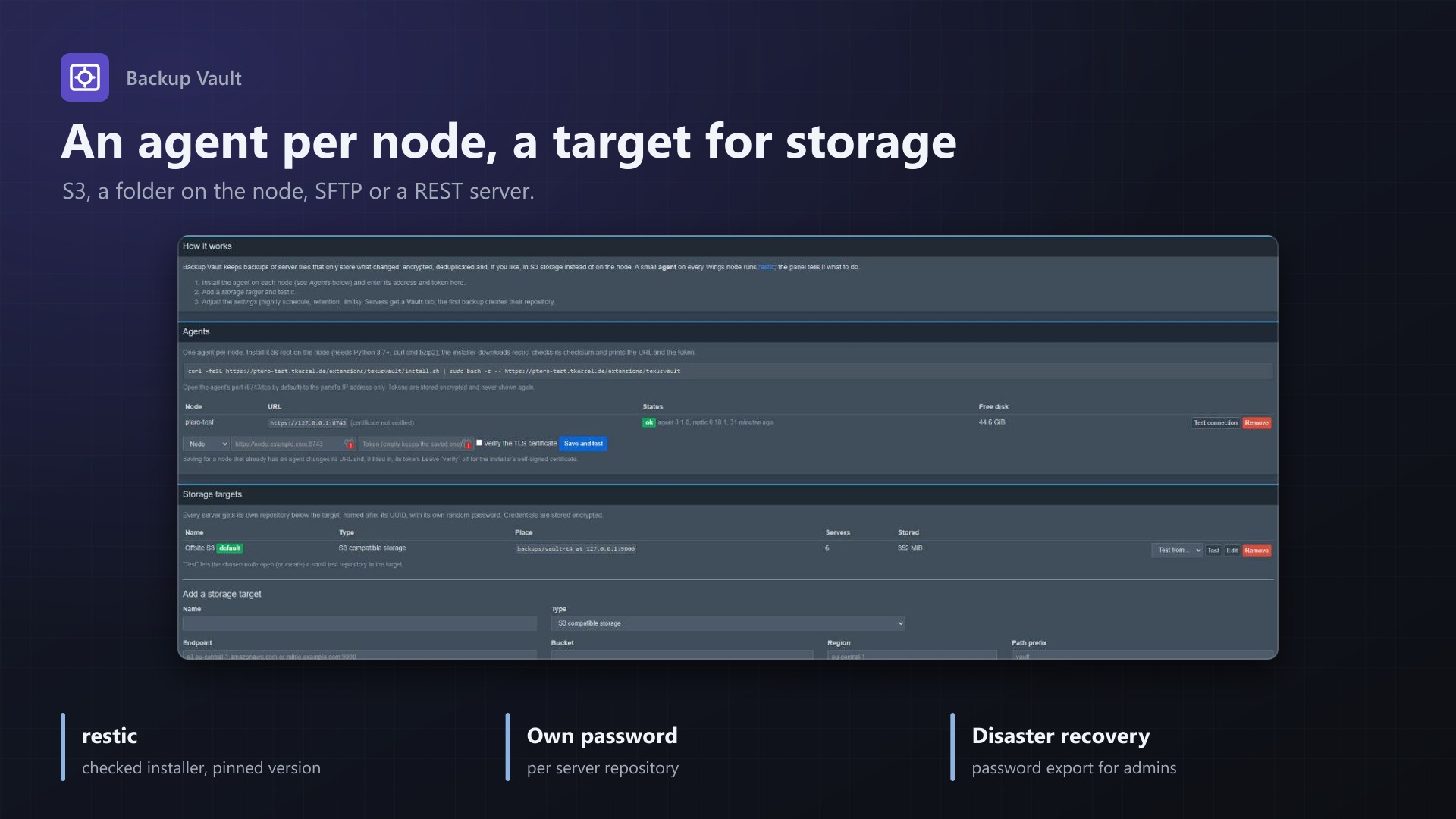
- Storage: S3 compatible (AWS, Backblaze, MinIO, Wasabi, ...), a folder on the node, SFTP or a restic REST server
- Nightly schedule with retention: keep the last, daily, weekly and monthly backups, space freed automatically
- Limits per server: number of backups and storage in GiB
- Choose which nests and eggs are covered, exclude files such as logs
- Built on restic: encrypted, deduplicated, proven. A small agent (one Python file, no dependencies) runs it on each Wings node
- Every server has its own repository and random password; export the passwords for disaster recovery and open any backup with plain restic, even without the panel
- Without a licence customers can still see and delete their backups, so nobody is locked out of their data
Licence
One purchase = one licence = one panel. The licence is bound to one panel domain and the server it runs on. Subdomains count as separate panels: test1.example.com and test2.example.com can't share a licence. You can move the licence to another panel at any time on texus-addons.de.
After buying, sign in on texus-addons.de with your sourceXchange email address. Your licence key is created automatically; download the extension there with the key built in, or enter the key on the extension's admin page.
Requirements
- Pterodactyl Panel 1.15.x with Wings 1.11 or newer
- Blueprint (beta-2026-08 or newer)
- The panel's cron job (
schedule:runevery minute) - Root access, systemd, Python 3.7+, curl and bzip2 on every node; the panel must reach the agent's port
- Storage: S3 compatible storage, a folder, an SFTP server or a restic REST server
- A licence key from texus-addons.de, free with your purchase, for one panel
- Outgoing HTTPS from the panel to texus-addons.de
Installation
- Upload
texusvault.blueprintto/var/www/pterodactyl - Run
blueprint -install texusvault - Enter the licence key under Admin > Extensions > Backup Vault
- Install the agent on each node with the one-line command shown on the admin page, add a storage target
Support
The README in the download explains the agent installation, restores and disaster recovery step by step. Questions and bug reports through the support link.
Website: texus-addons.de – licence keys, downloads and your account
Support: Discord support server or support@texus-addons.de