Bedrock Crossplay
Product information
Release v0.1.0 (Updated )
Reviews
0 von 5 Sternen
0 purchases
Let Bedrock players join your Java server: a one-click wizard installs Geyser and Floodgate, sets the port and the config.
€9,99
Release historyDescription
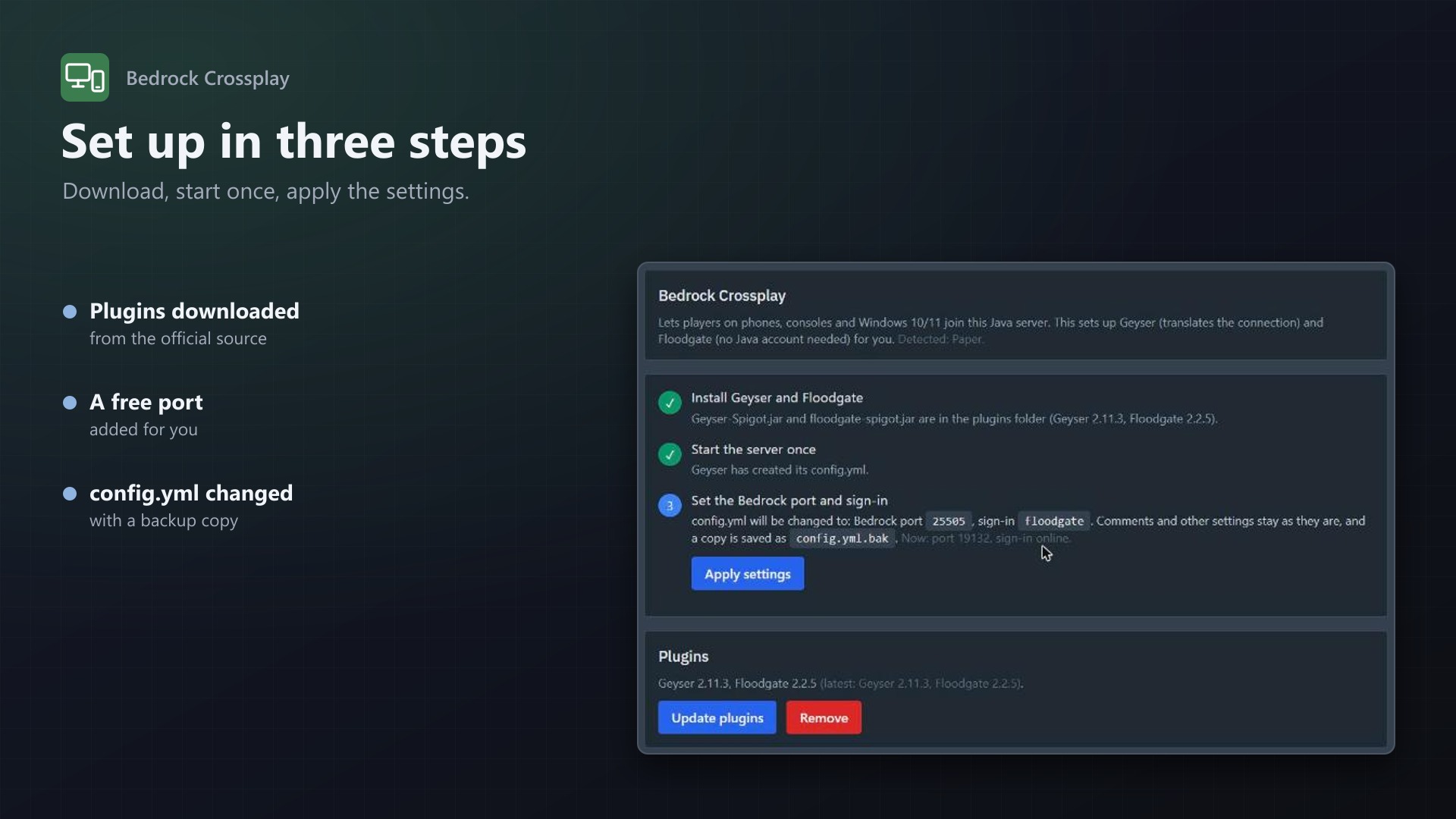
Phones, consoles and Windows 10/11 run Minecraft Bedrock Edition and can't join a Java server on their own. The free plugins Geyser and Floodgate fix that, but setting them up by hand means downloads, a UDP port, config files and restarts. Bedrock Crossplay adds a Bedrock tab to the server page that does it in a few clicks, for the server owner, without admin help.
The wizard
- Recognises the software: Paper, Purpur, Spigot, Velocity and BungeeCord; anything else is refused with a clear message
- Installs the plugins: the latest Geyser and Floodgate from the official download API go straight into the plugins folder, with progress
- Picks the port: an additional allocation of the server (19132 preferred), or a free one from the node if you allow it
- Sets the config: bedrock port and Floodgate sign-in in Geyser's config.yml; comments stay, a .bak copy is saved first
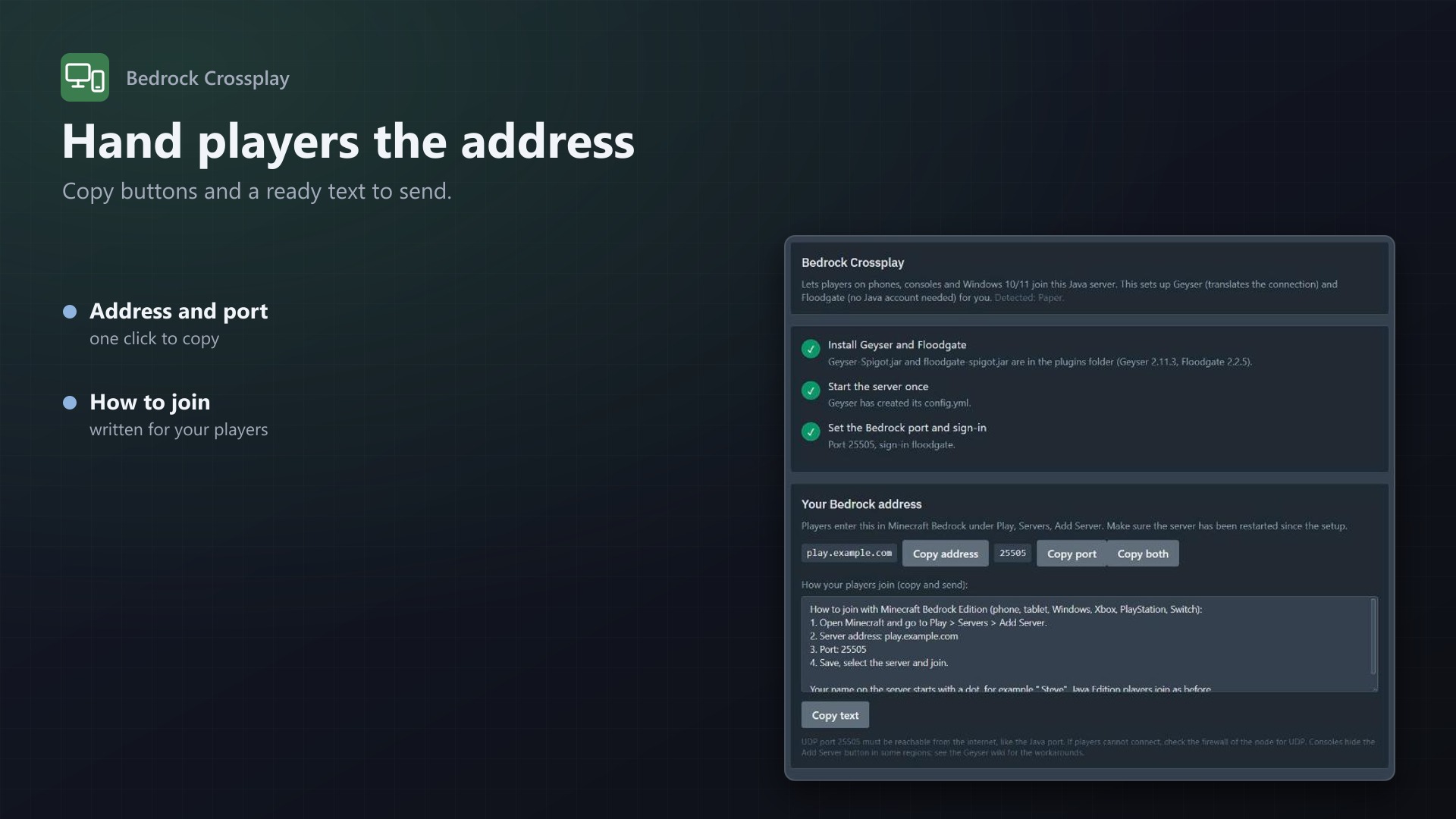
- Shows how to join: address and port with copy buttons, plus a ready-made text for your players
- Update plugins and Remove buttons
For admins
- Turn it on for all eggs or only the ones you choose
- Choose which software is allowed
- Decide whether users may take a free port from the node, optionally within a port range
- See which servers were set up, with versions and ports
- Everything is written to the server's activity log; uses Pterodactyl's own file API and allocations, no core files modified
Licence
One purchase = one licence = one panel. The licence is bound to one panel domain and the server it runs on. Subdomains count as separate panels: test1.example.com and test2.example.com can't share a licence. You can move the licence to another panel at any time on texus-addons.de.
After buying, sign in on texus-addons.de with your sourceXchange email address. Your licence key is created automatically; download the extension there with the key built in, or enter the key on the extension's admin page.
Requirements
- Pterodactyl Panel 1.15.x with Wings 1.11 or newer
- Blueprint (beta-2026-08 or newer)
- Outgoing HTTPS from the panel and the node to download.geysermc.org
- A licence key from texus-addons.de, free with your purchase, for one panel
- Outgoing HTTPS from the panel to texus-addons.de
Installation
- Upload
texusbedrock.blueprintto/var/www/pterodactyl - Run
blueprint -install texusbedrock - Enter the licence key under Admin > Extensions > Bedrock Crossplay
Support
The README in the download explains every option. Questions and bug reports through the support link.
Website: texus-addons.de – licence keys, downloads and your account
Support: Discord support server or support@texus-addons.de