Custom Domains
Product information
Release v0.1.0 (Updated )
Reviews
0 von 5 Sternen
0 purchases
Let users connect their own domain with automatic HTTPS to a website or web app in their server, served by Caddy.
€9,99
Release historyDescription
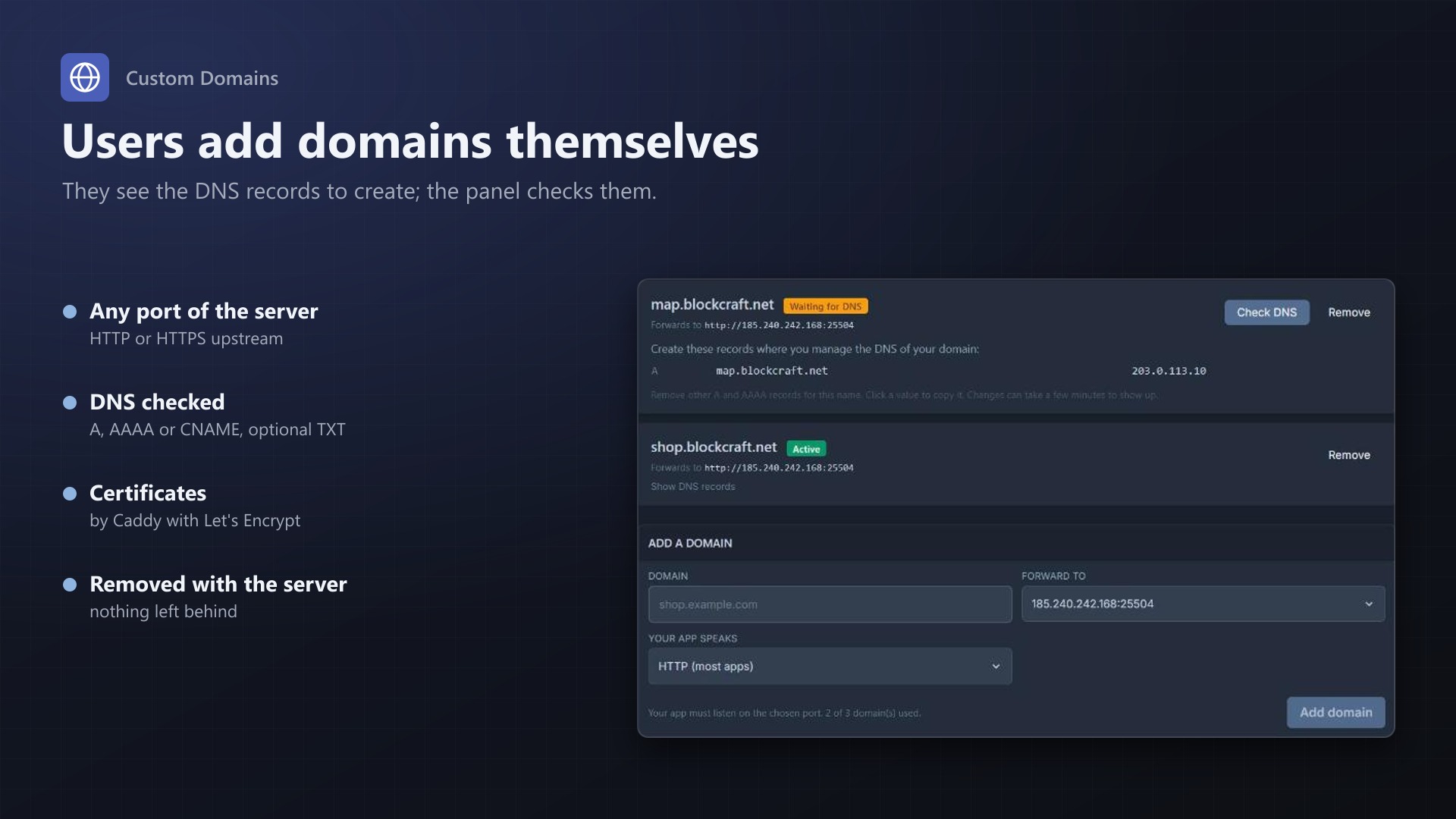
Your customers run websites, Node.js apps and bot dashboards on your nodes, and then reach them at 203.0.113.5:8080. Custom Domains lets them connect their own domain, like shop.example.com, with HTTPS, right from the server page.
For your users
- A Domains page on every server: enter the domain, pick the server's address (IP:port), done
- Shows the exact DNS records to create: A/AAAA to your proxy, or a CNAME to its host name
- Check DNS button that says what is wrong ("points to 1.2.3.4 instead of ...")
- Status per domain: waiting for DNS, starting, active, proxy error
- Works for HTTP and HTTPS apps, WebSockets included
- Adding and removing domains is written to the server's activity log
For you
- Runs on Caddy: certificates from Let's Encrypt are created and renewed automatically
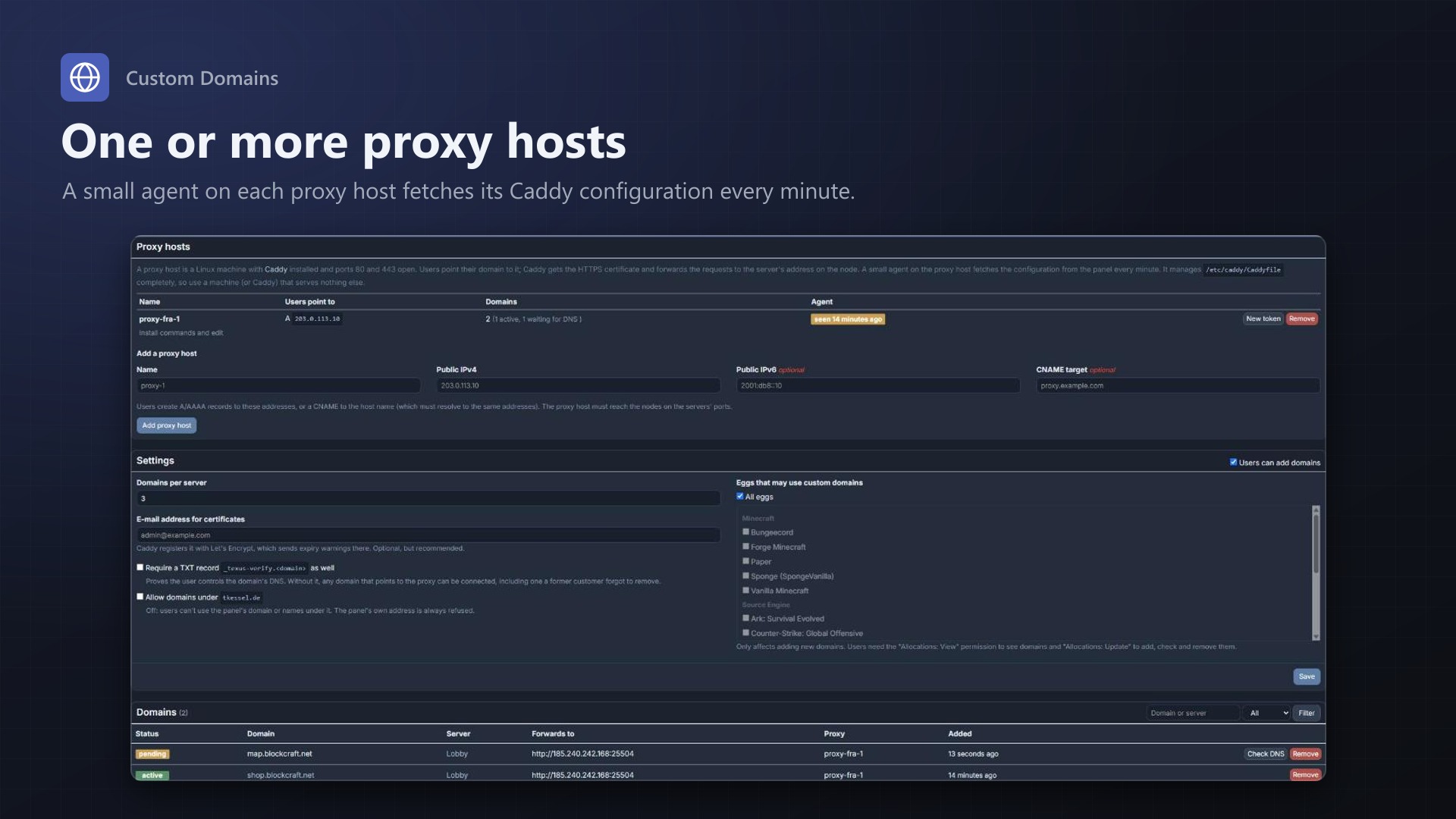
- One or several proxy hosts, each with its own agent token (stored hashed, shown once)
- A small agent script on the proxy host fetches the config every minute, runs
caddy validate, reloads Caddy and reports back; a broken config is never loaded - Install commands on the admin page, ready to paste
- Choose the eggs that may use domains and how many per server
- Optional TXT verification, so users can only connect domains they control
- The panel's own domain is protected; every domain belongs to one server only
- Deleted servers and removed addresses drop out of the config immediately; an hourly job cleans up
- No core files modified
Licence
One purchase = one licence = one panel. The licence is bound to one panel domain and the server it runs on. Subdomains count as separate panels: test1.example.com and test2.example.com can't share a licence. You can move the licence to another panel at any time on texus-addons.de.
After buying, sign in on texus-addons.de with your sourceXchange email address. Your licence key is created automatically; download the extension there with the key built in, or enter the key on the extension's admin page.
Requirements
- Pterodactyl Panel 1.15.x
- Blueprint (beta-2026-08 or newer)
- The panel's cron job (
schedule:runevery minute) - One or more proxy hosts: Debian or Ubuntu with Caddy 2, ports 80 and 443 open, network access to the nodes
- A licence key from texus-addons.de, free with your purchase, for one panel
- Outgoing HTTPS from the panel to texus-addons.de
Installation
- Upload
texusdomains.blueprintto/var/www/pterodactyl - Run
blueprint -install texusdomains - Enter the licence key under Admin > Extensions > Custom Domains
- Add a proxy host and run the install commands shown on the admin page on it
Support
The README in the download explains the setup and every option. Questions and bug reports through the support link.
Website: texus-addons.de – licence keys, downloads and your account
Support: Discord support server or support@texus-addons.de