Database Manager
Product information
Release v0.1.2 (Updated )
Reviews
0 von 5 Sternen
0 purchases
Manage server databases right in the panel: browse and edit tables, run SQL, import and export. No phpMyAdmin, no passwords to copy.
€12,99
Release historyDescription
Pterodactyl creates databases for servers, but to look inside one, users need the password and an external tool like phpMyAdmin or HeidiSQL. Database Manager adds a "Database Manager" page to every server where users browse, edit, query, import and export their databases without leaving the panel.
Tables
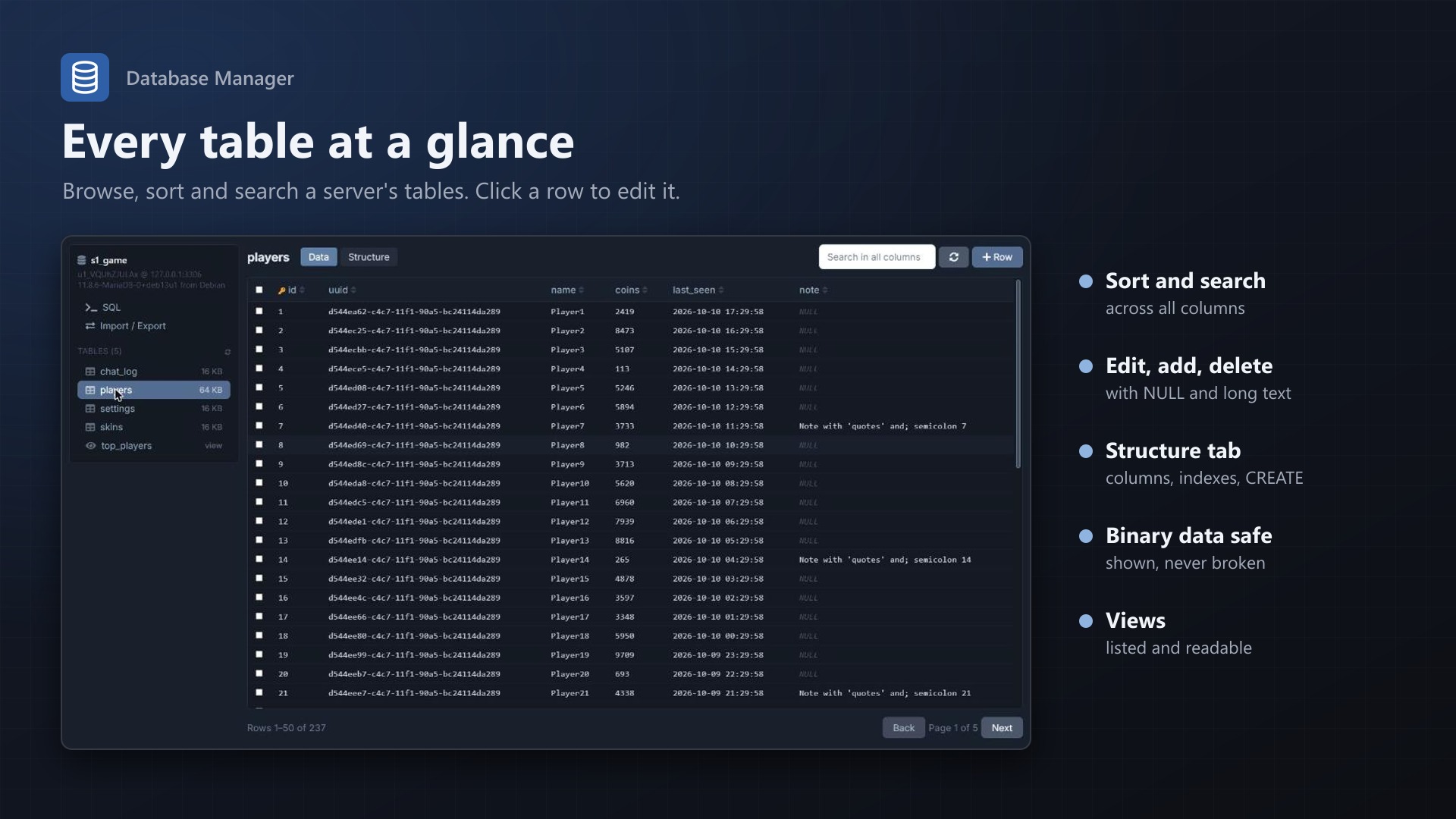
- All tables and views with their size, filter for long lists
- Data view: sort by any column, search across all columns, page through large tables
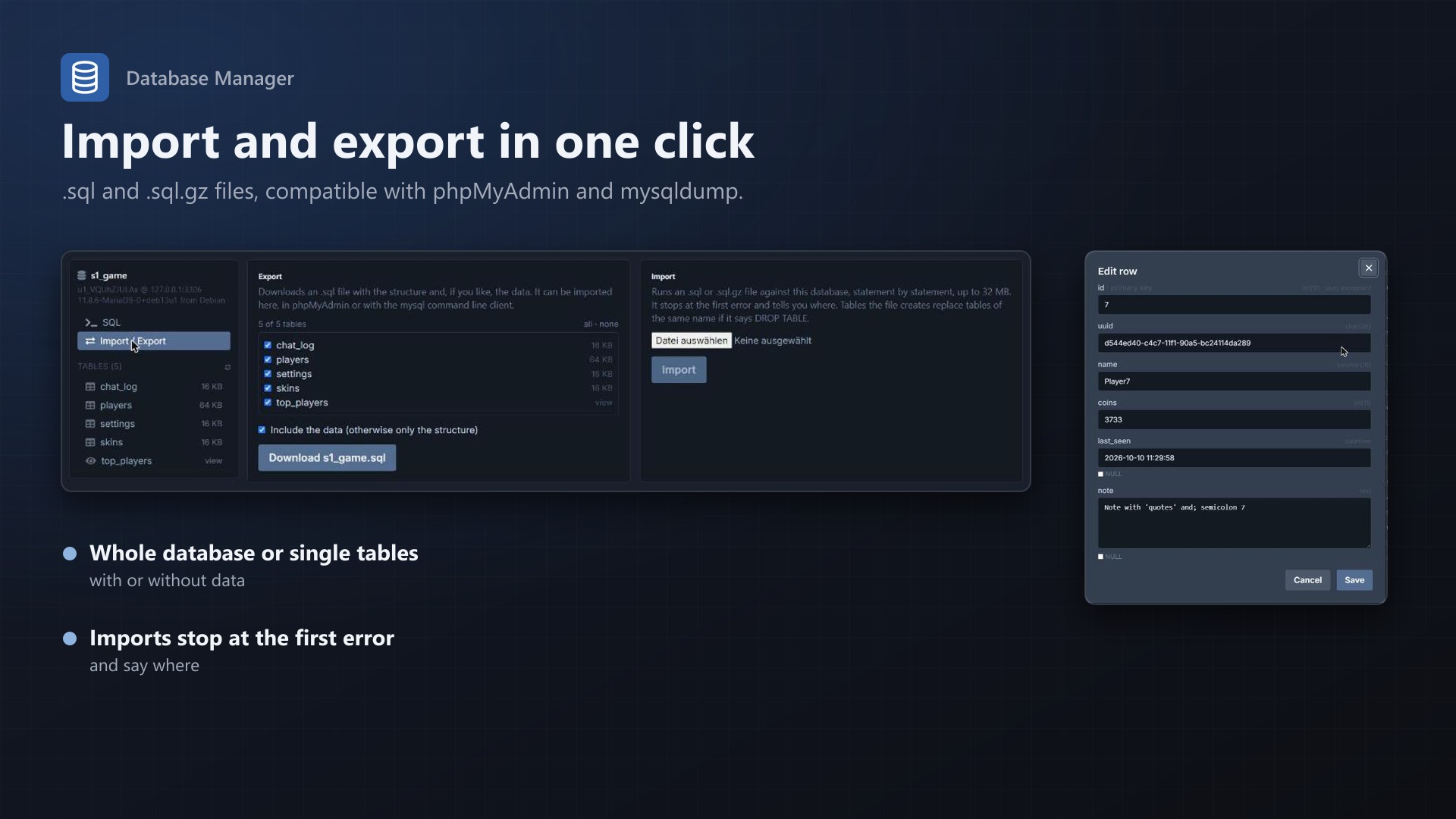
- Click a row to edit it, add rows, select and delete rows
- NULL, long text and JSON handled properly; auto increment fills itself
- Binary data is shown with its size and never broken by an edit
- Structure view: columns, indexes and the CREATE statement
SQL
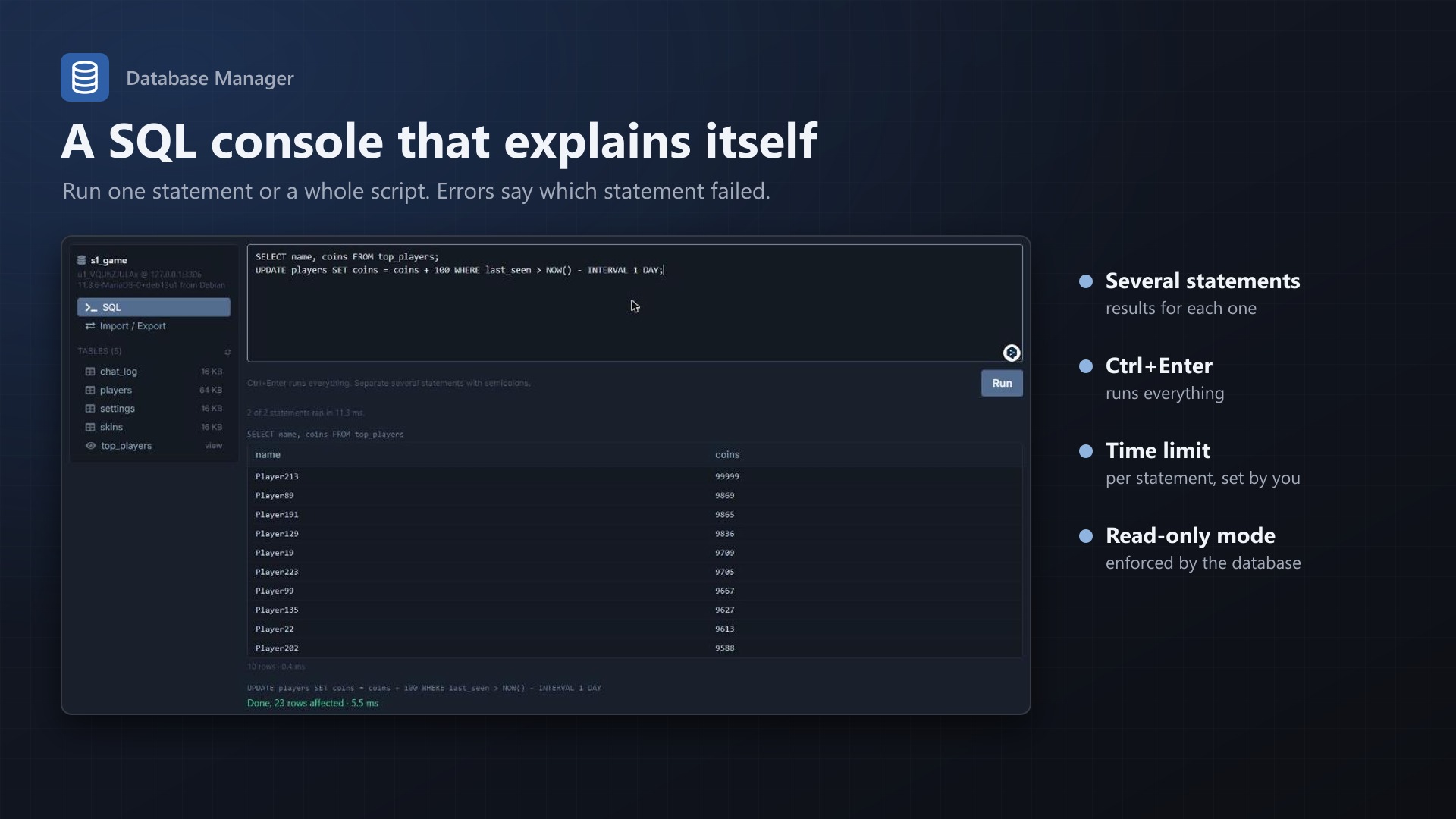
- Run one statement or a whole script; each statement gets its own result
- Errors name the statement that failed
- Ctrl+Enter runs, the text is kept per database
Import and export
- Export the whole database or chosen tables as .sql, with or without data; large tables are streamed
- Import .sql and .sql.gz files, including triggers and procedures (DELIMITER)
- Dumps from phpMyAdmin and mysqldump work, including views and triggers with another DEFINER
Safe
- Connects with each database's own user: it only has rights on its own database
- Only server owners and subusers with the database permissions View and View Password
- Every query, change, import and export appears in the server's activity log
- Admins can switch to read only, enforced by the database itself, and set a time limit per statement
- No core files modified, nothing to install on the database host
Licence
One purchase = one licence = one panel. The licence is bound to one panel domain and the server it runs on. Subdomains count as separate panels: test1.example.com and test2.example.com can't share a licence. You can move the licence to another panel at any time on texus-addons.de.
After buying, sign in on texus-addons.de with your sourceXchange email address. Your licence key is created automatically; download the extension there with the key built in, or enter the key on the extension's admin page.
Requirements
- Pterodactyl Panel 1.15.x
- Blueprint (beta-2026-08 or newer)
- At least one database host under Admin > Databases
- A licence key from texus-addons.de, free with your purchase, for one panel
- Outgoing HTTPS from the panel to texus-addons.de
Installation
- Upload
texusdbmanager.blueprintto/var/www/pterodactyl - Run
blueprint -install texusdbmanager(rebuilds the panel, takes a few minutes) - Enter the licence key under Admin > Extensions > Database Manager
- Every server now has a "Database Manager" page
Support
The README in the download lists all settings and limits. Questions and bug reports through the support link.
Website: texus-addons.de – licence keys, downloads and your account
Support: Discord support server or support@texus-addons.de