Discord Panel Bot
Product information
Release v0.1.2 (Updated )
Reviews
0 von 5 Sternen
0 purchases
Control Pterodactyl servers from Discord: start, stop, console, status, backups and crash alerts. Runs inside the panel, no extra bot hosting.
€14,99
Release historyDescription
Most Discord bots for Pterodactyl are separate programs: you need another server, Node.js, a config file with an API key, and something that keeps the bot running. Discord Panel Bot runs inside your panel. Discord sends every slash command to the panel over HTTPS, the panel checks Discord's signature and answers. Nothing to host, nothing to keep alive.
For your users
- /link connects their Discord account: the bot sends a link, they sign in on the panel and confirm
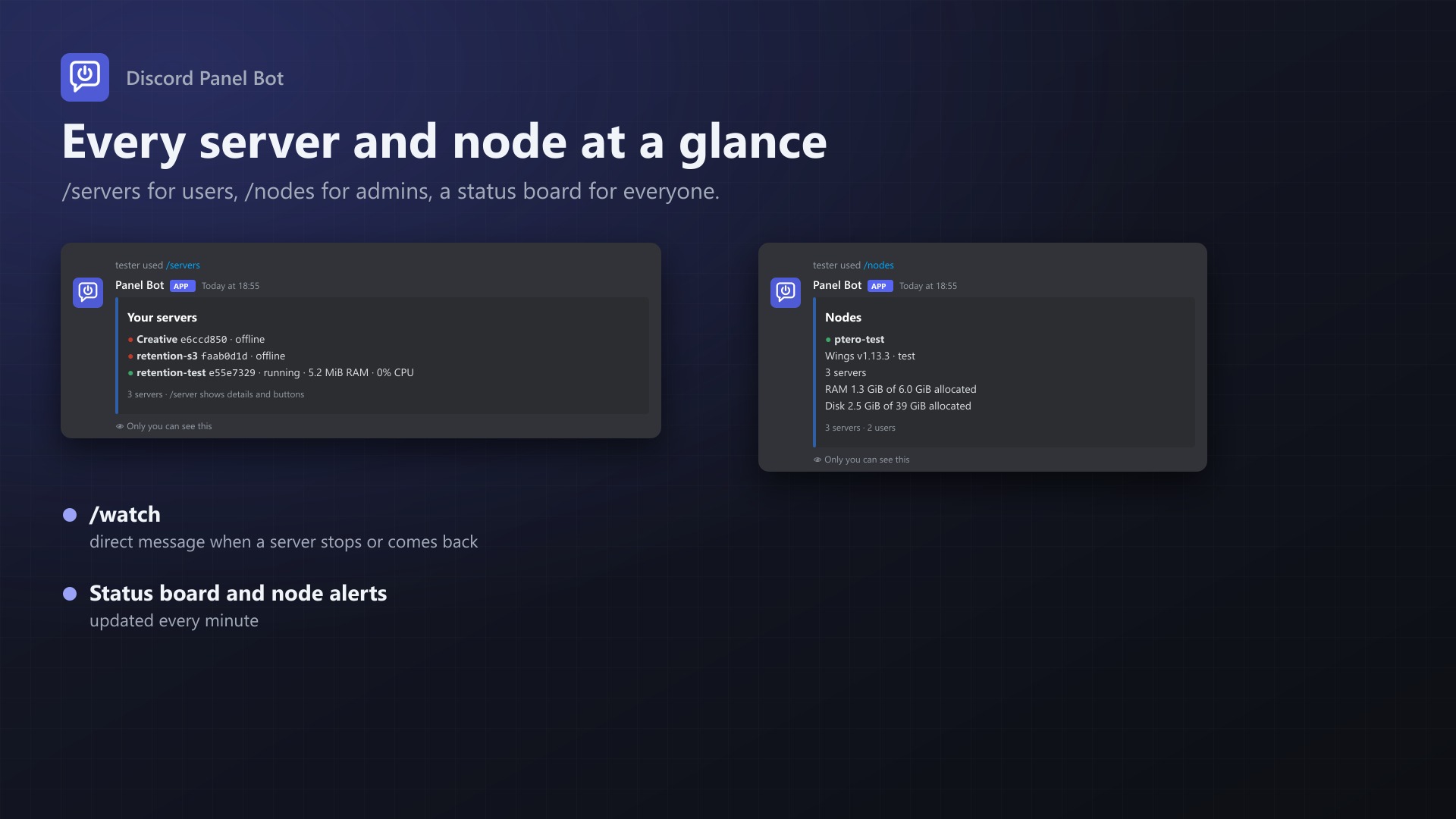
- /servers lists their servers with state, RAM and CPU
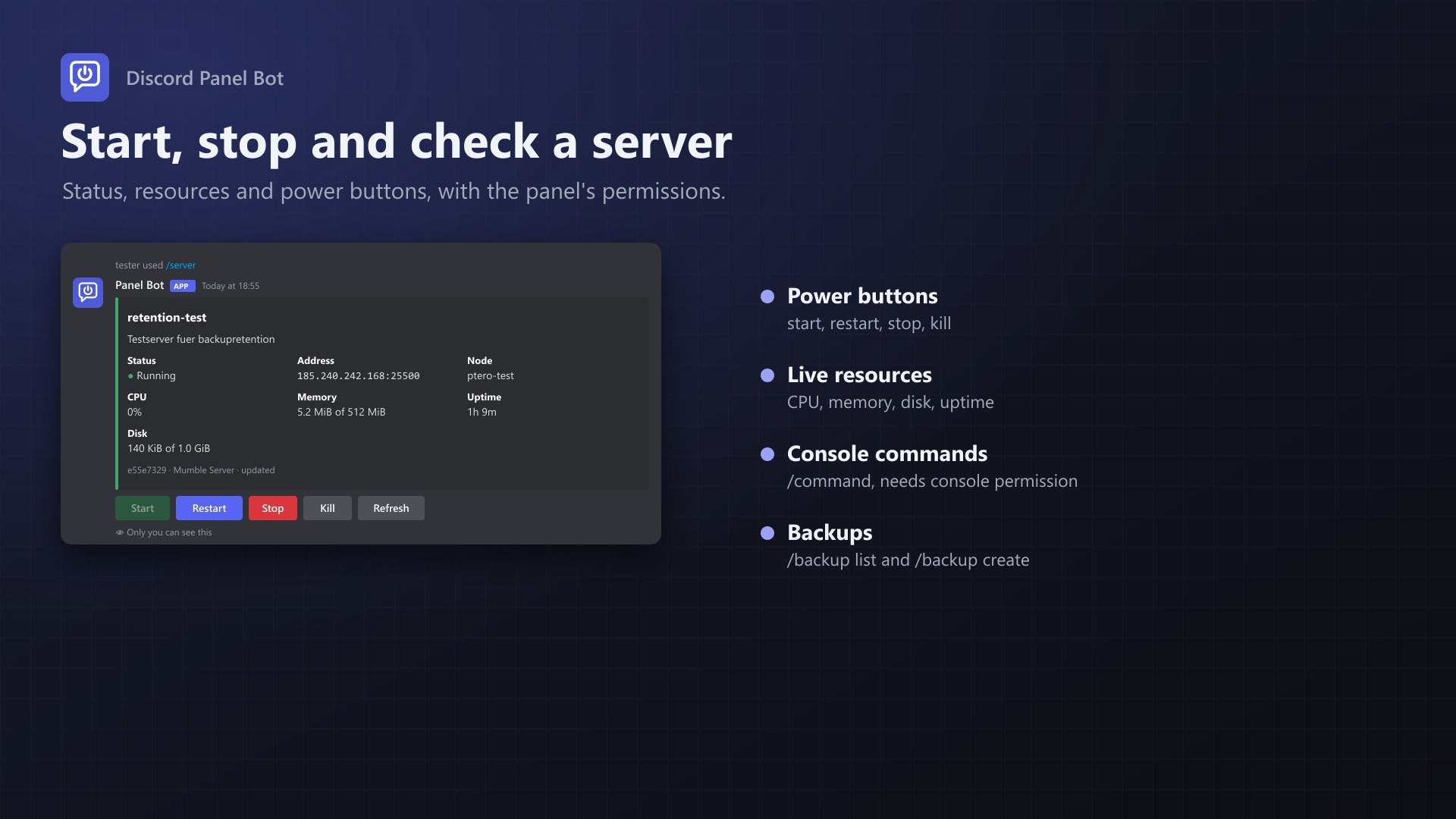
- /server shows one server: state, address, node, CPU, memory, disk, uptime, with Start, Restart, Stop, Kill and Refresh buttons
- /power start, restart, stop or kill
- /command sends a console command
- /backup list and /backup create
- /watch sends a direct message when a server stops, crashes or comes back
- Server names autocomplete while typing; answers are only visible to the user
For you
- Status board: one message in a channel, updated every minute, with your nodes and up to 25 servers (e.g. a public server status)
- Node alerts: a message to your team channel when Wings on a node stops answering, and when it's back
- /nodes: Wings status, servers and allocated RAM and disk per node
- Turn console commands or backups from Discord off, limit watches per user, see and disconnect linked accounts
Safe
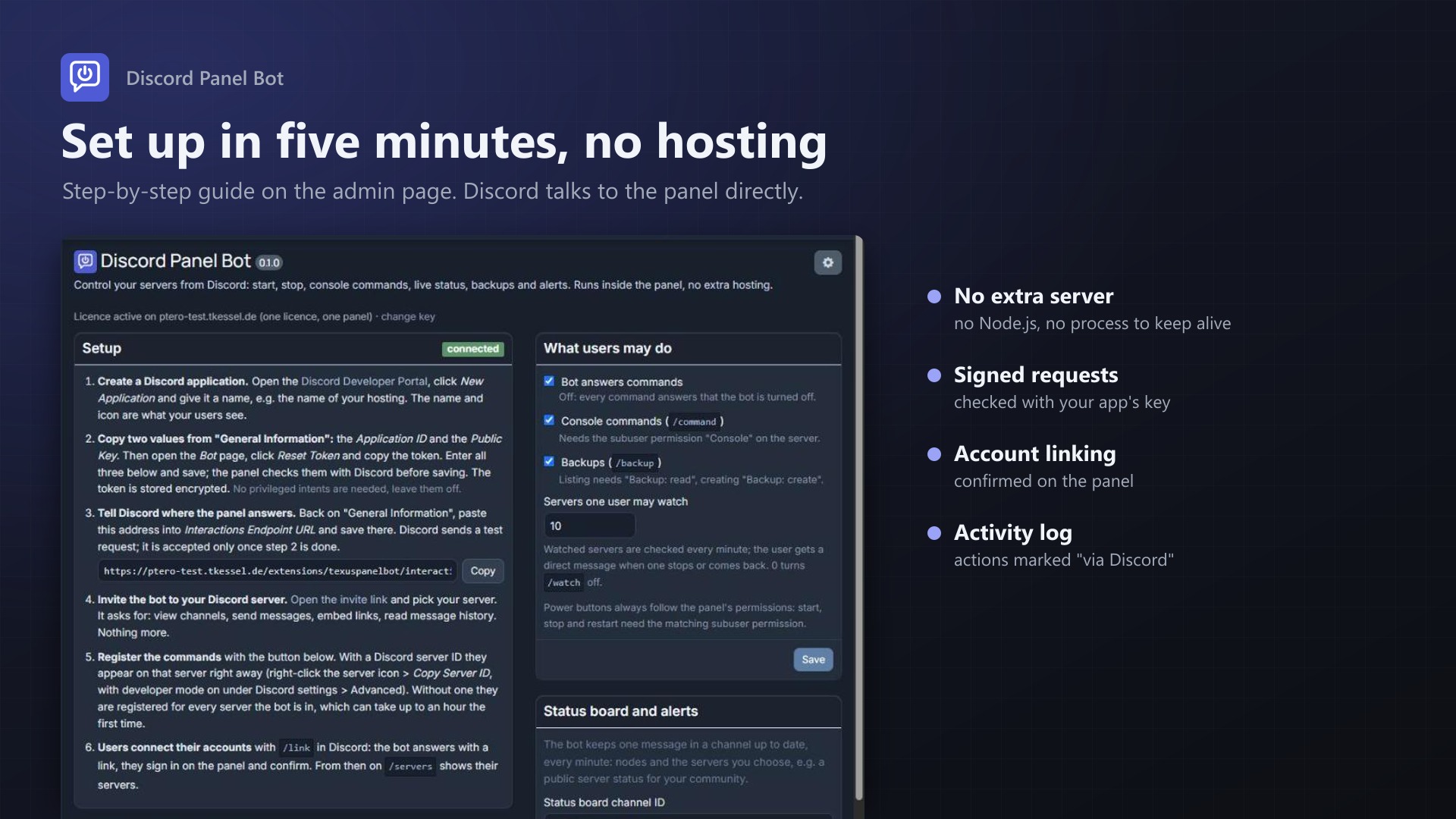
- Every request is checked against your Discord application's public key; unsigned requests are refused
- The bot follows the panel's permissions: subusers can only do what their permissions allow, buttons only appear when they may press them
- Linking is confirmed on the panel, with links that work once and expire after 15 minutes
- Actions show up in the server's activity log, marked "via Discord"
- The bot token is stored encrypted; the bot only needs to view channels, send messages and embed links
- Server names are escaped, so nobody can ping @everyone with a server name
Setup
The admin page walks you through it: create a Discord application, paste three values, set the interactions URL, invite the bot, register the commands. About five minutes.
Licence
One purchase = one licence = one panel. The licence is bound to one panel domain and the server it runs on. Subdomains count as separate panels: test1.example.com and test2.example.com can't share a licence. You can move the licence to another panel at any time on texus-addons.de.
After buying, sign in on texus-addons.de with your sourceXchange email address. Your licence key is created automatically; download the extension there with the key built in, or enter the key on the extension's admin page.
Requirements
- Pterodactyl Panel 1.15.x
- Blueprint (beta-2026-08 or newer)
- The panel reachable over HTTPS from the internet (Discord only calls HTTPS addresses)
- The panel's cron job (part of every Pterodactyl install) for status board and alerts
- A Discord application (free, created in the Discord Developer Portal)
- A licence key from texus-addons.de, free with your purchase, for one panel
- Outgoing HTTPS from the panel to texus-addons.de and discord.com
Installation
- Upload
texuspanelbot.blueprintto/var/www/pterodactyl - Run
blueprint -install texuspanelbot - Open Admin > Extensions > Discord Panel Bot and follow the setup steps
Support
The README in the download explains every command, setting and the most common setup problems.
Website: texus-addons.de – licence keys, downloads and your account
Support: Discord support server or support@texus-addons.de