MultiAuth - Pterodactyl SSO & Passkeys
Product information
Release v2 (Updated )
Reviews
0 von 5 Sternen
0 purchases
Register & Login for Pterodactyl via Discord & Google SSO, passkeys & enforced 2FA
$20.00

Description
 DiscordAuth 2.0.0 turns Discord login for Pterodactyl into a full authentication addon with OAuth login, account linking, trusted devices, login verification, guild and role restrictions, Discord notifications, offline GeoIP/ASN details, localization, and a rebuilt admin panel
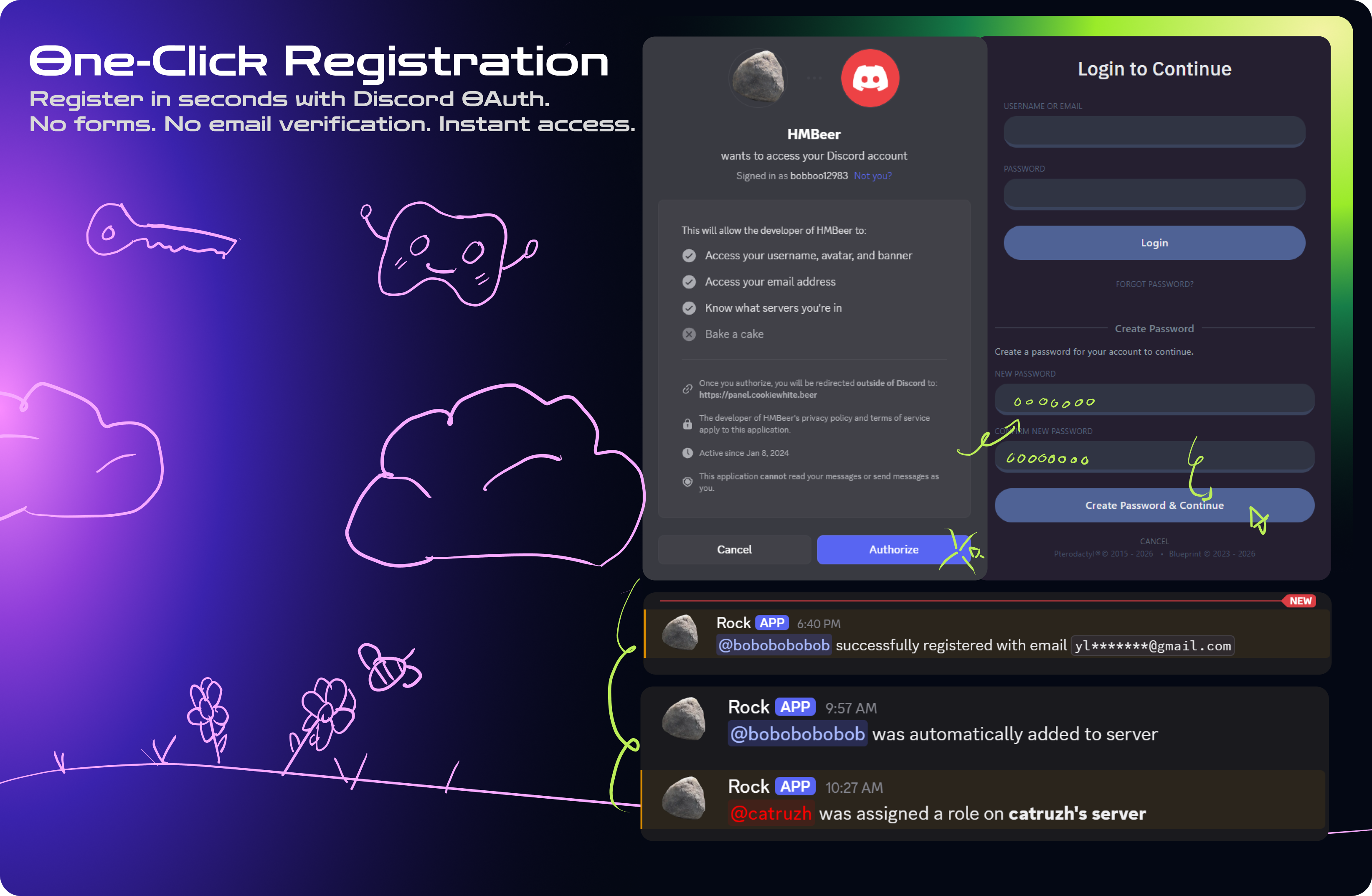
Users can log in or link their account with Discord while your panel keeps the normal Pterodactyl login flow available
Built for More Than Discord
This release lays the foundation for more authentication providers in the future.
Planned providers include Google, GitHub, Steam, Telegram, and more. Each provider may get its own verification rules, notification options, trusted-session logic, and admin controls, so server owners can shape the login flow around their community instead of being locked into one method
DiscordAuth 2.0.0 starts with Discord, but the long-term goal is a flexible authentication hub for Pterodactyl
Discord Login & Account Linking
- Login with Discord OAuth
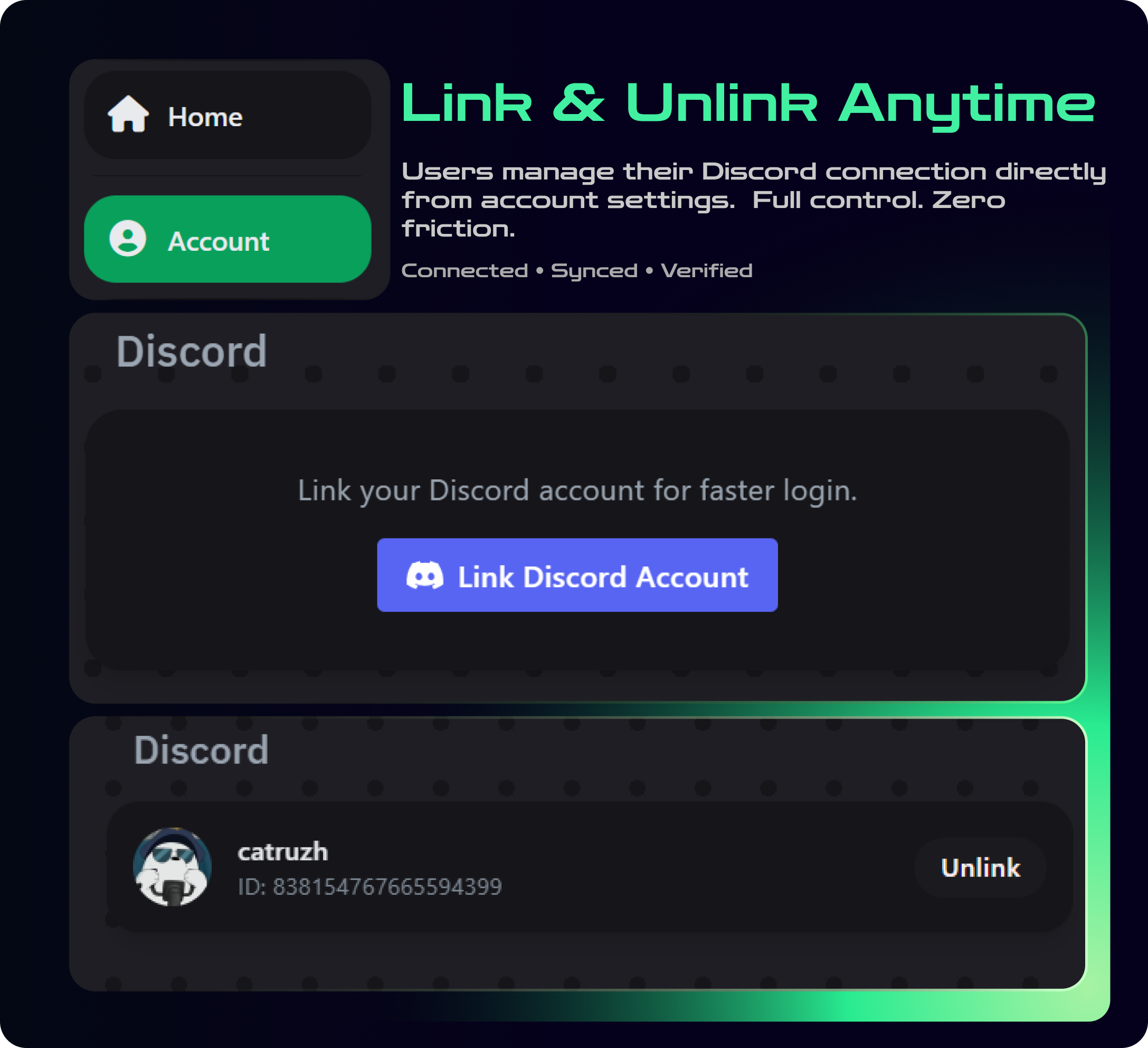
- Link or unlink Discord from the account page
- Existing users must explicitly link Discord instead of being silently matched by email
- New registrations require a verified Discord email
- Traditional panel login can stay available
Login Verification
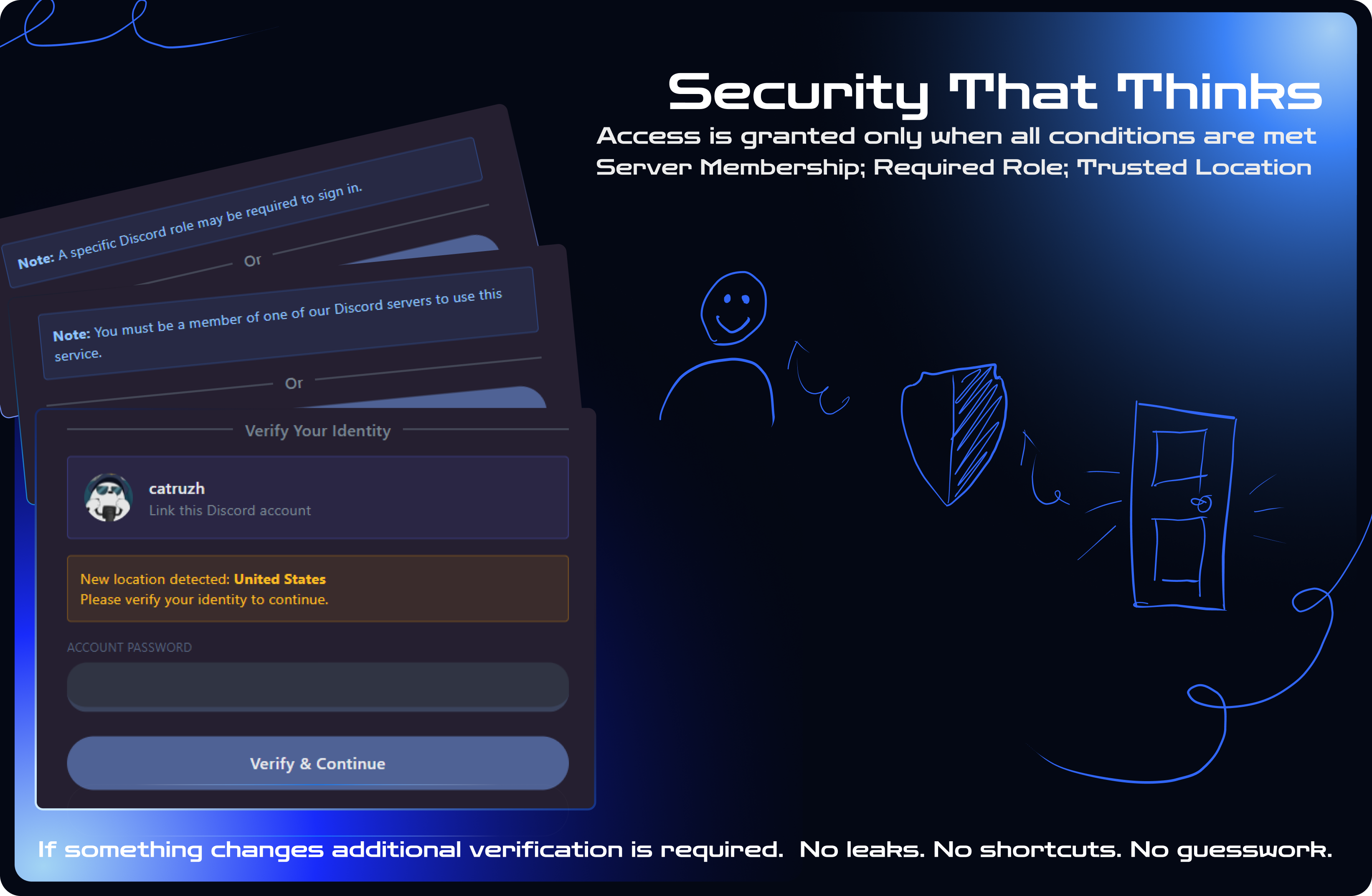
- Require password verification
- Require panel 2FA verification
- Require password + 2FA
- Let users choose password or 2FA when available
- Verification can be required always, never, or only for untrusted sessions
- Supports panel 2FA recovery codes
Trusted Devices & Locations
- Trusted-device support for smoother repeat logins
- Approve or deny new login attempts from an existing trusted session
- Users can manage and revoke trusted devices from the account page
- Trusted-location details can show city, region, country, provider, network type, and ASN when available
- Local/offline GeoIP support, no external GeoIP lookup needed during login
Discord Guild & Role Access
- Restrict login/registration to members of selected Discord servers
- Require specific Discord roles
- Access checks run during login and while users continue using the panel
- Incomplete bot configuration fails closed instead of silently allowing access
Automation
- Auto-join users to your Discord server after successful auth
- Auto-assign Discord roles after successful auth
- Discord permissions are requested only when needed for configured features
Admin Panel
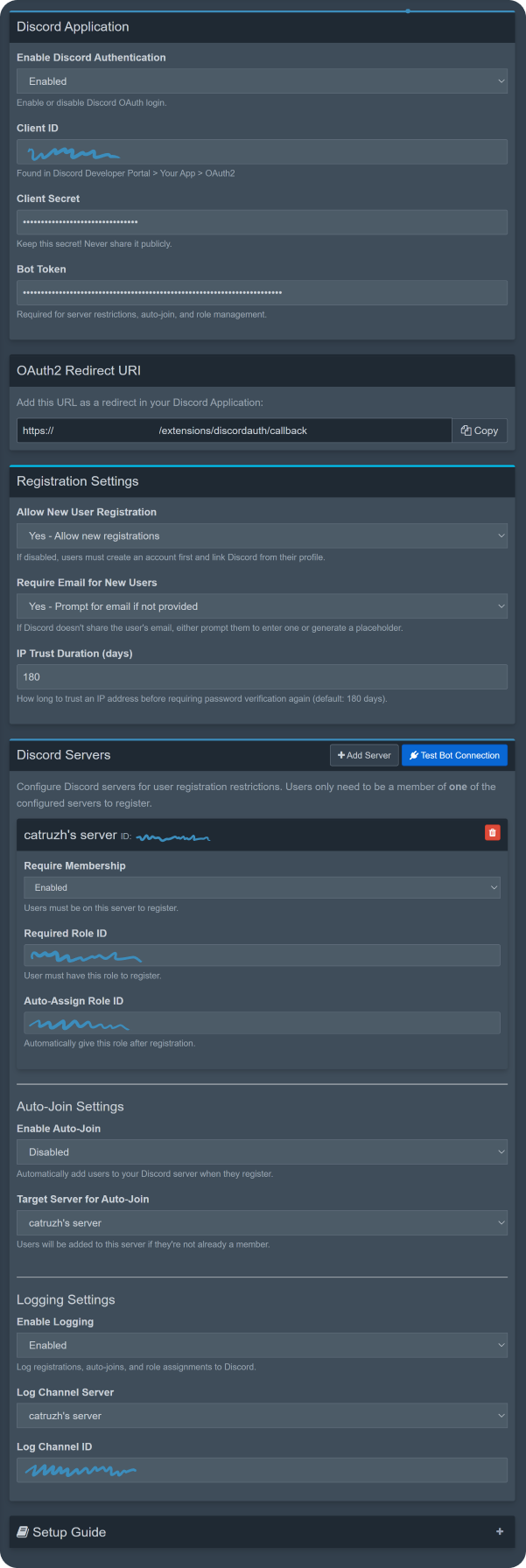
- Rebuilt DiscordAuth admin UI
- Discord server picker
- Role picker with role colors and assignability checks
- Grouped channel picker for notification channels
- Bot diagnostics and guild restriction health checks
- Local DiscordAuth event logs with filters, pagination, avatars, details, and auto-refresh
- GeoIP database status and refresh controls
- Safer secret replacement flow for client secret and bot token
Localization
Admin and user-facing translations included for:
- English
- Russian
- Ukrainian
- German
- Turkish
- Italian
- French
Security
- Discord OAuth tokens and addon credentials are encrypted at rest
- Client secret and bot token are hidden after saving
- OAuth state records are stored safely and consumed after use
- No automatic email-based linking to existing panel accounts
- New registrations require a verified Discord email
- Open redirect protection for post-login redirects
- Rate limiting on important public auth routes
- Admin actions require admin authentication, CSRF protection, and safe request handling
- Sensitive values are redacted from local admin logs
FAQ
Q: Does this replace the default Pterodactyl login?
A: No. The normal Pterodactyl login remains available unless you configure your panel/login page differently
Q: Can I restrict access to only my Discord server?
A: Yes. You can require users to be members of selected Discord servers, and optionally require specific roles
Q: What happens if the bot is not configured correctly?
A: If guild restrictions are enabled, DiscordAuth fails closed and blocks login until the bot configuration is fixed
Q: Can users unlink Discord?
A: Yes. Linked users can manage and unlink Discord from their account page
Q: Does DiscordAuth store Discord tokens?
A: Yes, when needed for account linking and Discord actions. Tokens are encrypted at rest
Q: Does it support multiple languages?
A: Yes. DiscordAuth includes English, Russian, Ukrainian, German, Turkish, Italian, and French translations Screenshots
These screenshots are from an earlier demo build. Updated DiscordAuth 2.0.0 screenshots will be added soon