Game Config Editor
Product information
Release v0.1.0 (Updated )
Reviews
0 von 5 Sternen
0 purchases
A settings form for ARK, Palworld, Rust, Counter-Strike 2 and 7 Days to Die: customers change what they want, only that is written, a backup copy is kept.
€9,99
Release historyDescription
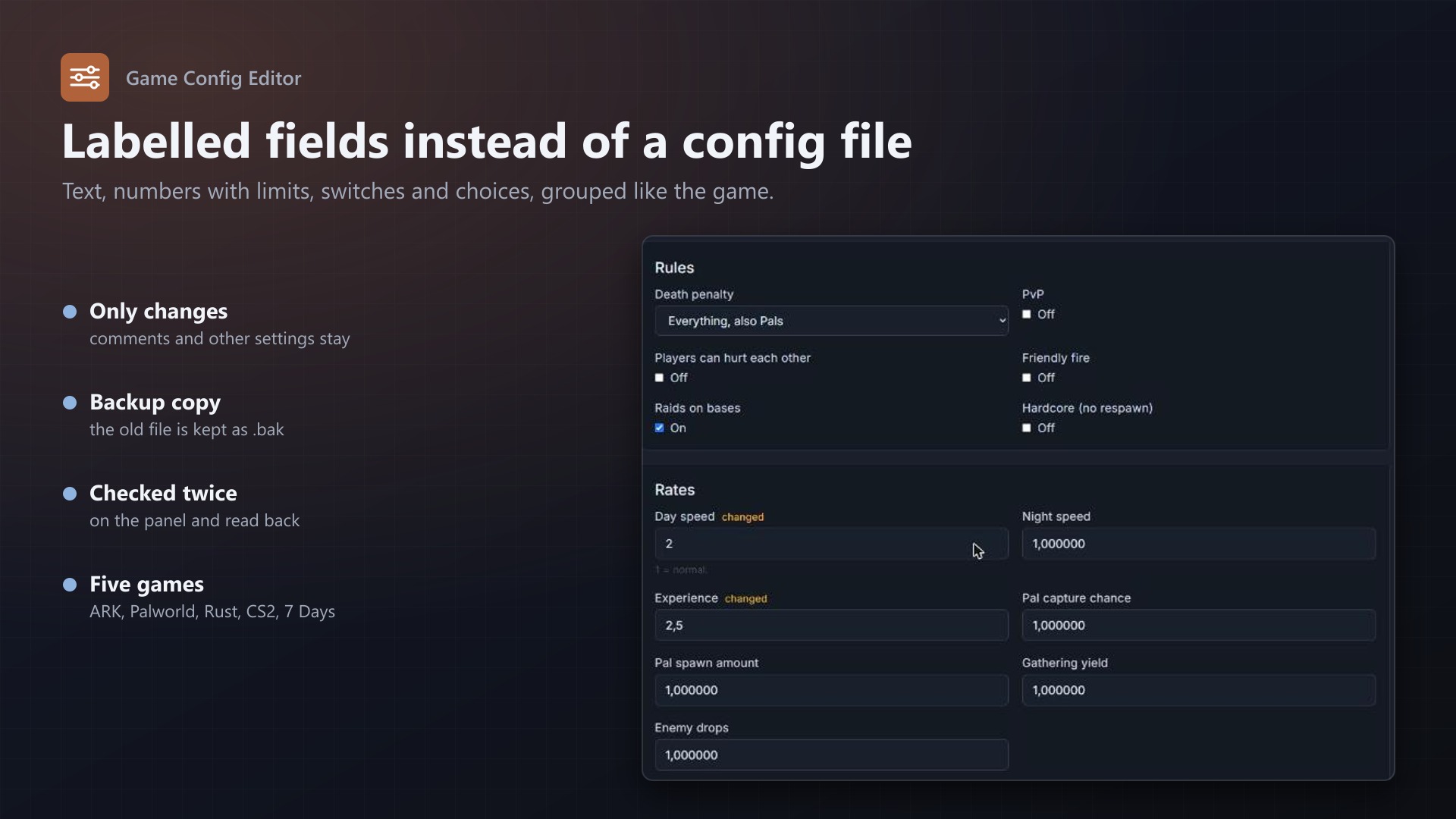
Game configs are a pain to edit by hand. Palworld keeps every setting in one long OptionSettings=(...) line, ARK has hundreds of keys in two files, 7 Days to Die is XML, and one typo stops the server from starting. Game Config Editor adds a Config tab to the server page with labelled fields, ranges, switches and short explanations.
What customers can do
- See the settings of their game in groups (General, Rules, Rates ...) with the values from the file
- Change text, numbers (with the allowed range), on/off switches and choices
- Passwords can be shown or hidden
- Save only what they changed; a copy of the old file is kept next to it as
.bak - Get a clear message when the file does not exist yet, when a value is not allowed, or when the server must be stopped first
Games and files
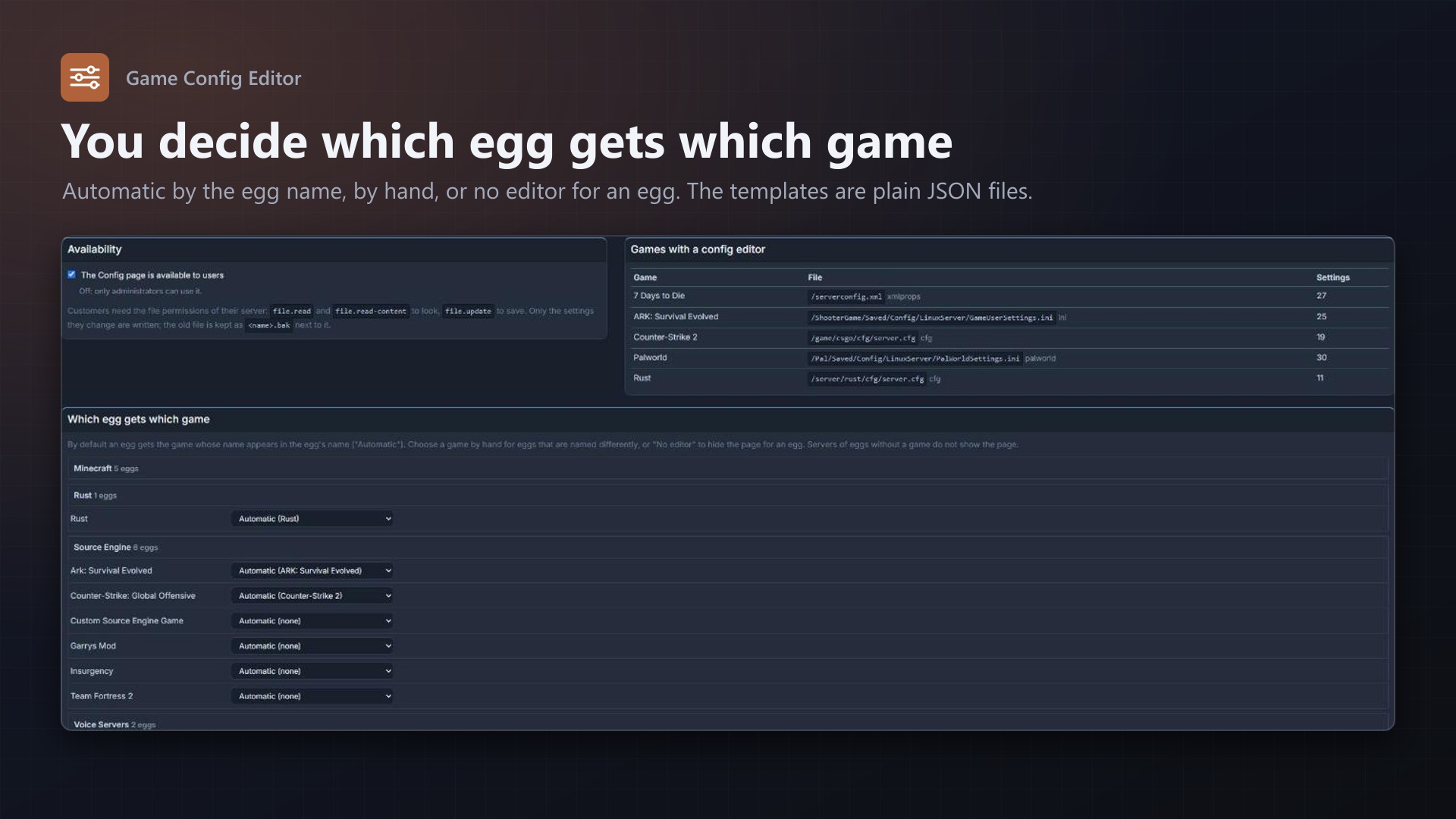
- Palworld:
PalWorldSettings.ini, 30 settings (the long OptionSettings line is edited key by key) - ARK: Survival Evolved:
GameUserSettings.ini, 25 settings - Rust:
server.cfg, 11 settings - Counter-Strike 2:
server.cfg, 19 settings - 7 Days to Die:
serverconfig.xml, 27 settings - The templates are plain JSON files; all settings that are not offered stay untouched in the file
What you control
- Turn the Config page on or off for users
- Which egg gets which game: automatic by the egg's name, by hand, or "No editor" per egg
- Customers need the file permissions of their server: read to look, update to save
Safe by design
- Only the settings the customer changed are touched; comments, order, spacing and unknown settings stay, line endings are kept
- Every value is checked on the panel against the template (type, range, choices), not only in the browser
- The edited file is read back and checked before it is written
- A game that writes its config when it stops (ARK) can only be saved while the server is stopped
- Suspended, installing, restoring and transferring servers can not be changed
- Every save is written to the server's activity log; no core files are modified
Licence
One purchase = one licence = one panel. The licence is bound to one panel domain and the server it runs on. Subdomains count as separate panels: test1.example.com and test2.example.com can't share a licence. You can move the licence to another panel at any time on texus-addons.de.
After buying, sign in on texus-addons.de with your account email address. Your licence key is created automatically; download the extension there with the key built in, or enter the key on the extension's admin page.
Requirements
- Pterodactyl Panel 1.x with Blueprint (beta-2026-08 or newer)
- The config files where the template expects them (the usual paths of the common eggs)
- A licence key from texus-addons.de, free with your purchase, for one panel