Game Switcher
Product information
Release v0.1.0 (Updated )
Reviews
0 von 5 Sternen
0 purchases
Let customers change the game of their server themselves: backup first, then the new game is installed. You choose which games can be exchanged.
€7,99
Release historyDescription
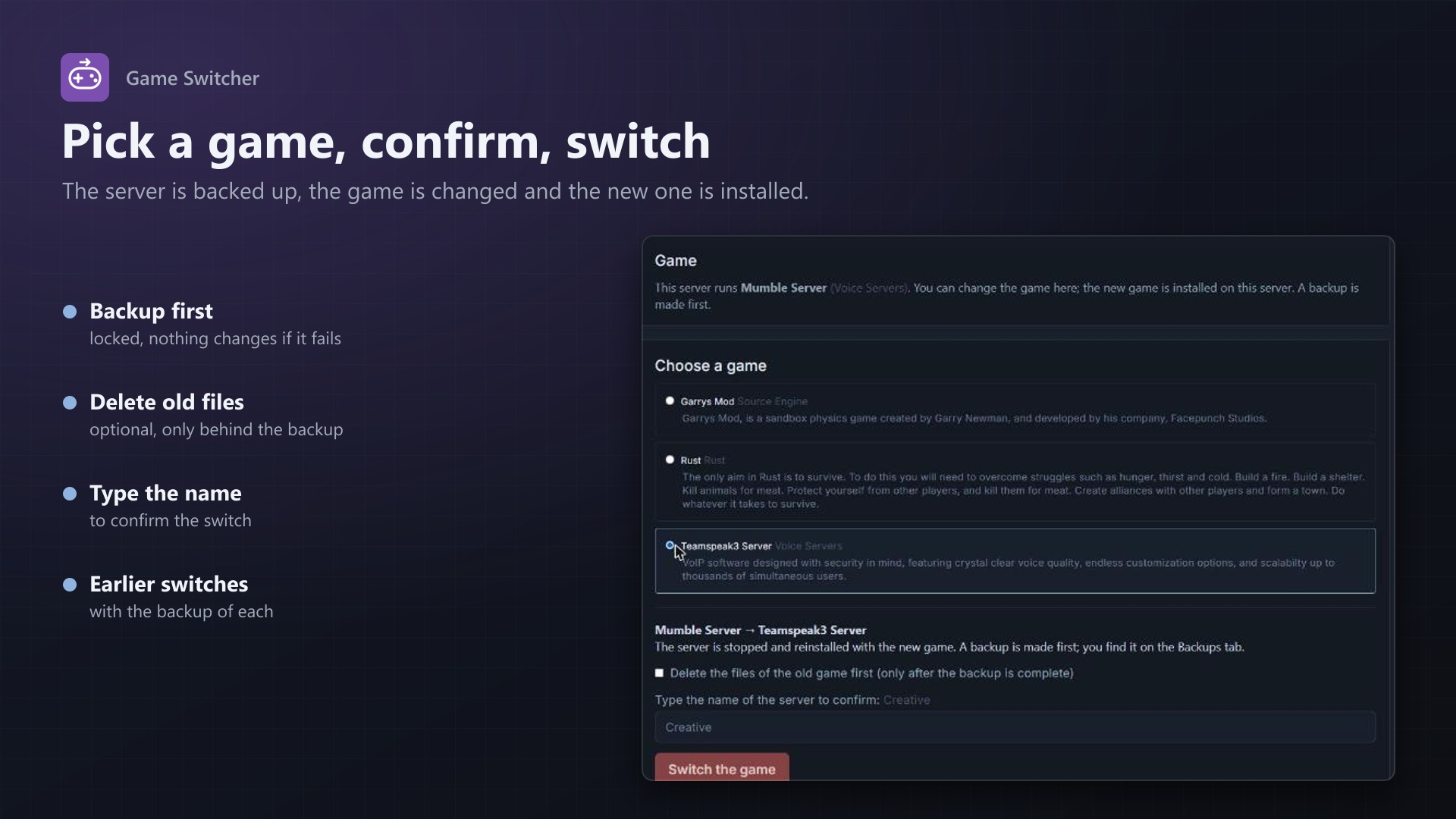
Changing a server from one game to another means an admin opens the server's Startup page, picks the egg, fixes the startup command, the Docker image and the variables, and starts a reinstall. Or the customer opens a ticket and waits. Game Switcher adds a Game tab to the server page that does it, safely, without admin help.
What customers can do
- See the game their server runs and the games it may switch to
- Pick a game, type the server's name to confirm, and start the switch
- Watch the steps: backup, change the game, install the new one
- See earlier switches, with the backup made before each of them
What happens in a switch
- Backup first: a panel backup of the server is made and the switch waits until it is complete and successful; if it fails, nothing is changed. The backup is locked so rotation does not remove it
- Optional: delete the old files, only behind a successful backup and only if you allow it
- The game is changed: egg, startup command, Docker image and the egg's default variables
- The new game is installed by the egg's install script
What you control
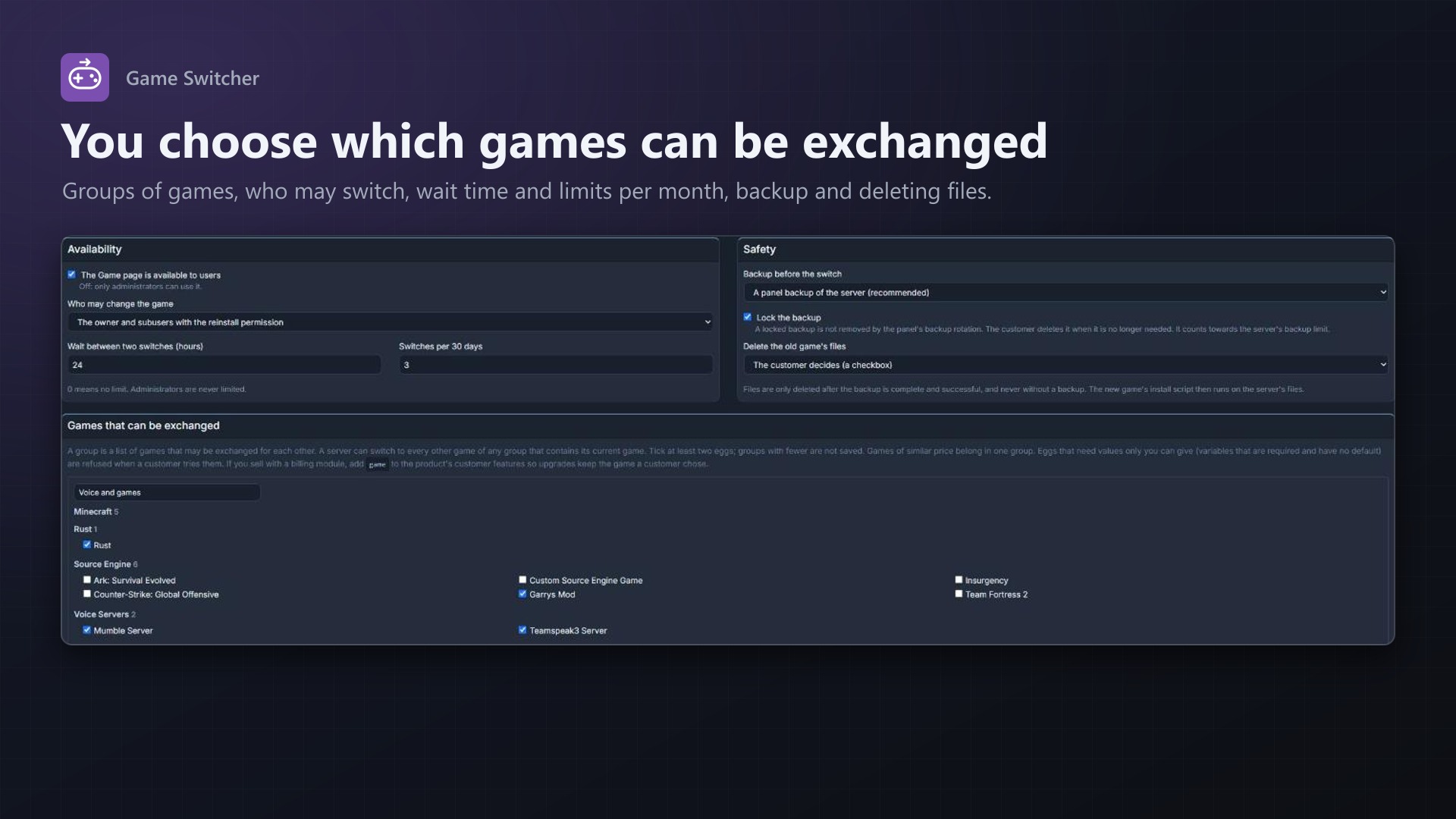
- Groups of games that may be exchanged for each other (similar price in one group)
- Who may switch: the owner and subusers with the reinstall permission, or only the owner
- Limits: hours between switches and switches per 30 days; administrators are never limited
- Backup on or off, locked or not; delete the old files: the customer decides, always or never
- An overview of the latest switches with their state and any error
- With the texus billing modules: add
gameto the customer features and upgrades keep the game the customer chose
Safe by design
- Nothing starts without typing the server's name
- Files are only deleted behind a complete, successful backup, and never without a backup
- A game that needs values only you can give is refused before anything starts
- A subuser who may reinstall needs backup.create for the backup and file.delete and control.stop to delete files; the server can not be started while a switch changes it
- Suspended, installing, restoring and transferring servers are not touched; one switch at a time per server
- Everything is written to the server's activity log; no core files are modified
Licence
One purchase = one licence = one panel. The licence is bound to one panel domain and the server it runs on. Subdomains count as separate panels: test1.example.com and test2.example.com can't share a licence. You can move the licence to another panel at any time on texus-addons.de.
After buying, sign in on texus-addons.de with your account email address. Your licence key is created automatically; download the extension there with the key built in, or enter the key on the extension's admin page.
Requirements
- Pterodactyl Panel 1.x with Blueprint (beta-2026-08 or newer)
- Backups working on the panel, and the panel's scheduler running
- A licence key from texus-addons.de, free with your purchase, for one panel