Idle Stop
Product information
Release v0.1.0 (Updated )
Reviews
0 von 5 Sternen
0 purchases
Stop servers nobody plays on: player count or CPU checked every minute, idle servers stopped to free node resources.
€9,99
Release historyDescription
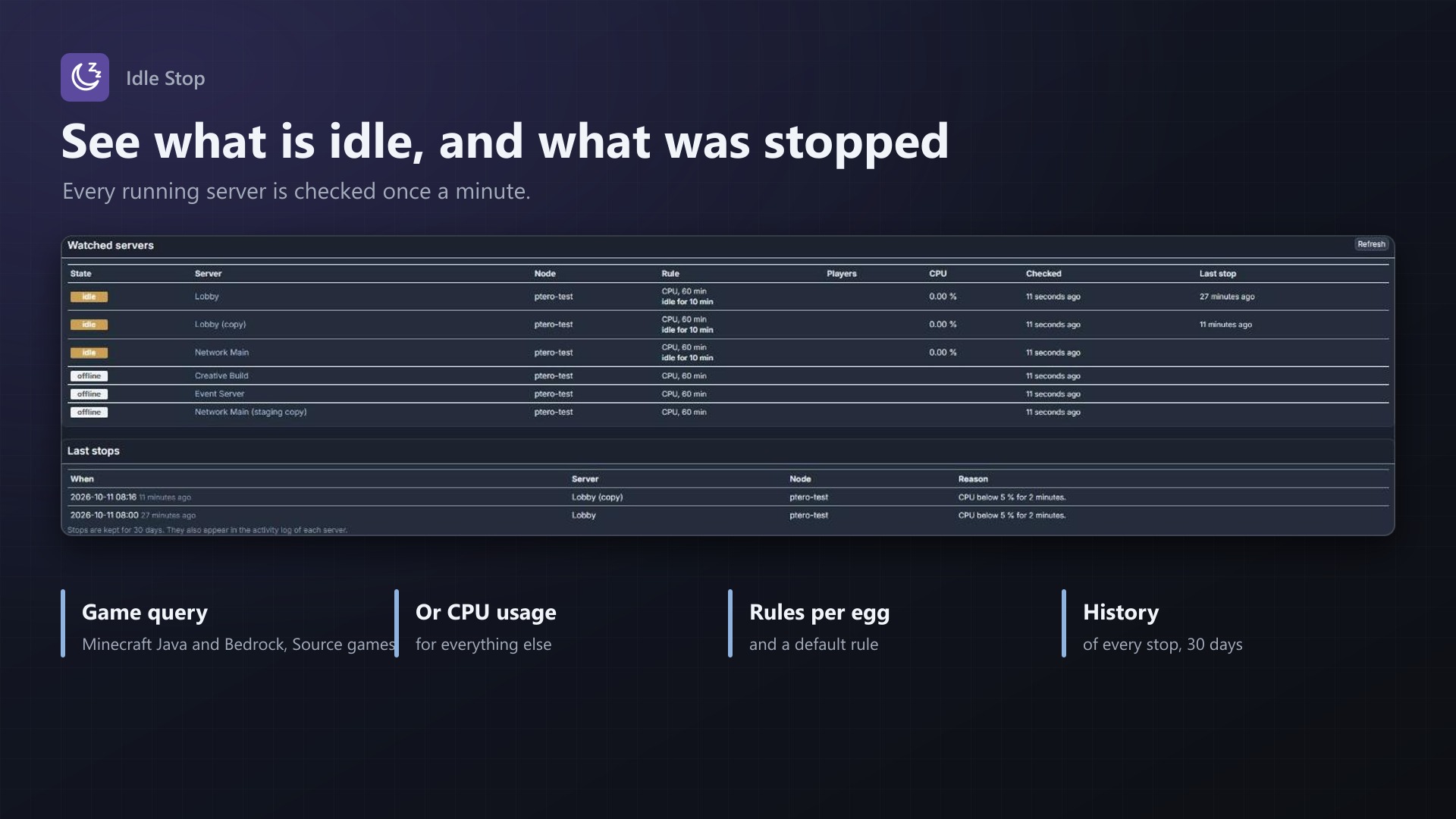
Game servers often run for days with nobody on them: the weekend event server, the test server, the server whose owner lost interest. They still take memory and CPU on your nodes. Idle Stop checks every running server once a minute and stops the ones that have been empty for too long. The owner starts it again whenever they want to play.
Knows when nobody is playing
- Player count straight from the game: Minecraft Java (Server List Ping), Minecraft Bedrock (RakNet) and Source / Steam A2S (CS2, Garry's Mod, Rust, ARK, TF2, Valheim and more); bots don't count
- Query type picked automatically from the egg, or chosen per egg, with a port offset for games that answer on another port
- Or by CPU usage from Wings, for games without a query
- After 15 minutes idle in a row (your choice) the server gets a normal stop, logged in the server's activity log
Safe by design
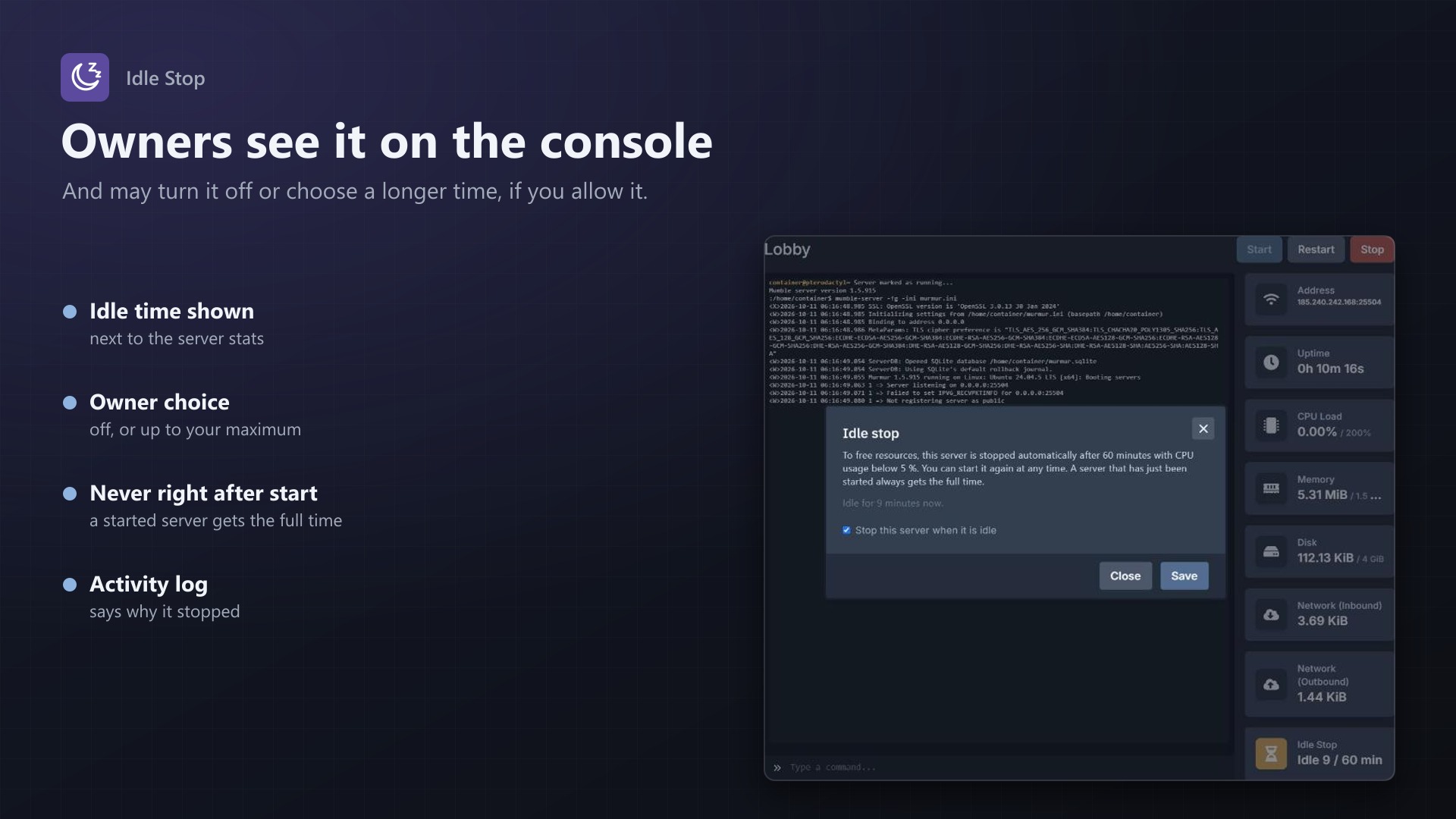
- A server that has just started always gets the full time
- A query without an answer never counts as idle; optionally the CPU usage decides instead
- Installing, suspended and transferring servers and nodes in maintenance are skipped
- Exclude single servers, or watch only the nodes you choose
Rules and owners
- Default rule plus rules per egg: on or off, players or CPU, minutes, query type
- Idle Stop box on the console page: owners see "After 15 min" or "Idle 4 / 15 min"
- If you allow it, owners can turn idle stop off for their server or choose a longer time up to your maximum
- Admin page with all watched servers (players, CPU, idle for how long, last stop) and the last 50 stops
- No core files modified
Licence
One purchase = one licence = one panel. The licence is bound to one panel domain and the server it runs on. Subdomains count as separate panels: test1.example.com and test2.example.com can't share a licence. You can move the licence to another panel at any time on texus-addons.de.
After buying, sign in on texus-addons.de with your sourceXchange email address. Your licence key is created automatically; download the extension there with the key built in, or enter the key on the extension's admin page.
Requirements
- Pterodactyl Panel 1.15.x with Wings 1.11 or newer on all nodes
- Blueprint (beta-2026-08 or newer)
- The panel's cron job (
schedule:runevery minute) - Network access from the panel to the game ports of the servers for the player query
- A licence key from texus-addons.de, free with your purchase, for one panel
- Outgoing HTTPS from the panel to texus-addons.de
Installation
- Upload
texusidle.blueprintto/var/www/pterodactyl - Run
blueprint -install texusidle - Enter the licence key under Admin > Extensions > Idle Stop
Support
The README in the download explains every option. Questions and bug reports through the support link.
Website: texus-addons.de – licence keys, downloads and your account
Support: Discord support server or support@texus-addons.de