IpMarket
Product information
Release v1.1.1 (Updated )
Reviews
0 von 5 Sternen
0 purchases
IP Marketplace for Paymenter lets you sell and lease your own IPv4 (/24 to /15) and IPv6 subnets. It adds a public marketplace page, a subnet inventory in the admin panel, an automatic ticket for every order and a mandatory ASN fee, all tied into Paymente
€10,00
Release history

Description
IP Marketplace for Paymenter by MayaCraft LLC
Sell and lease your own IP space straight from Paymenter. IP Marketplace adds a public marketplace page for your subnets, an inventory in the admin panel and a ticket for every order, all tied into Paymenter's normal billing.
WHAT YOUR CLIENTS GET
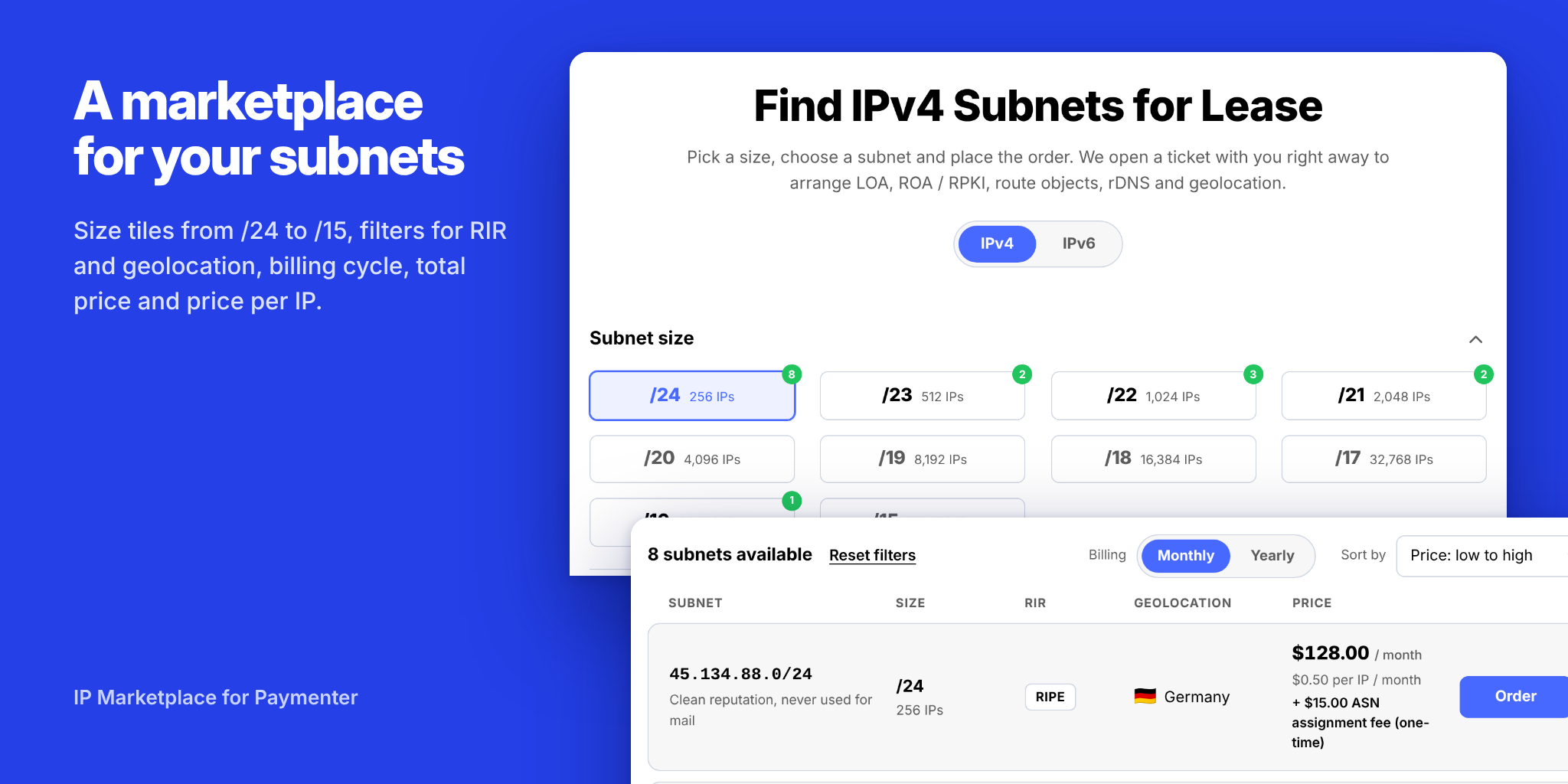
- A marketplace page with size tiles from /24 to /15, IPv4 and IPv6
- Filters for RIR and geolocation, sorting by price or size
- Billing cycle switch (monthly, yearly and so on) with total price and price per IP
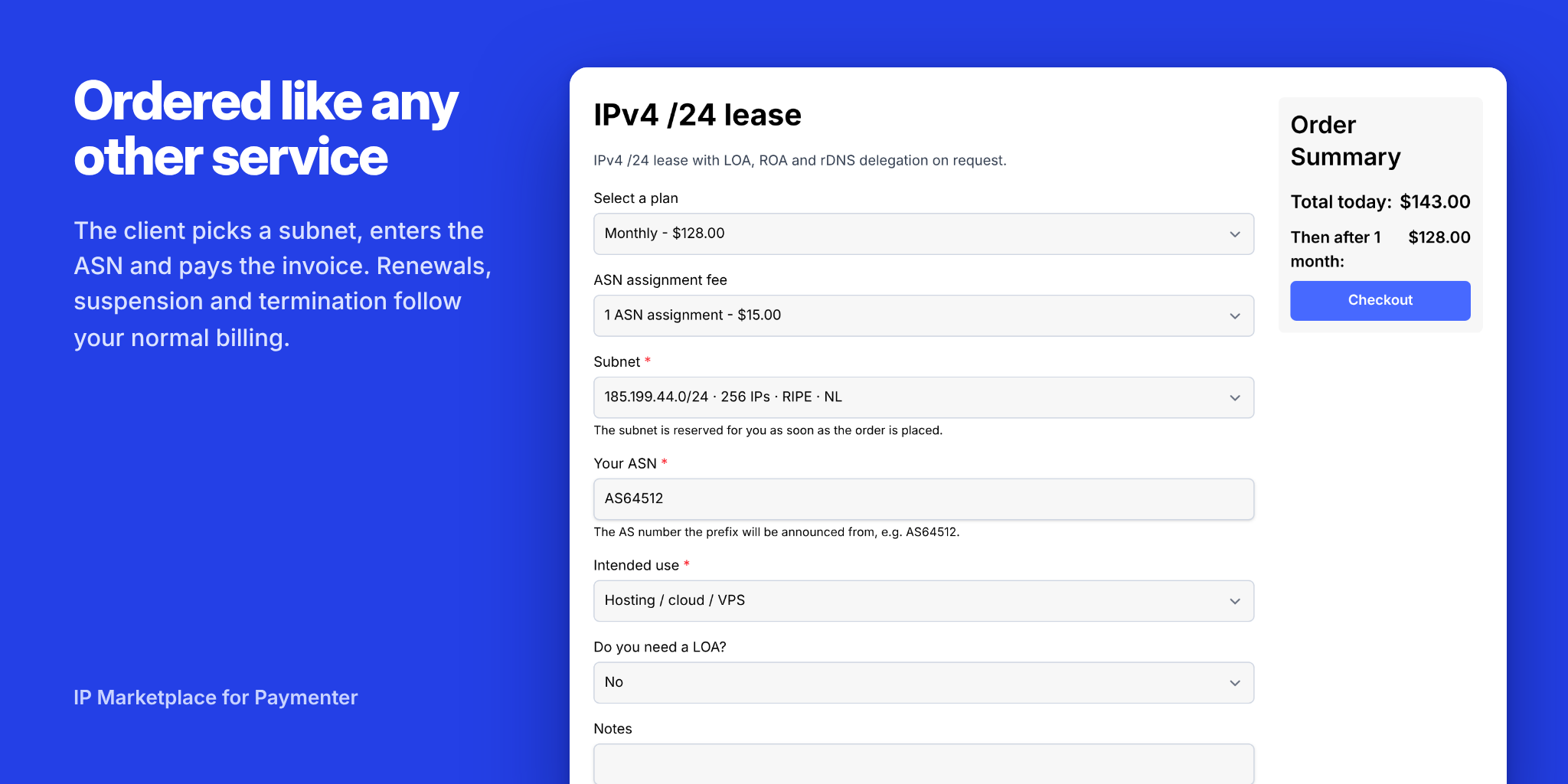
- A normal Paymenter checkout: pick the subnet, enter the ASN, pay the invoice
- A service page with the assigned prefix, range, netmask and reverse DNS zone
WHAT YOU GET
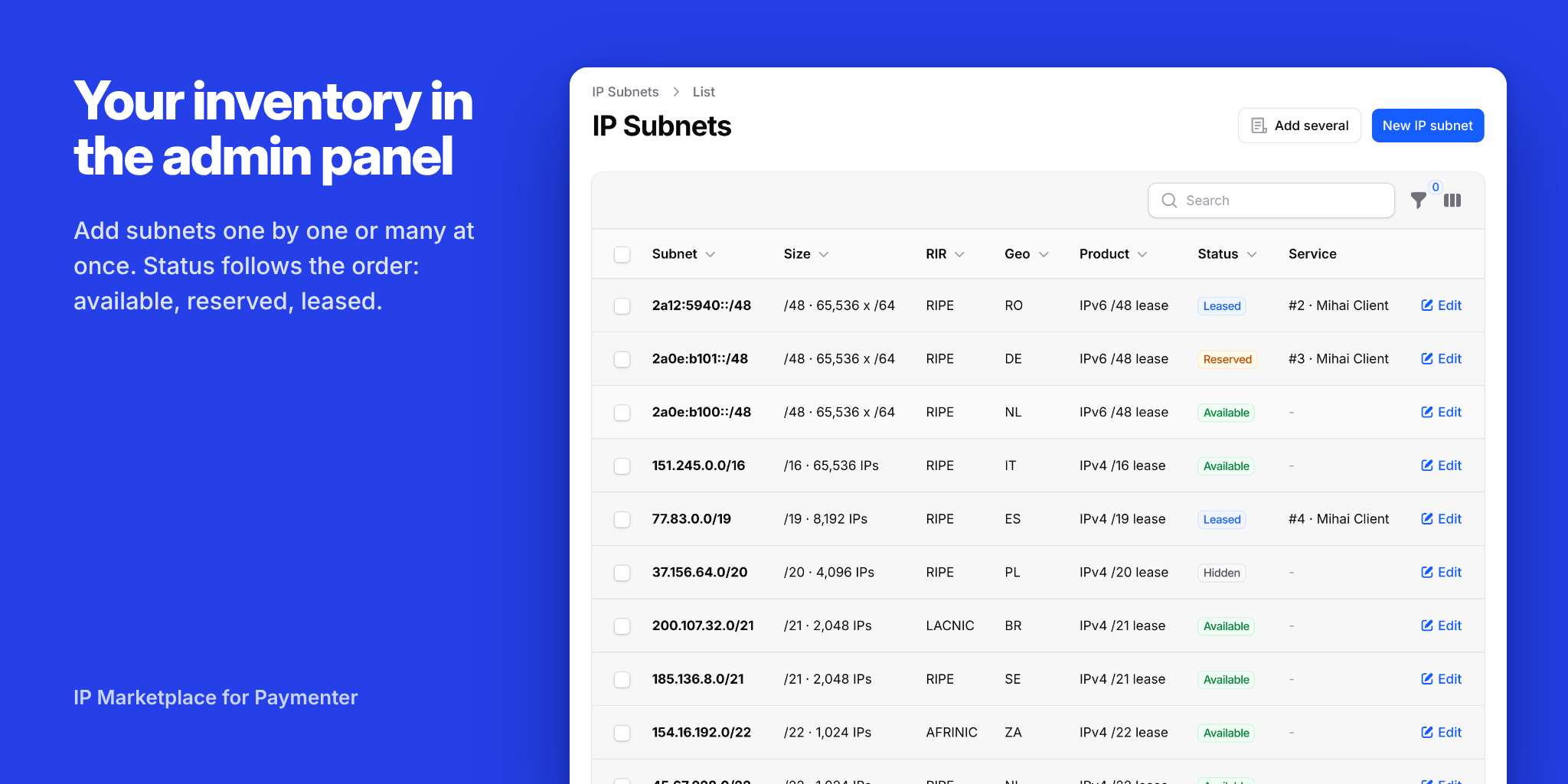
- Your own subnet inventory in the admin panel: add subnets one by one or many at once, each with RIR, country and status
- Prices come from your Paymenter products and plans, so you set them the way you want
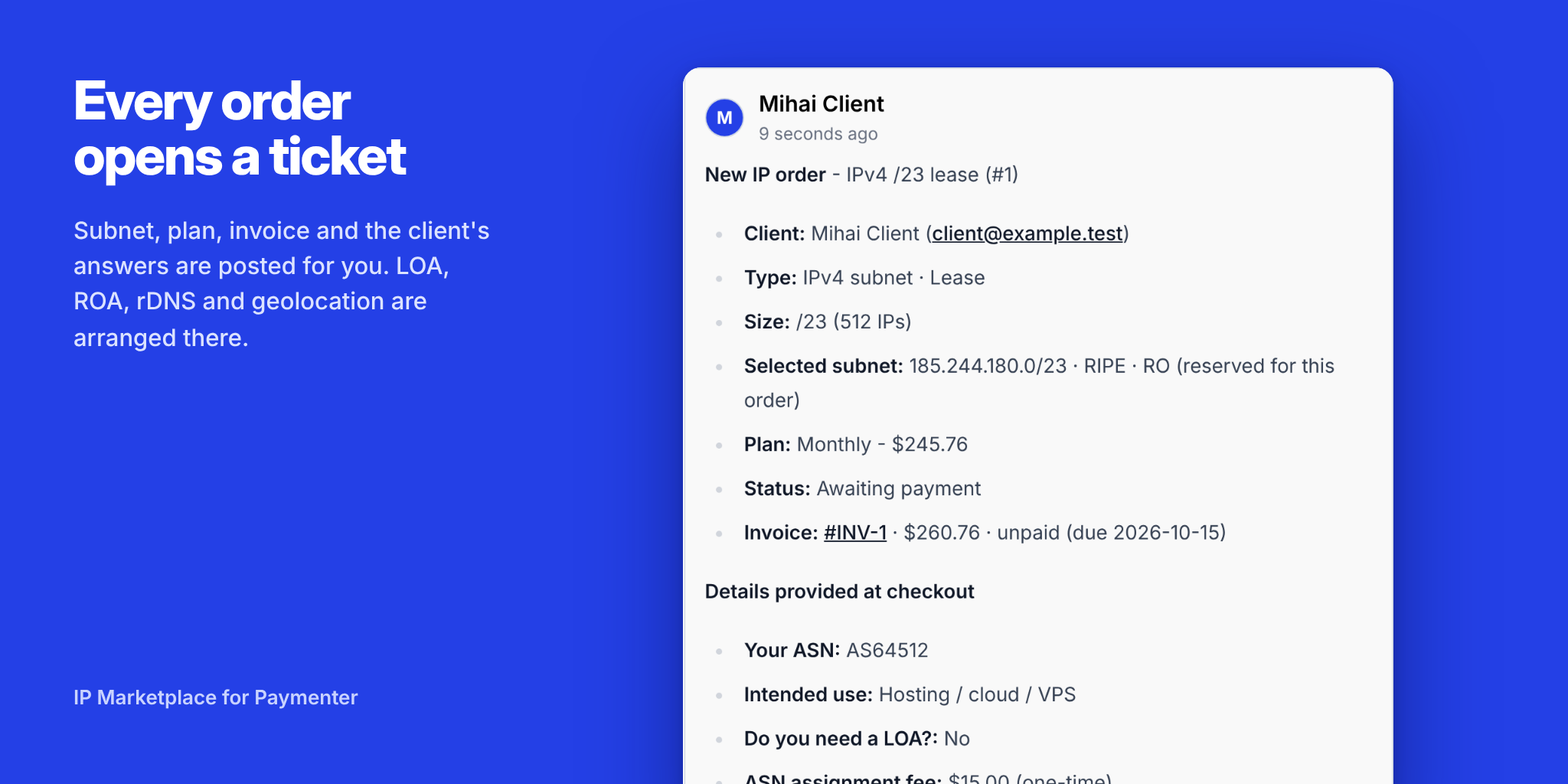
- A ticket opens automatically for every order, with the subnet, plan, invoice and the client's answers. LOA, ROA / RPKI, rDNS and geolocation are arranged there
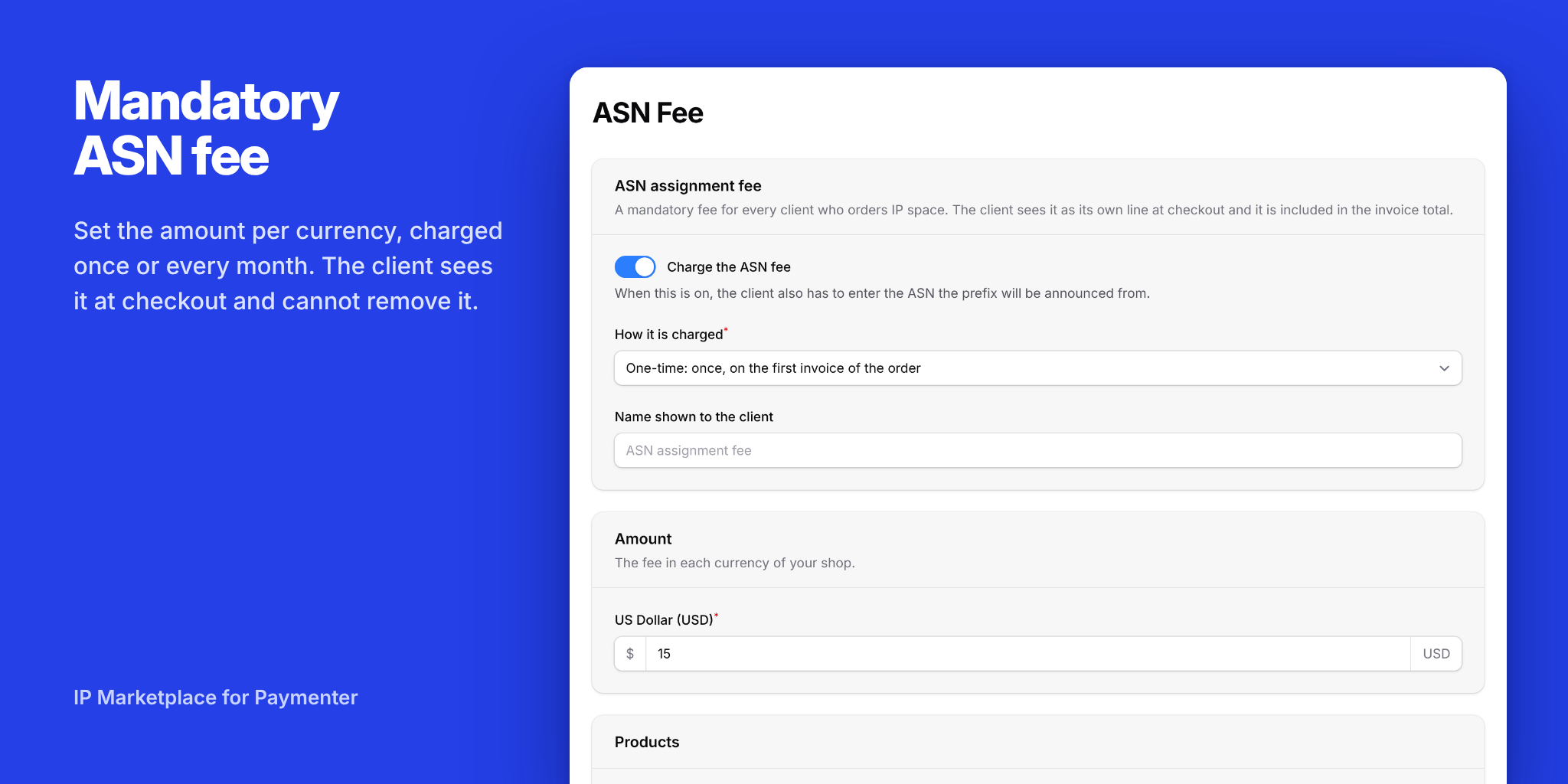
- Mandatory ASN fee: set the amount per currency, charged once or every month. The client sees it at checkout and cannot remove it
- Request-only products for anything you do not keep in stock: custom sizes, ASN registration, other IP services
BILLING, HANDLED FOR YOU
- Order placed: the subnet is reserved, so it cannot be sold twice
- Invoice paid: the service becomes active and the subnet is marked as leased
- Unpaid invoice: Paymenter suspends the service and the ticket is updated
- Service ended: the subnet is released and the ticket is updated
- An unpaid order that gets cancelled puts its subnet straight back on the marketplace
GOOD TO KNOW
- Works with any theme. Styles ship with the extension and follow your theme's colours, light and dark. No theme rebuild needed
- Client-facing texts in English and Romanian
- Tested on Paymenter 1.5.9
- Installs from the admin panel: upload the zip, create the server, add your subnets
INSTALLATION
- Admin > Extensions > Upload extension > IPMarket.zip
- Admin > Servers > New server > choose IPMarket and save
- Create your products, assign the IP Marketplace server, add your subnets under IP Subnets
A full setup guide is included in the download (README.md).
Made by MayaCraft LLC.