LuminexClient Ui
Product information
Release v1 (Updated )
Reviews
0 von 5 Sternen
342 downloads
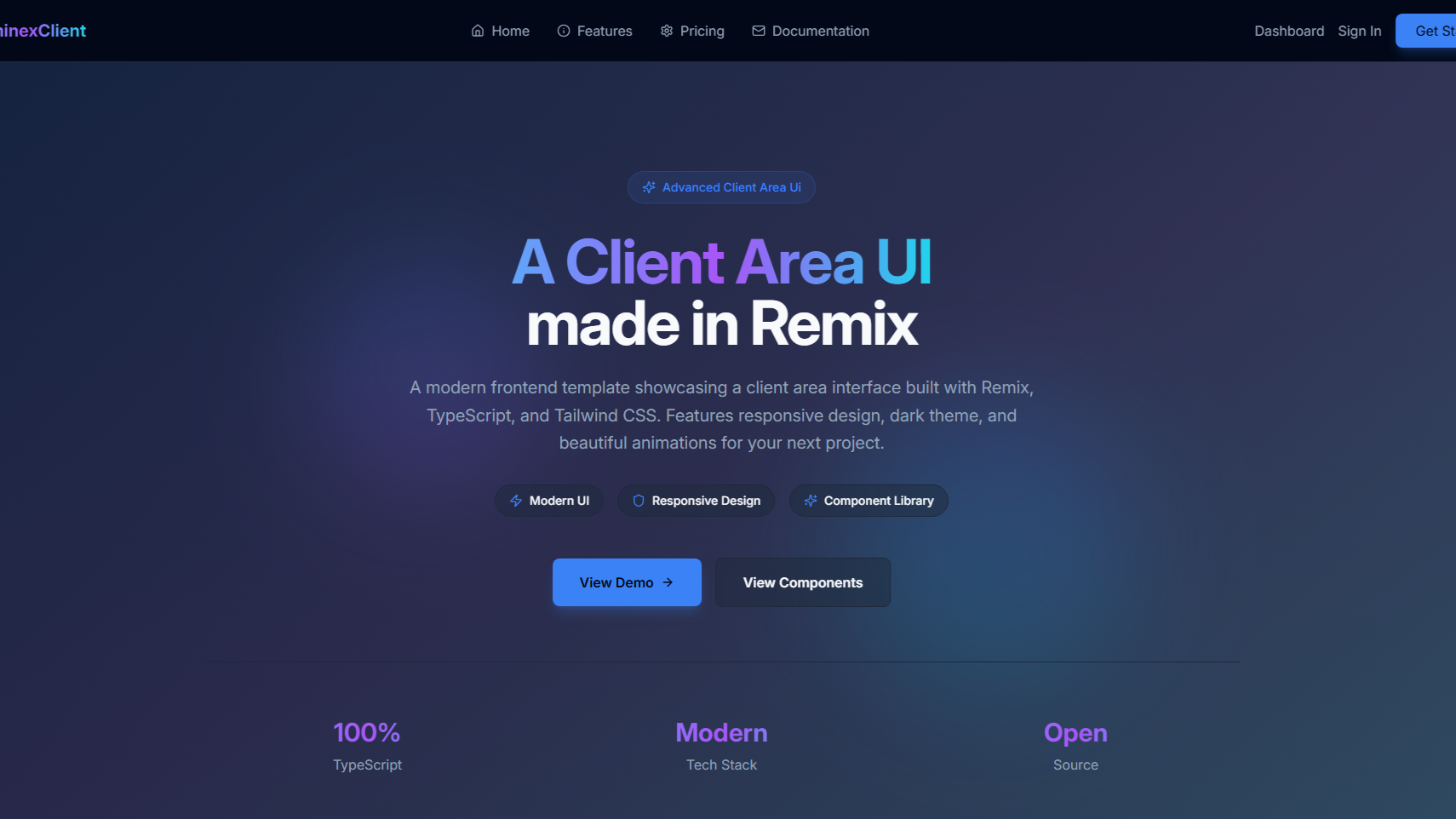
A modern, responsive client area frontend template built with Remix, TypeScript, and Tailwind CSS. This template provides a complete foundation for building beautiful dashboard applications, admin panels, and client portals.
Release history
Description
LuminexClient Ui
Preview: https://luminex-client-frontend.vercel.app/
A modern, responsive client area frontend template built with Remix, TypeScript, and Tailwind CSS. This template provides a complete foundation for building beautiful dashboard applications, admin panels, and client portals.
✨ Features
- Modern Tech Stack: Built with Remix, TypeScript, and Tailwind CSS
- Responsive Design: Mobile-first approach with beautiful layouts on all devices
- Dark Theme: Professional dark theme with glass morphism effects
- Smooth Animations: Powered by Framer Motion for delightful user interactions
- Component Library: Comprehensive set of reusable UI components
- TypeScript: Full type safety throughout the application
- Performance Optimized: Fast loading times and efficient rendering
- Accessible: Built with accessibility best practices using Radix UI
🔧 Technologies Used
Core Framework Remix - Full-stack web framework with server-side rendering React 18 - UI library with concurrent features TypeScript - Type-safe JavaScript Styling & UI Tailwind CSS - Utility-first CSS framework Radix UI - Accessible component primitives Framer Motion - Animation library Lucide React - Beautiful icon library Development Tools Vite - Fast build tool and dev server ESLint - Code linting PostCSS - CSS processing Autoprefixer - CSS vendor prefixing
Installation
- Download File
- Unzip it
- Open Directory In terminal
- Run
npm install - Then run
npm run devto test
- to build run
npm run buildthen start withnpm run start
Thanks for Using LuminexClient Ui!