Node Evacuation
Product information
Release v0.1.2 (Updated )
Reviews
0 von 5 Sternen
0 purchases
Empty a node in one go: plan targets and ports, then transfer every server with progress, retries and a stop button.
€12,99
Release historyDescription
Pterodactyl transfers one server at a time: open the server, pick a node, pick an address, wait, repeat. Replacing a machine, moving to a new data centre or freeing a node for maintenance means doing that for every single server. Node Evacuation plans the whole node and runs the transfers for you.
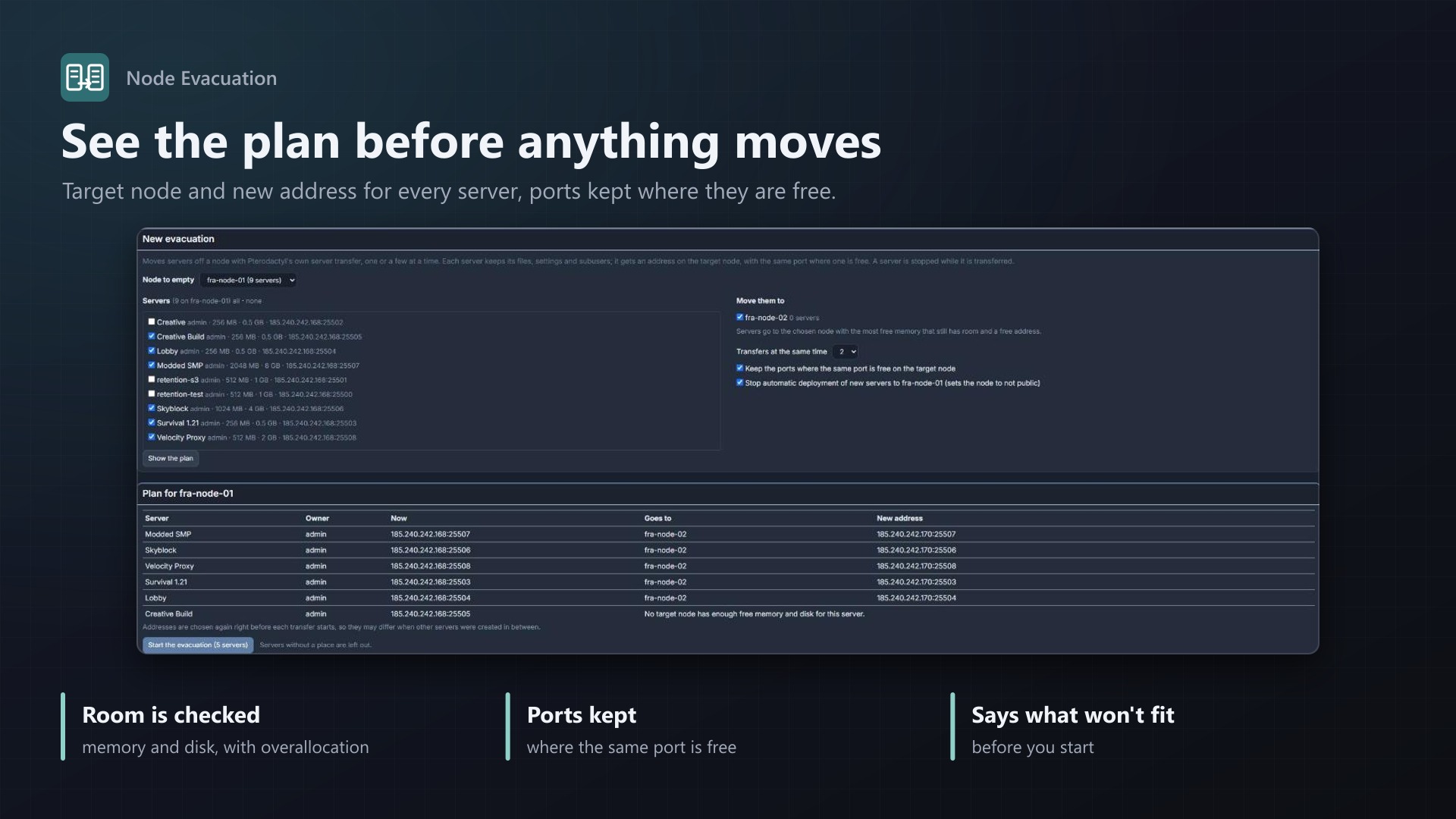
Plan first
- Choose the node to empty, the servers (all by default) and the nodes they may go to
- See the plan before anything moves: target node and new address for every server
- Servers go to the chosen node with the most free memory that still has room (memory and disk limits, overallocation included) and a free address
- Keeps the ports where the same port is free on the target node, and tells you where it can't
- Additional addresses move along where free ones exist
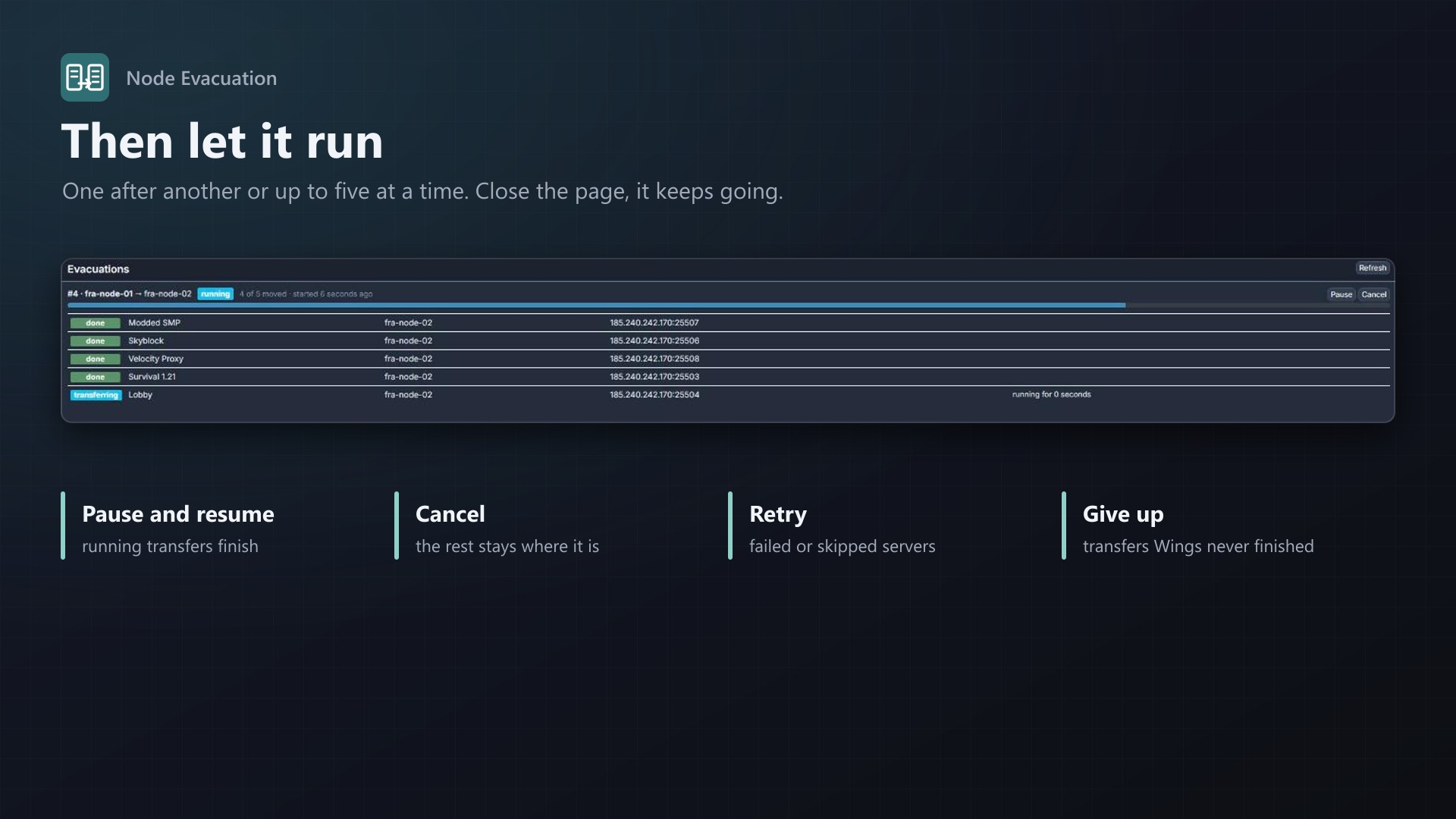
Then let it run
- One transfer after another, or up to five at a time
- Progress per server: queued, transferring, done, failed, skipped, with the new node and address
- A scheduled job starts the next server as soon as a slot is free, so you can close the page
- Pause, resume, cancel, retry failed servers, give up transfers that Wings never finished
- Optionally stops automatic deployment of new servers to the node you are emptying
- Uses Pterodactyl's own server transfer, the same as the "Transfer" button; no core files modified
Licence
One purchase = one licence = one panel. The licence is bound to one panel domain and the server it runs on. Subdomains count as separate panels: test1.example.com and test2.example.com can't share a licence. You can move the licence to another panel at any time on texus-addons.de.
After buying, sign in on texus-addons.de with your sourceXchange email address. Your licence key is created automatically; download the extension there with the key built in, or enter the key on the extension's admin page.
Requirements
- Pterodactyl Panel 1.15.x with Wings 1.11 or newer on all nodes
- Blueprint (beta-2026-08 or newer)
- The panel's cron job (
schedule:runevery minute) - A licence key from texus-addons.de, free with your purchase, for one panel
- Outgoing HTTPS from the panel to texus-addons.de
Installation
- Upload
texusevacuate.blueprintto/var/www/pterodactyl - Run
blueprint -install texusevacuate - Enter the licence key under Admin > Extensions > Node Evacuation
Support
The README in the download explains every option. Questions and bug reports through the support link.
Website: texus-addons.de – licence keys, downloads and your account
Support: Discord support server or support@texus-addons.de