Pay All Invoices | Paymenter
Product information
Release v1.0.0 (Updated )
Reviews
0 von 5 Sternen
1 downloads
Pay all unpaid invoices in Paymenter with one payment: one checkout, one gateway fee. Each invoice is then paid on its own, so services renew and unsuspend as usual. Any gateway, safe with duplicate webhooks. Free, MIT.
Release history
Description
Clients with several servers get several invoices, and Paymenter makes them pay each one on its own: several checkouts, and a gateway fee on every one. Pay All Invoices adds a Pay all button that pays them with one payment.
This is the "Pay All Invoices Button" asked for in Paymenter discussion #628 and issue #1137. Paymenter 1.5 has nothing like it, and neither does its development branch so far.
What it does
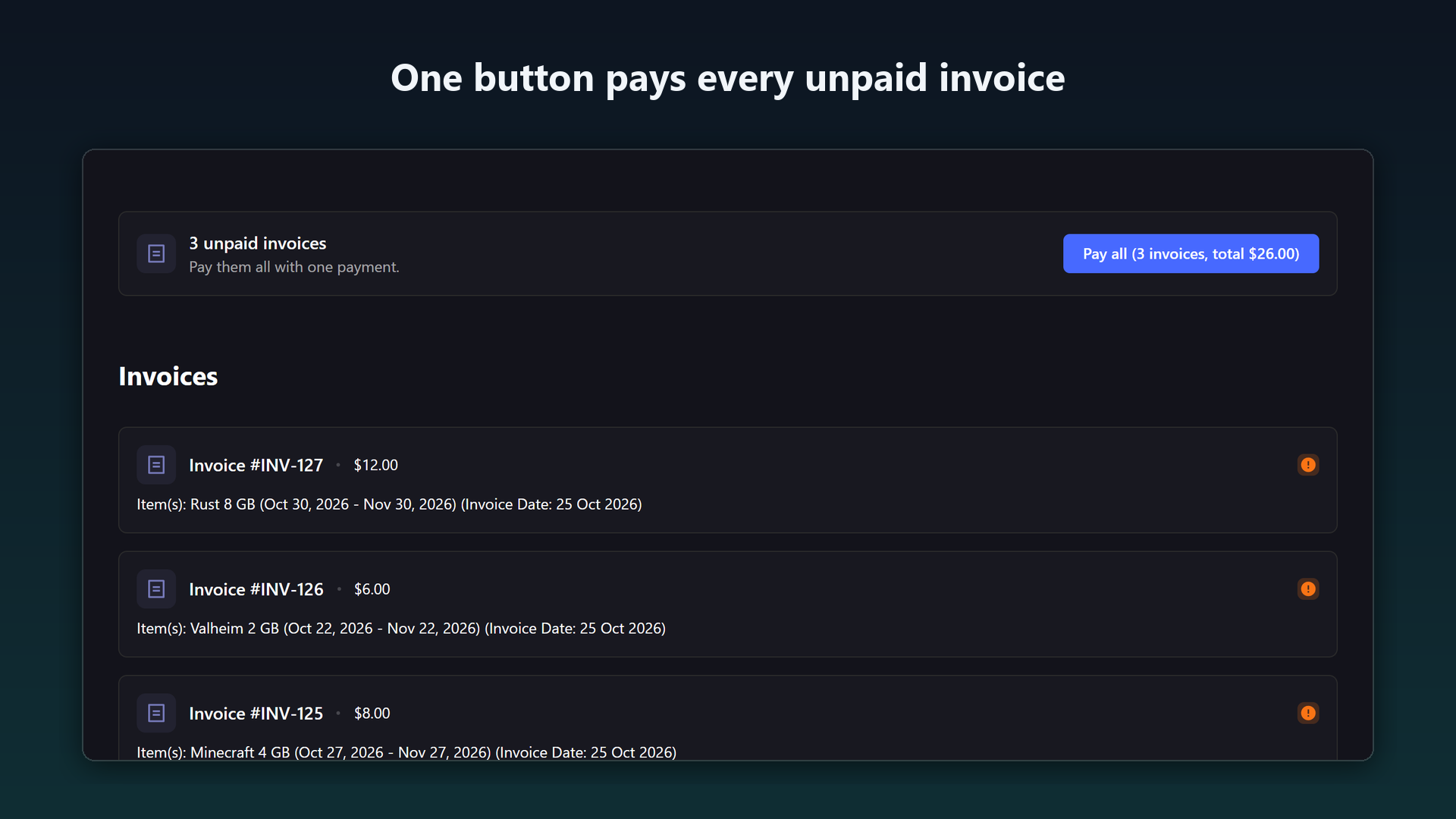
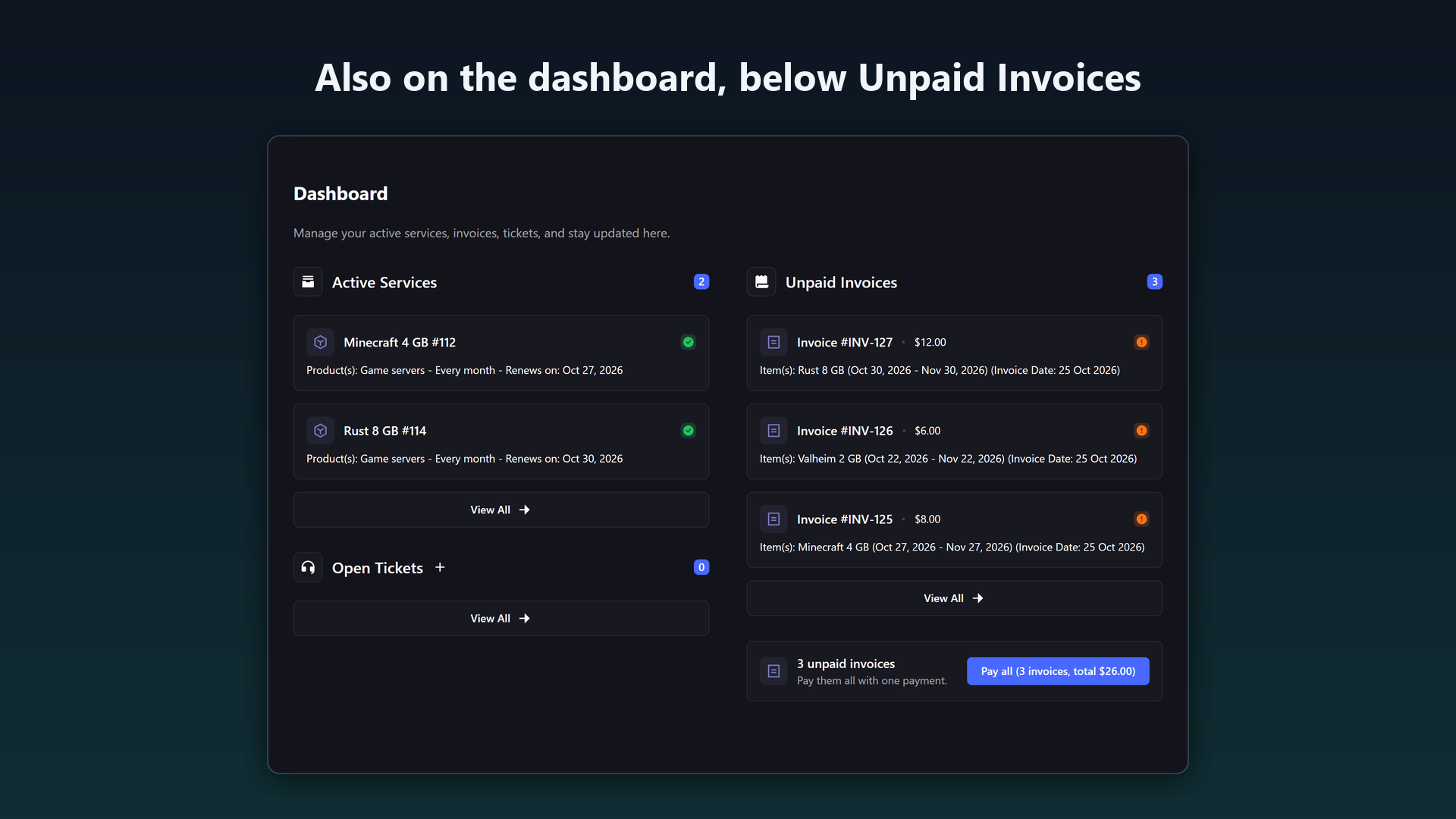
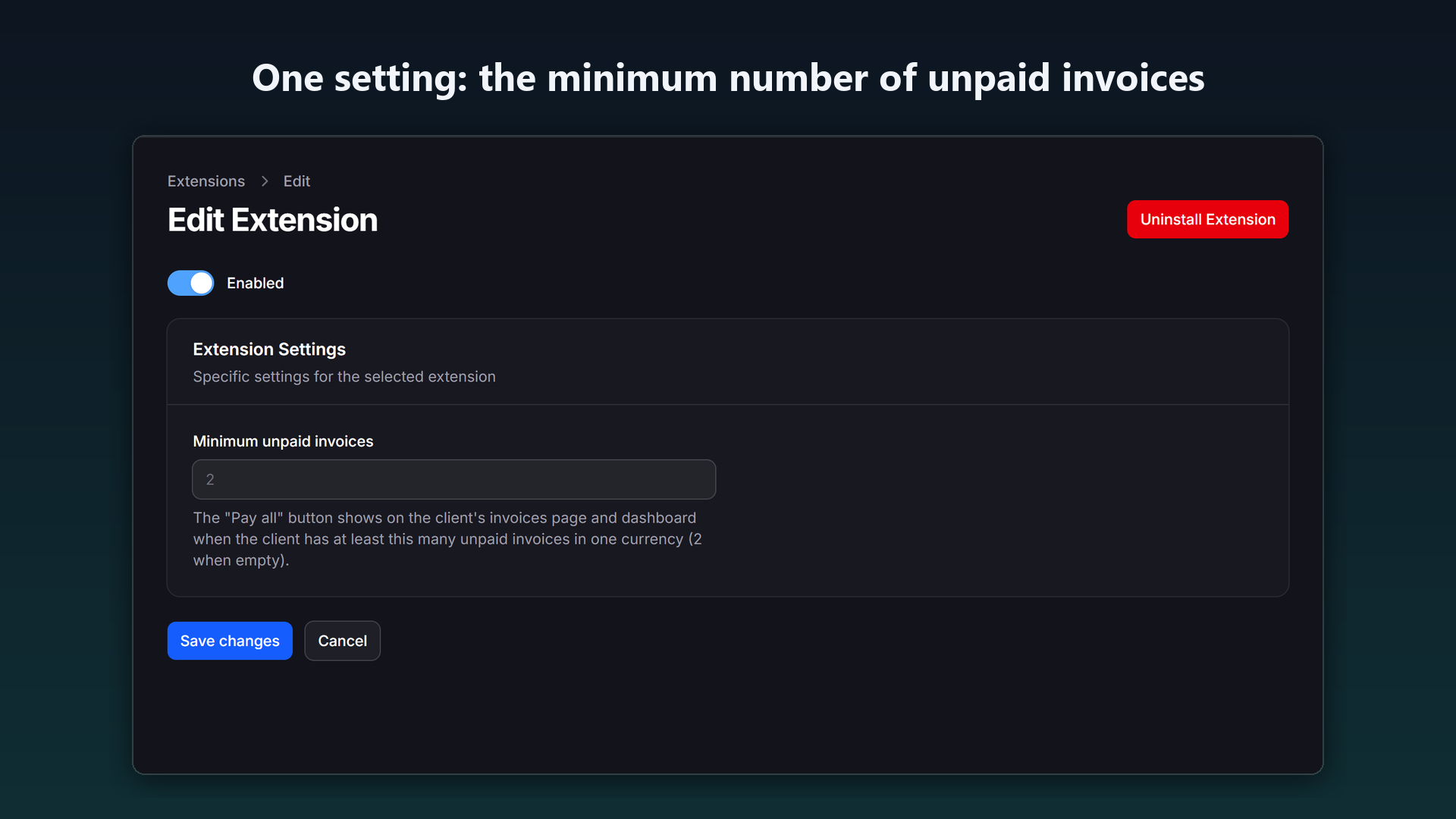
- A "Pay all (3 invoices, total $26.00)" button on the client's invoices page and on the dashboard, below Unpaid Invoices, when the client has 2 or more unpaid invoices in one currency. You can raise the minimum.
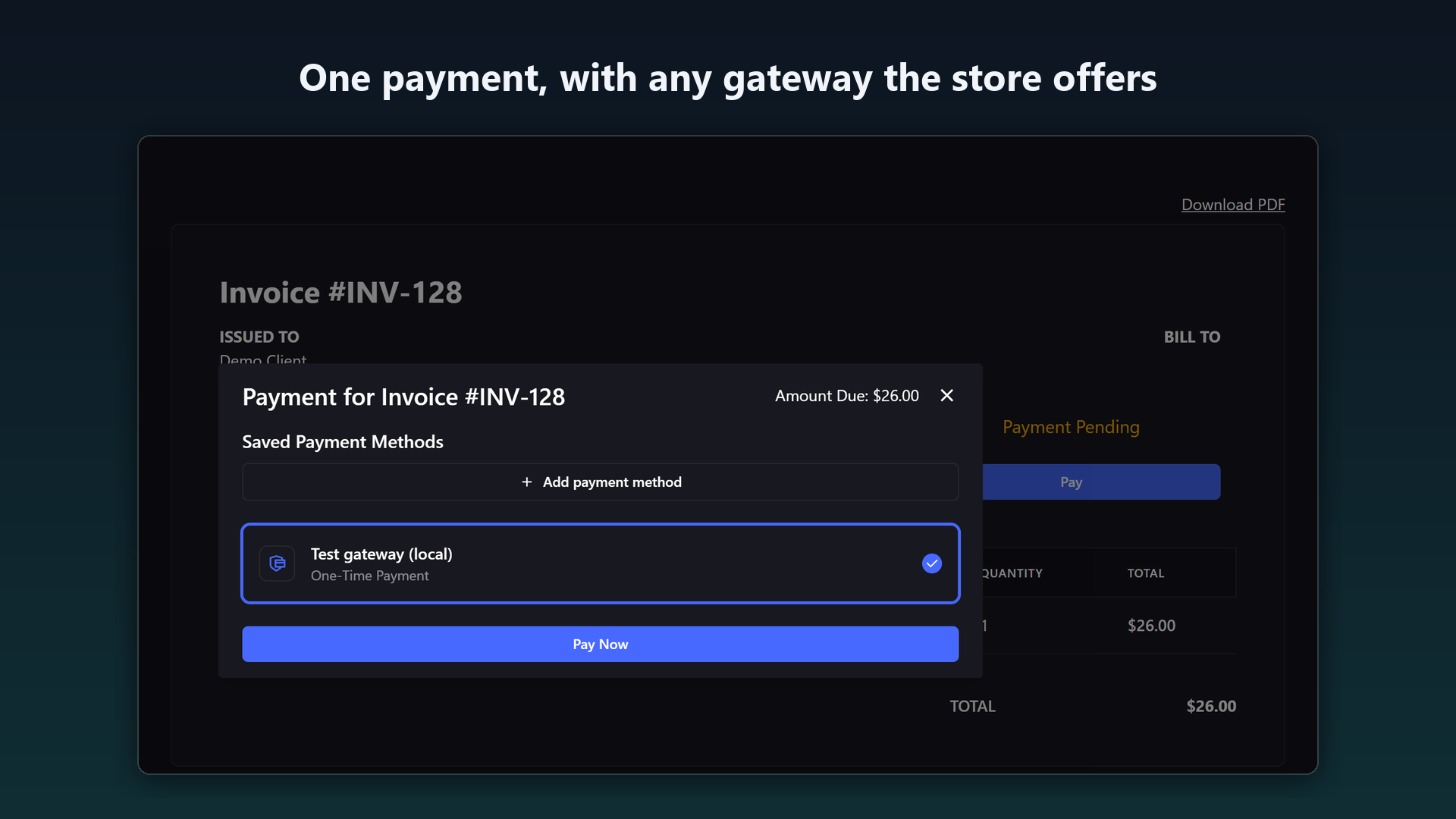
- One payment with any gateway your store has. The button opens one invoice for the total in Paymenter's own payment window, saved payment methods included. The gateway charges once.
- Each invoice is then paid on its own. Paymenter marks every invoice paid and runs its normal handling for each: services renewed or unsuspended, "Invoice paid" emails, exactly as if the client had paid them one by one.
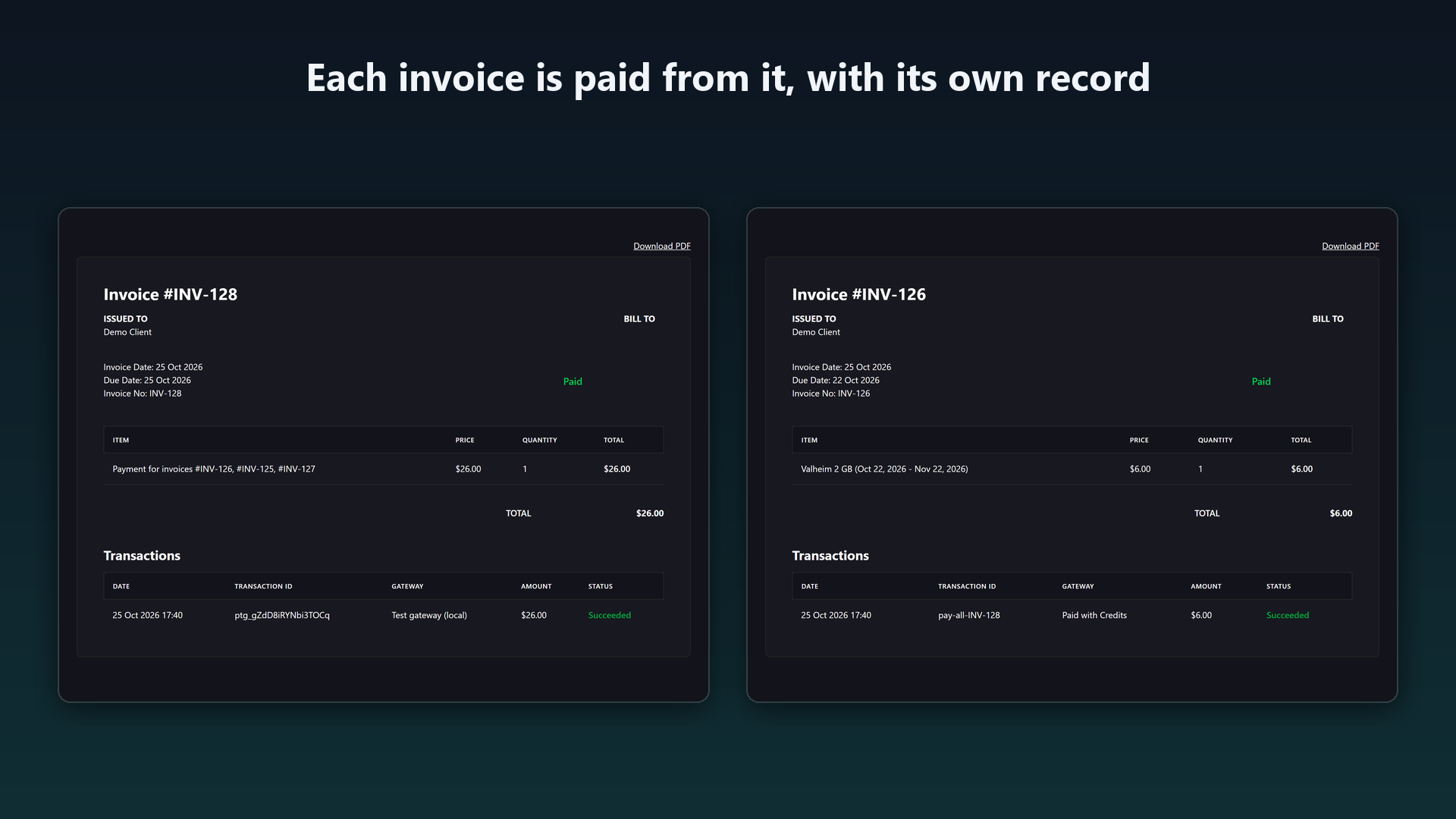
- A clear record. The combined invoice keeps the gateway transaction and fee; each invoice gets its own transaction that names the combined invoice.
- Currencies are never mixed. A client with invoices in two currencies gets one button per currency.
How it works
No payment code of its own. The combined invoice is a credit deposit, the same kind Paymenter creates on Account → Credits, so every gateway can take it and Paymenter adds the amount to the client's credit when it is paid in full. Pay All then pays each invoice from that credit the way Paymenter's own "Pay with Credits" does. Both steps are Paymenter's own code.
Built to be safe with money
- Amounts are worked out on the server. The form sends only the invoices the button showed, and they must be exactly the client's unpaid invoices, so another client's invoice is refused. Login and CSRF token required.
- No double charge: invoices with a payment already processing, or paid by a gateway subscription, are left out. Clicking again reopens the same combined invoice.
- Applied once: a gateway webhook that arrives twice changes nothing.
- Partial or failed payment: nothing is applied until the combined invoice is paid in full; a failed payment leaves every invoice unpaid.
- An invoice paid or cancelled separately in the meantime is skipped, and its share stays as account credit, which Paymenter offers on the client's next invoice.
- Combined invoices nobody started paying are cancelled after 24 hours. A payment that arrives while the extension is off is applied when it is on again.
Screenshots
- One button pays every unpaid invoice.
- Also on the dashboard, below Unpaid Invoices.
- One payment, with any gateway the store offers.
- Each invoice is paid from it, with its own record.
- One setting: the minimum number of unpaid invoices.
Compatibility
Tested with Paymenter 1.5.9 and its default theme. An "Others" extension: no core files are changed. The dashboard button uses Paymenter's pages.dashboard hook; the invoices page button needs the theme's <main> element, which the default theme has.
Install
- Admin → Extensions → Available Extensions → Ready to Install / Upload → Upload Extension, and upload the zip.
- Click Install next to Pay All Invoices (Karelia Labs).
- Turn on Enabled and save.
Paymenter's scheduler and queue worker must run, as in Paymenter's install guide. Store credits do not need to be turned on.
FAQ
Can the client pick which invoices to pay? No. The button pays all unpaid invoices in that currency. Single invoices can still be paid on their own.
Does the client get emails? The usual "Invoice paid" email for every invoice, and one for the combined invoice. No "new invoice" email for the combined invoice.
What does the client see in the invoice list? The combined invoice, "Payment for invoices #INV-12, #INV-13, #INV-14", next to the invoices it paid.
What about refunds? Paymenter 1.5 has no invoice refunds; refunding the combined payment at the gateway does not unpay the invoices.
What happens when I uninstall it? Paid combined payments are applied first, unpaid combined invoices are cancelled and the extension's table is removed. Invoices and transactions stay.
Support
Ask on this product page. Please include your Paymenter version and what you see on the invoice.
Free and open source under the MIT license, by Karelia Labs. "Paymenter" is used only to describe compatibility.
Selling Pterodactyl 2.0 servers? Karelia Bridge adds Paymenter sign-in and billing to the panel: https://karelialabs.gumroad.com/l/karelia-bridge