PlayerDeck - Minecraft Player Manager
Product information
Release v1.2.0 (Updated )
Reviews
0 von 5 Sternen
0 purchases
Manage your Minecraft players from Pterodactyl: inventories, stats and moderation, with four looks.
$14.99
Release history
Description
PlayerDeck — see and manage every player of your Minecraft servers, right inside Pterodactyl
PlayerDeck adds a Players tab to every Minecraft server in your Pterodactyl panel. You and your clients can see who has played, what they carry, where they are and how they play, and moderate them, without opening the console or editing files.
It uses Pterodactyl's own login and permissions: subusers only see what they're allowed to.
Features
Players
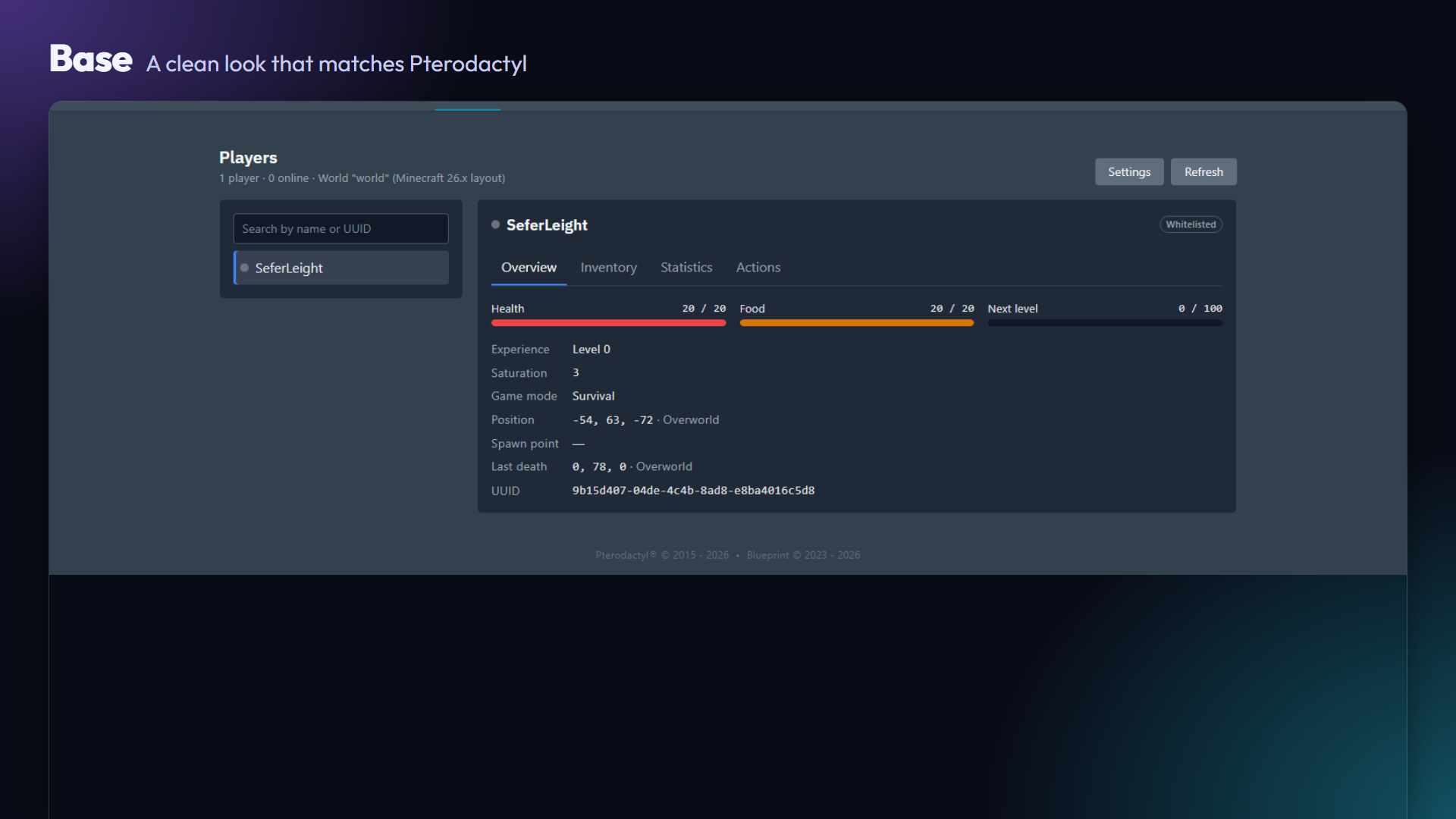
- Every player who has joined, read from the server's own files (user cache, ops, whitelist, bans and player data). Includes a search box.
- Optional live online status through RCON.
- Real player faces from their Minecraft skin, with a generated face as fallback (offline-mode servers, players without a skin).
Player details
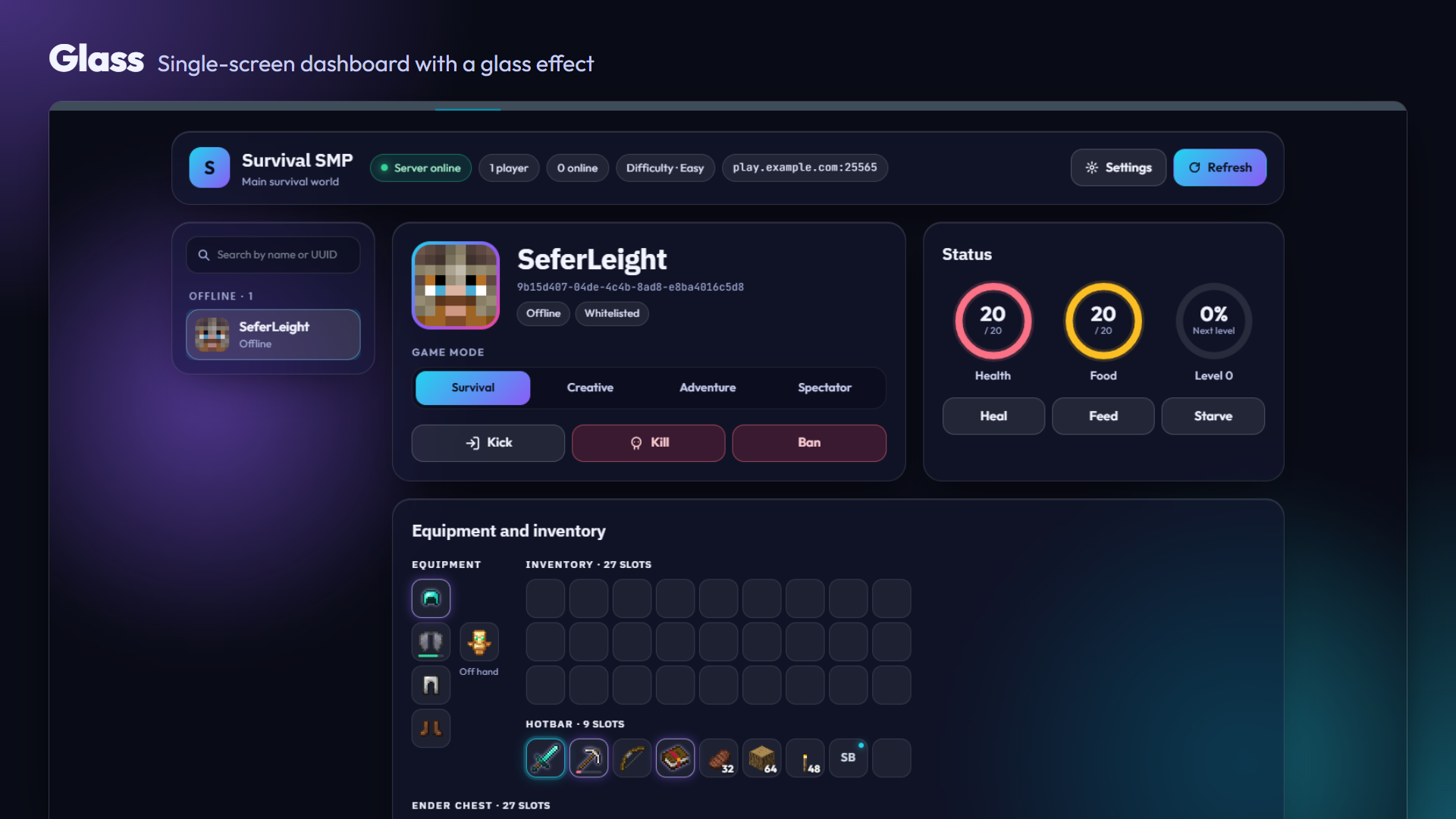
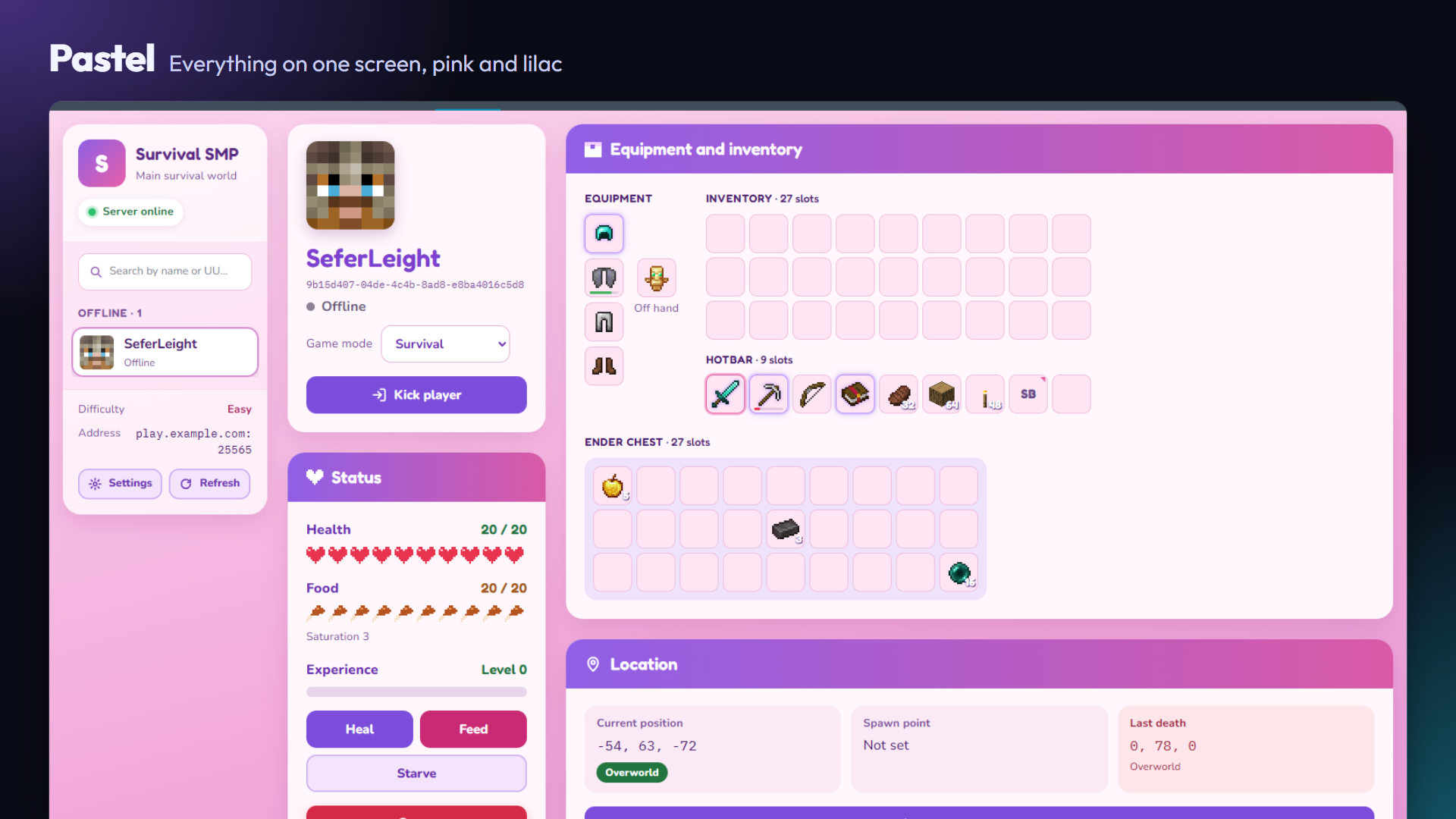
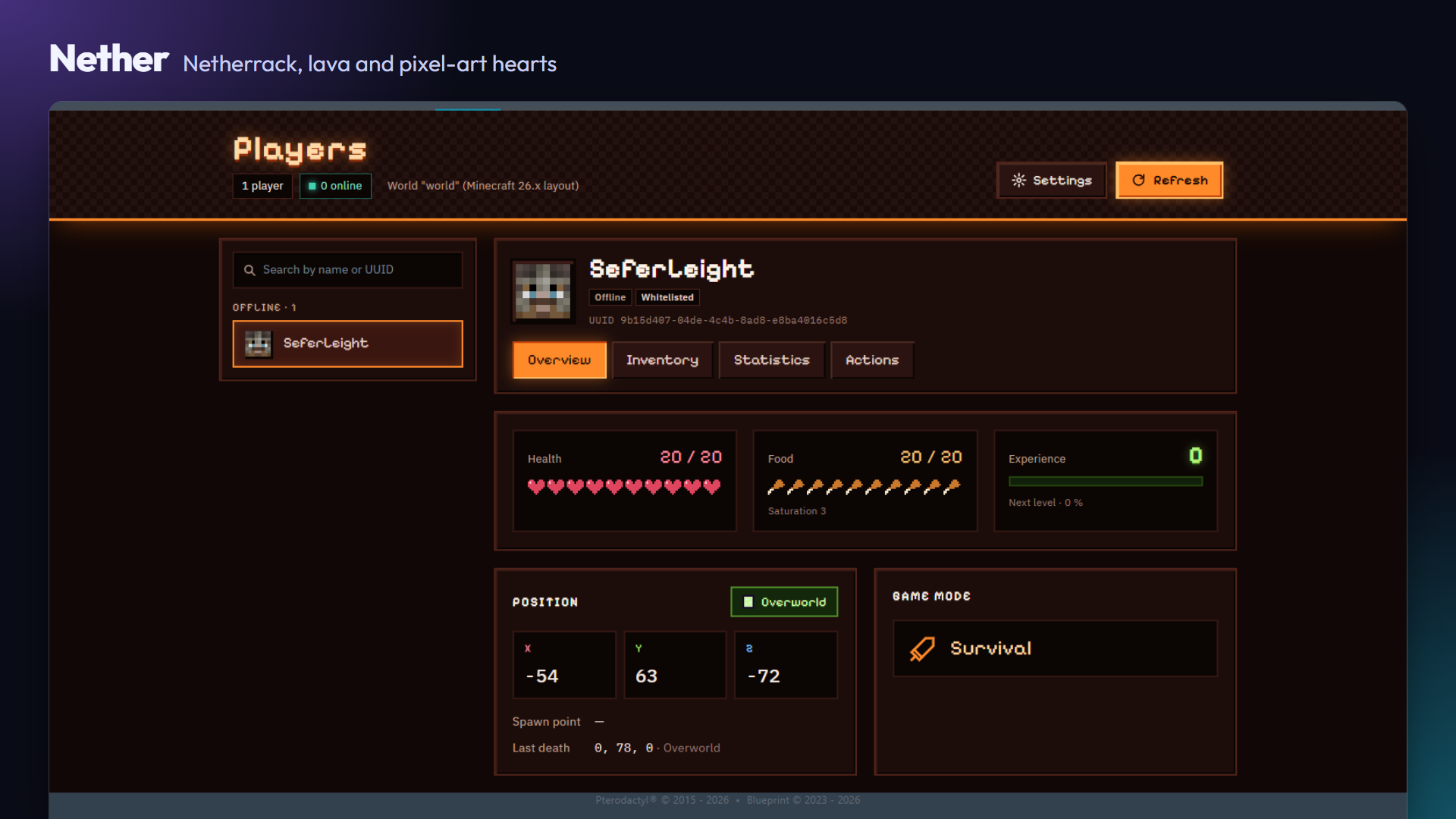
- Health, hunger and saturation, experience level and progress, and game mode.
- Current position with dimension, spawn point and last death.
- Ban status, reason and expiry.
Inventory
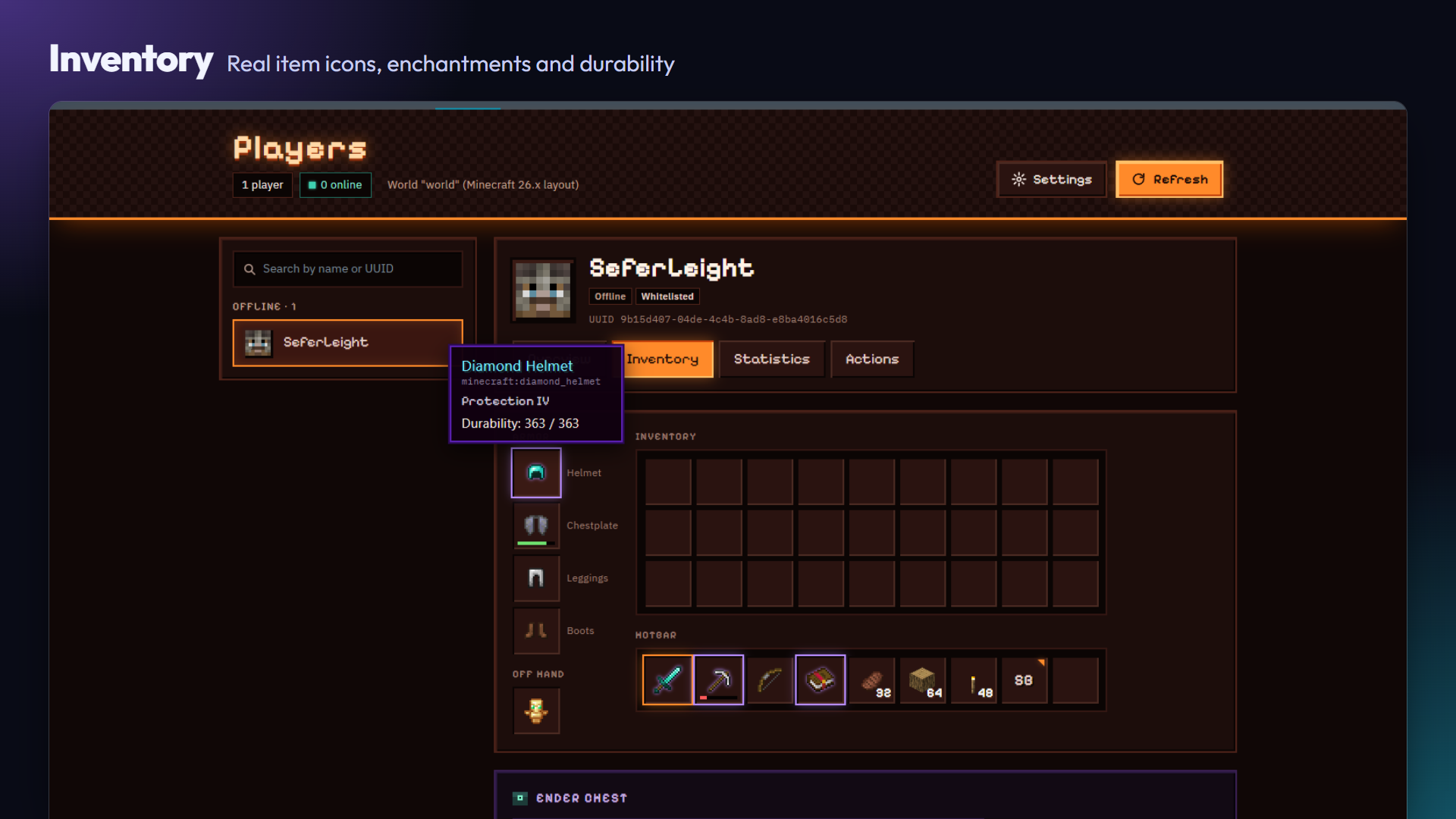
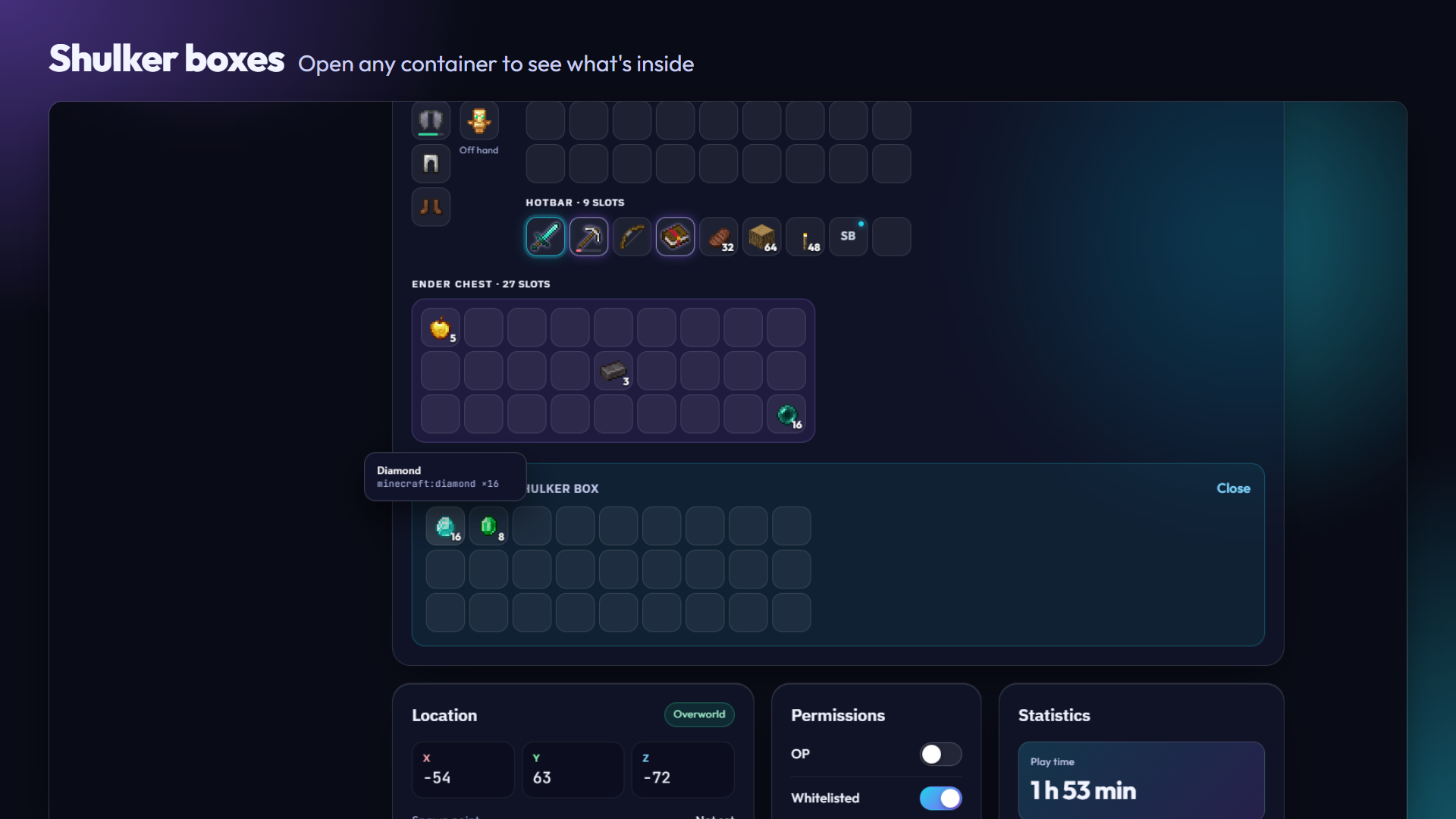
- Armor, off hand, main inventory, hotbar and ender chest.
- Real item icons, generated on your own panel from the official Minecraft client (no Mojang assets are bundled). If the icons can't be generated, items show a short abbreviation instead.
- Hover any item for its name, enchantments, lore and durability.
- Open shulker boxes and other containers to see what's inside.
Statistics
- Play time, deaths, kills, blocks mined, distance and more.
- Every statistics category, sorted.
Moderation (for users with console permission)
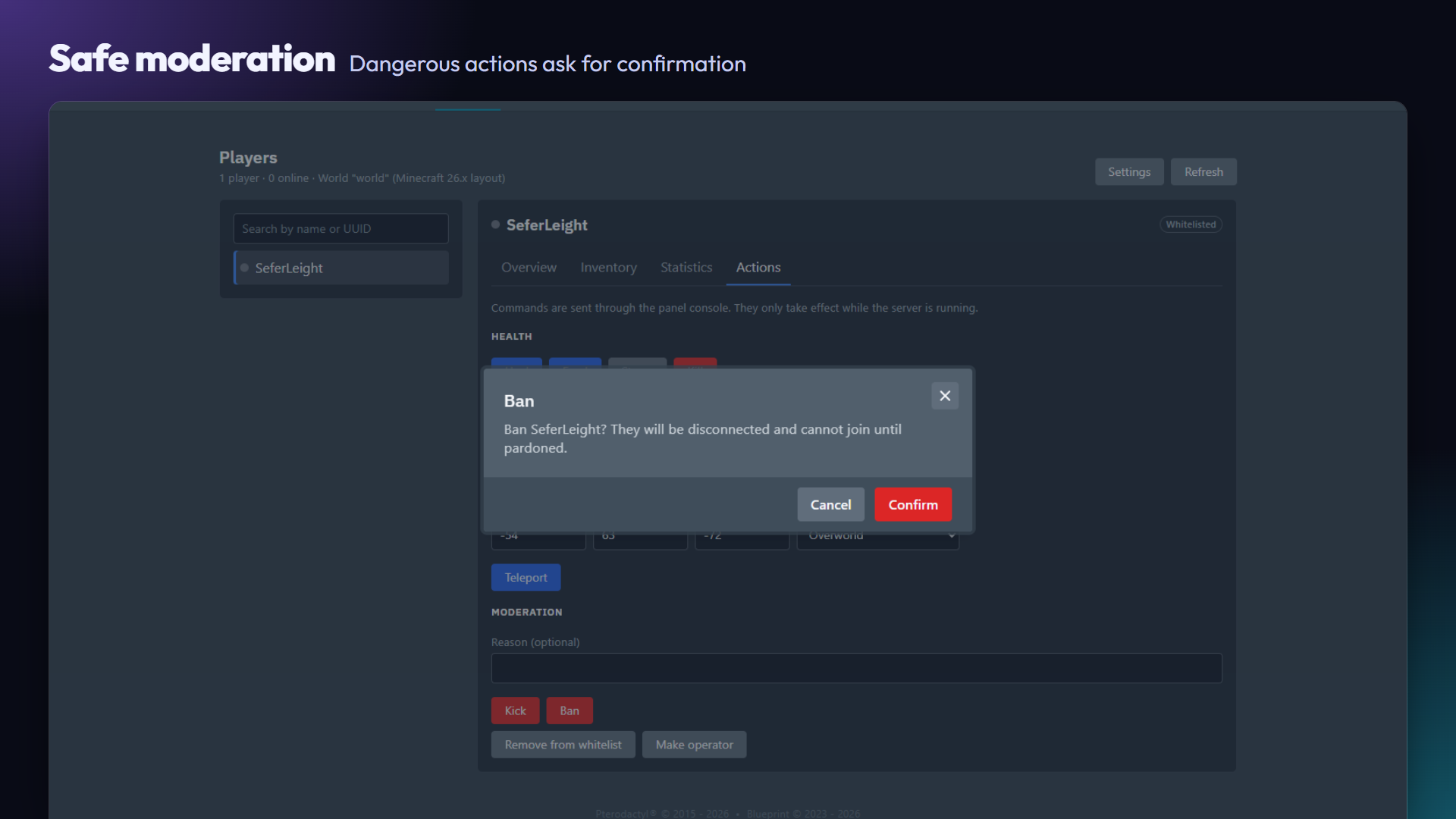
- Kick, ban / pardon, kill, heal, feed, starve, change game mode, teleport, whitelist and op. Pastel and Glass add one-click teleport to the spawn point or the last death.
- Add player: look up any Minecraft username, even if they never joined, see their face, UUID and status, and add them to the whitelist or ban them (banning also removes them from the whitelist).
- Dangerous actions ask for confirmation, every input is validated, and actions are disabled while the server is off.
- Every action is recorded in the server's Activity log.
Four looks included, switchable from the panel
Pick the look of each server from the Design selector at the top right of the Players page. The choice is saved per server.
| Look | Style |
|---|---|
| Classic | Clean dark look that matches Pterodactyl, with tabs |
| Nether | Netherrack, lava and pixel-art details, with tabs |
| Pastel | Single screen, pink and lilac, rounded cards |
| Glass | Modern single-screen dashboard with a translucent glass effect |
Also included
- English and Spanish, picked automatically.
- Admin page with the icon status and a "regenerate" button.
Security
- Nothing is public. Every page, API call and image needs a valid Pterodactyl session and permission on that server.
- Permissions follow Pterodactyl's subuser model:
- Read files to view players.
- Console to moderate.
- Update files to configure RCON and choose the look.
- Commands go through Pterodactyl's own console API, never through RCON, with strictly validated arguments.
- The RCON password is stored encrypted and never sent back to the browser.
- Covered by an automated access-control test suite.
Requirements
- Pterodactyl 1.15.x with Blueprint installed (tested with Blueprint
beta-2026-08). - SSH access to the panel machine, to install the extension.
- The panel's queue worker running (standard in Pterodactyl).
- Outbound HTTPS from the panel to Mojang's servers, for item icons and player faces. Without it, PlayerDeck still works, with abbreviations and generated faces instead.
- Minecraft: Java Edition servers that save standard player data (Vanilla, Paper, Spigot, Fabric…). Tested on Paper 26.3. Supports both the classic world layout (1.21 and earlier) and the 26.x layout, and item data from before and after 1.20.5.
What you get
- One
.blueprintfile with the four looks (Classic, Nether, Pastel, Glass), switchable per server from the panel. - Installation guide in English and Spanish.
- Updates and support on Discord.
Not affiliated
PlayerDeck is not affiliated with or endorsed by Mojang, Microsoft, Pterodactyl or Blueprint. "Minecraft" is a trademark of Mojang AB.
Support
Discord: https://discord.gg/HDWnEug22