Plugin Updates
Product information
Release v0.1.0 (Updated )
Reviews
0 von 5 Sternen
0 purchases
An Updates tab for Minecraft servers: finds outdated plugins and mods through Modrinth, Hangar, SpigotMC and CurseForge, one-click update with undo.
€12,99
Release historyDescription
Outdated plugins are the most common cause of broken and insecure Minecraft servers, and checking twenty plugins by hand on four websites is something nobody does. Plugin Updates gives every server an Updates tab that does it for them.
Finds what is outdated
- Reads every jar in
plugins/andmods/: Paper, Purpur, Folia, Spigot, Velocity, BungeeCord, Fabric, Quilt, Forge and NeoForge - Knows the server software and the Minecraft version, so it only offers updates that fit
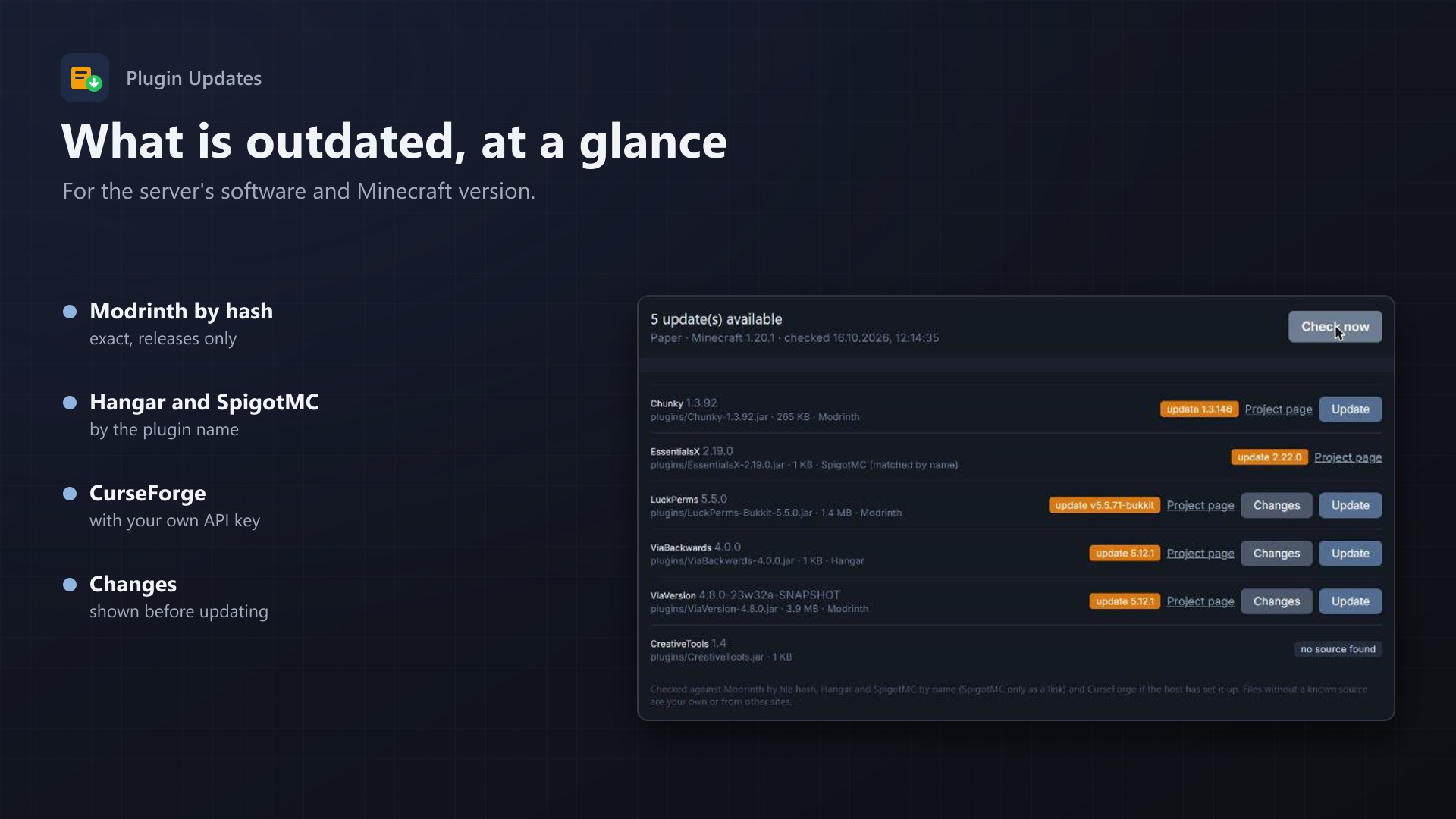
- Modrinth by the file's hash (exact, releases only), Hangar and SpigotMC by name, CurseForge by fingerprint with your own API key
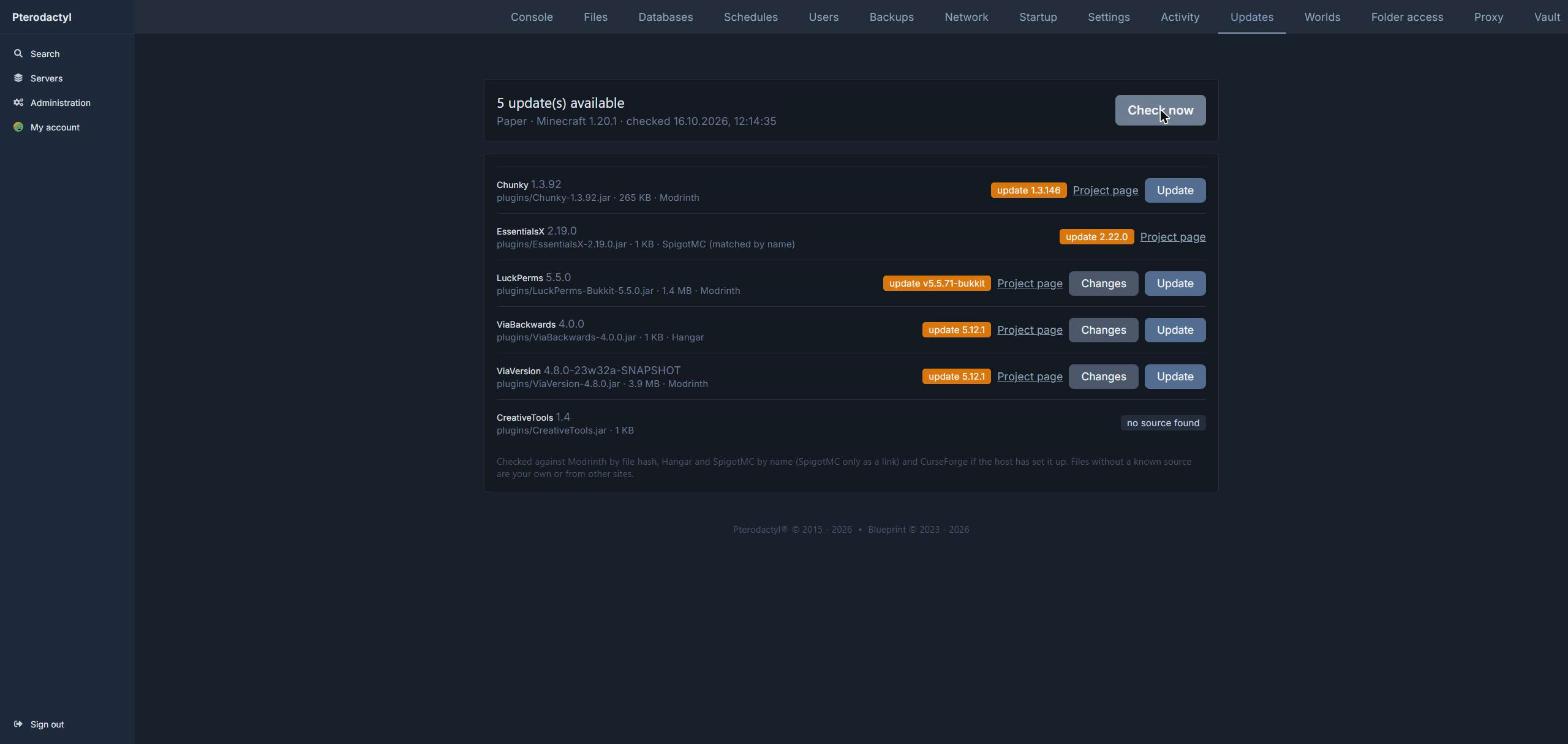
- Shows the installed and the latest version, the project page and the changes
- Damaged jars and own plugins are marked as such
Updates with one click
- The node downloads the new version straight into the folder
- The old file stays as
name.jar.oldand Undo puts it back - SpigotMC and some CurseForge files only allow downloads on their website: then the tab links there
- Every update and undo is in the server's activity log
For the host
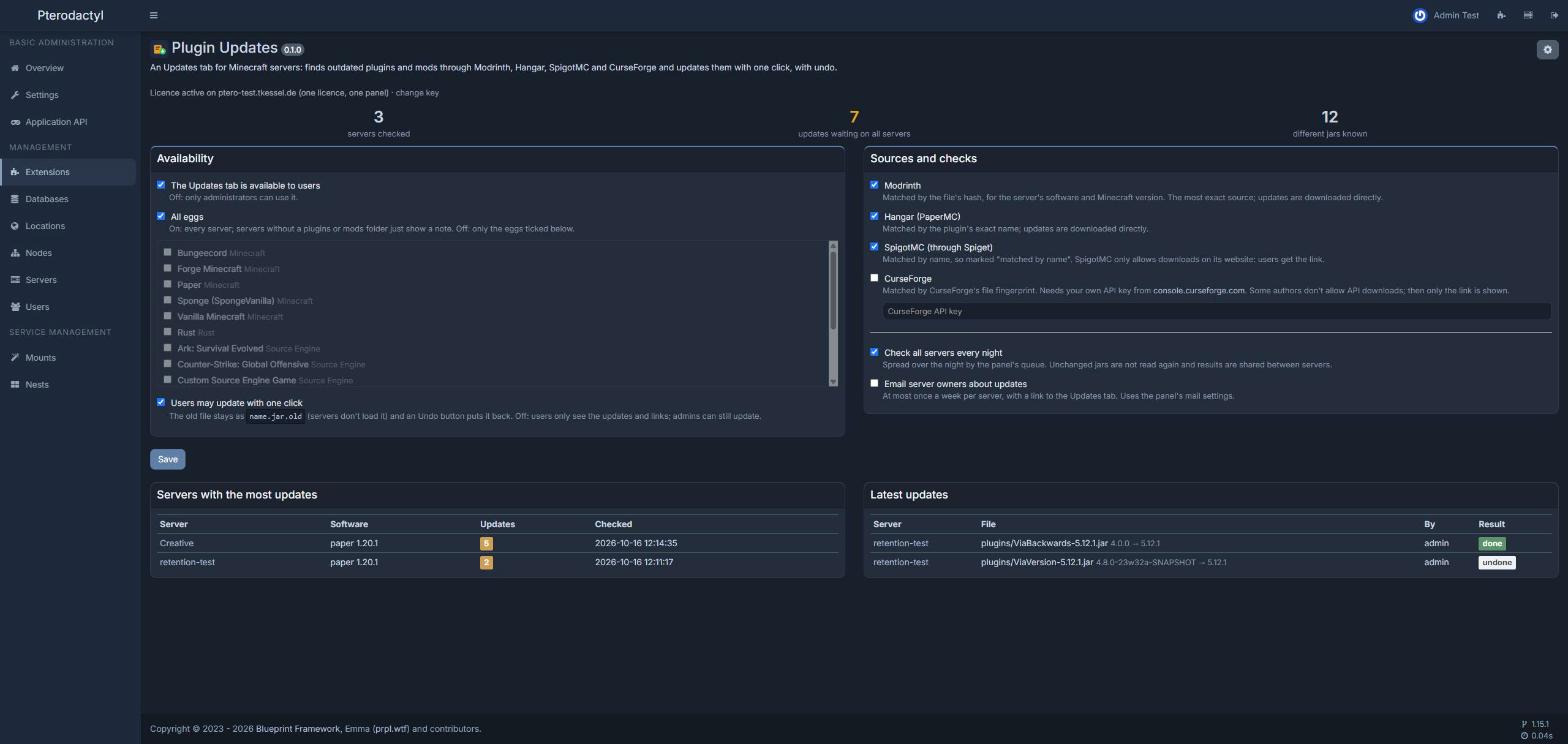
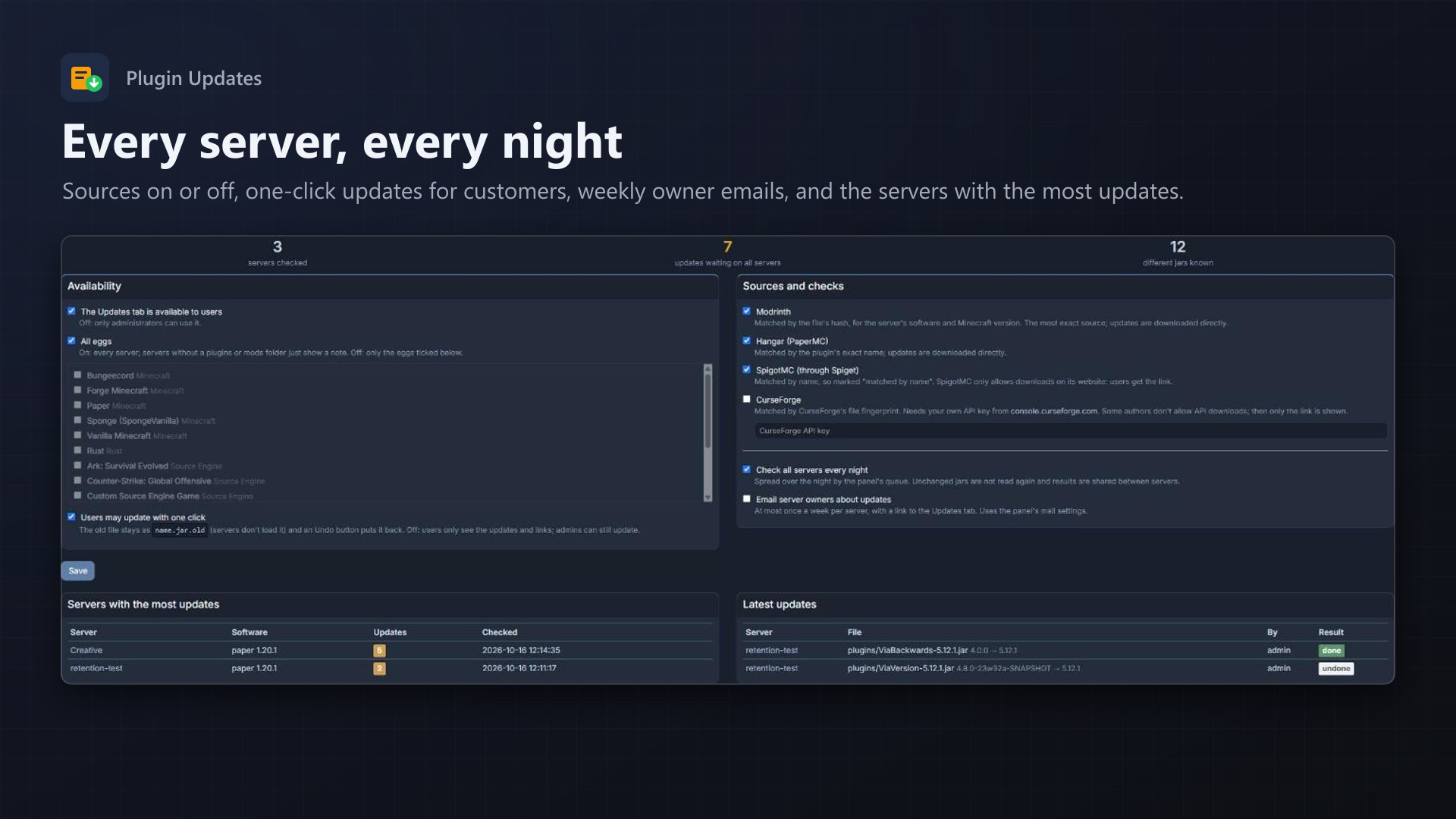
- A nightly check of all servers, spread over the queue; jars are read once and results are shared between servers
- Optional weekly email to server owners with their updates
- One-click updates for customers can be turned off
- Servers with the most outdated plugins at a glance
- No core files and no Wings changes
Licence
One purchase = one licence = one panel. The licence is bound to one panel domain and the server it runs on. Subdomains count as separate panels: test1.example.com and test2.example.com can't share a licence. You can move the licence to another panel at any time on texus-addons.de.
After buying, sign in on texus-addons.de with your sourceXchange email address. Your licence key is created automatically; download the extension there with the key built in, or enter the key on the extension's admin page.
Requirements
- Pterodactyl Panel 1.15.x with Wings 1.11 or newer
- Blueprint (beta-2026-08 or newer)
- The panel's queue worker and cron job, as in every standard installation
- A licence key from texus-addons.de, free with your purchase, for one panel