Schedules Plus
Product information
Release v0.1.0 (Updated )
Reviews
0 von 5 Sternen
0 purchases
Multi-step server workflows that wait for the real server state: announce, stop, back up with rotation, start again.
€12,99
Release historyDescription
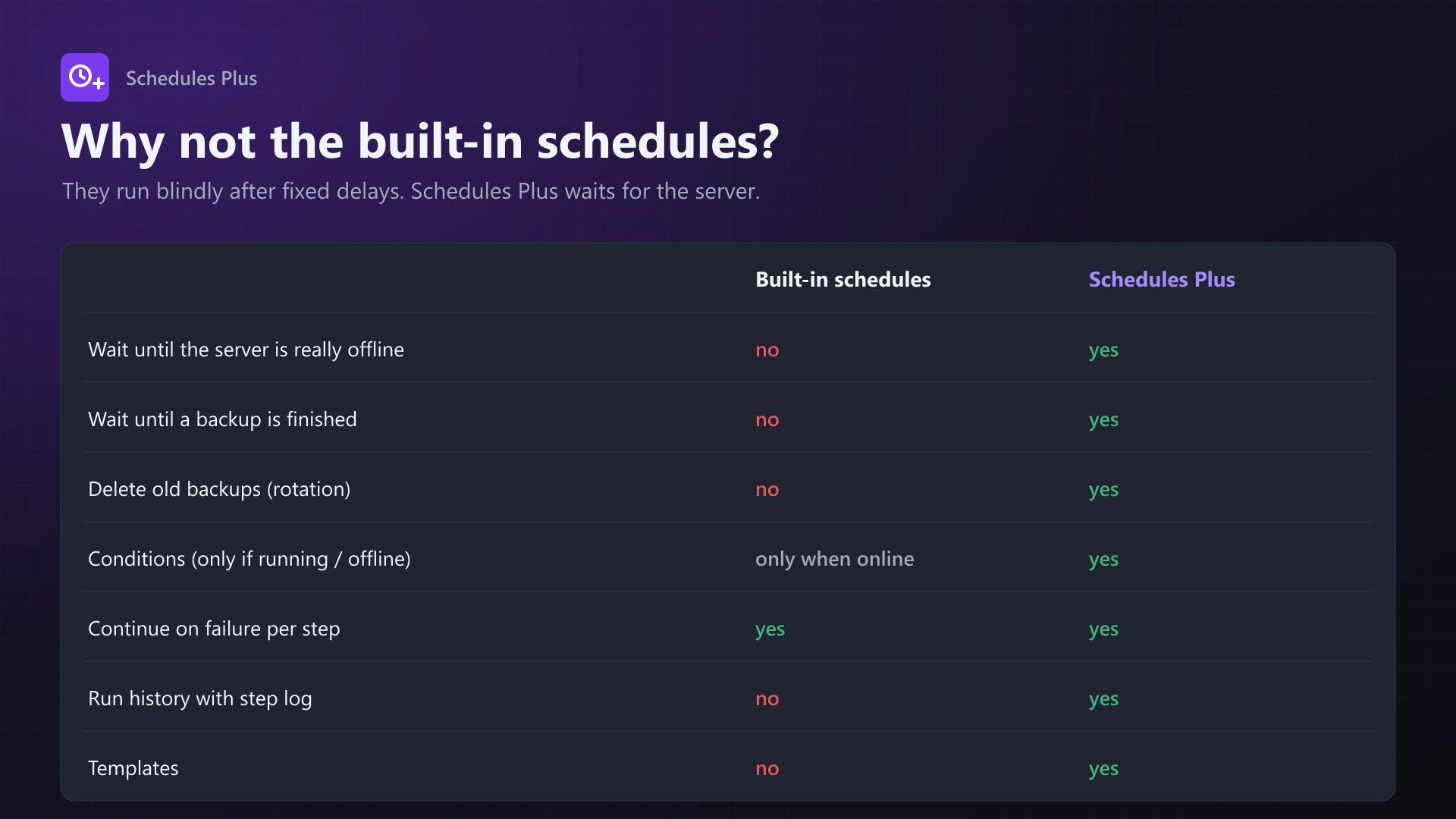
Pterodactyl's built-in schedules run their tasks blindly after fixed delays. "Stop, back up, start" backs up while the server is still shutting down. Then it starts the server again while the backup is still running. Schedules Plus waits for what the server is actually doing.
say Restart in 5 minutes -> wait 5 min -> save-all -> stop
-> wait until offline -> backup (wait until finished, keep newest 7)
-> start -> wait until running
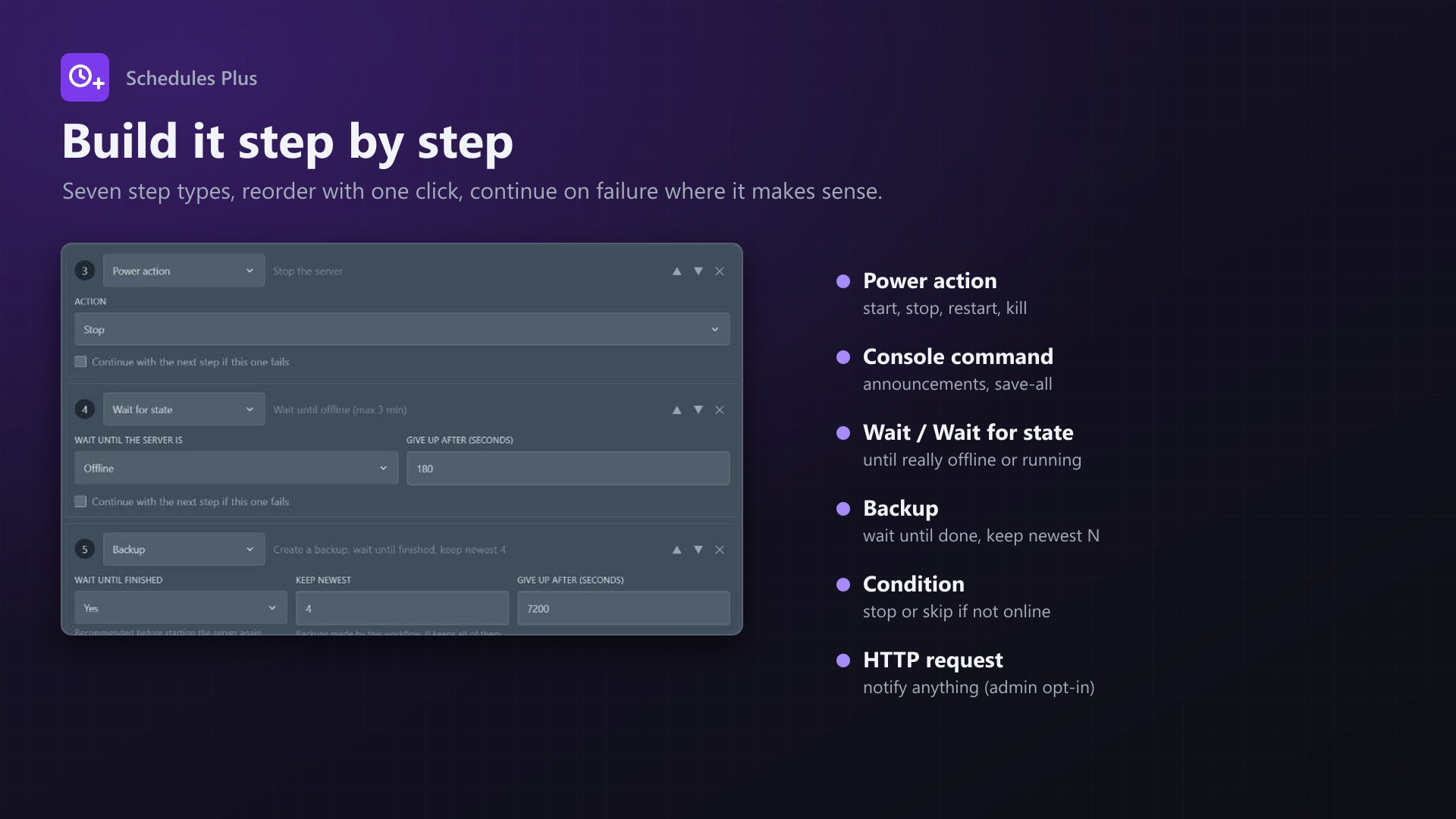
Steps
- Power action: start, stop, restart, kill
- Console command
- Wait for a number of seconds
- Wait for state: until the server is really running or offline, with a timeout
- Backup: wait until finished, rotation (keep the newest N), ignored files
- Condition: only continue if the server is running or offline, otherwise stop or skip the next step
- HTTP request: sends a JSON POST about the run. Admins have to enable it.
Features
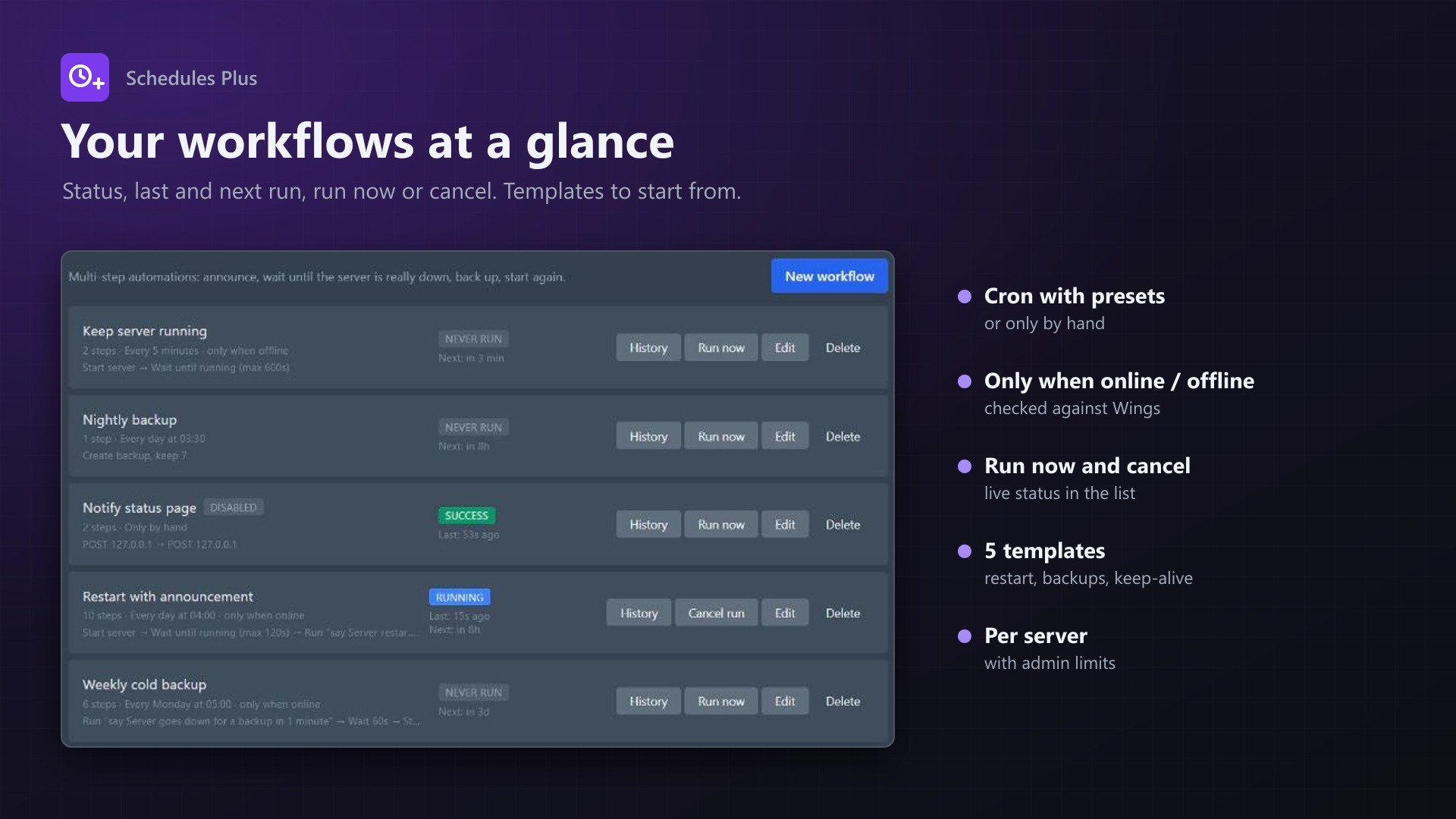
- Cron schedule with presets, or only by hand. A workflow can be limited to run only when the server is online or offline.
- "Continue on failure" per step, so the server is started again even if the backup failed
- Run now, cancel, live status
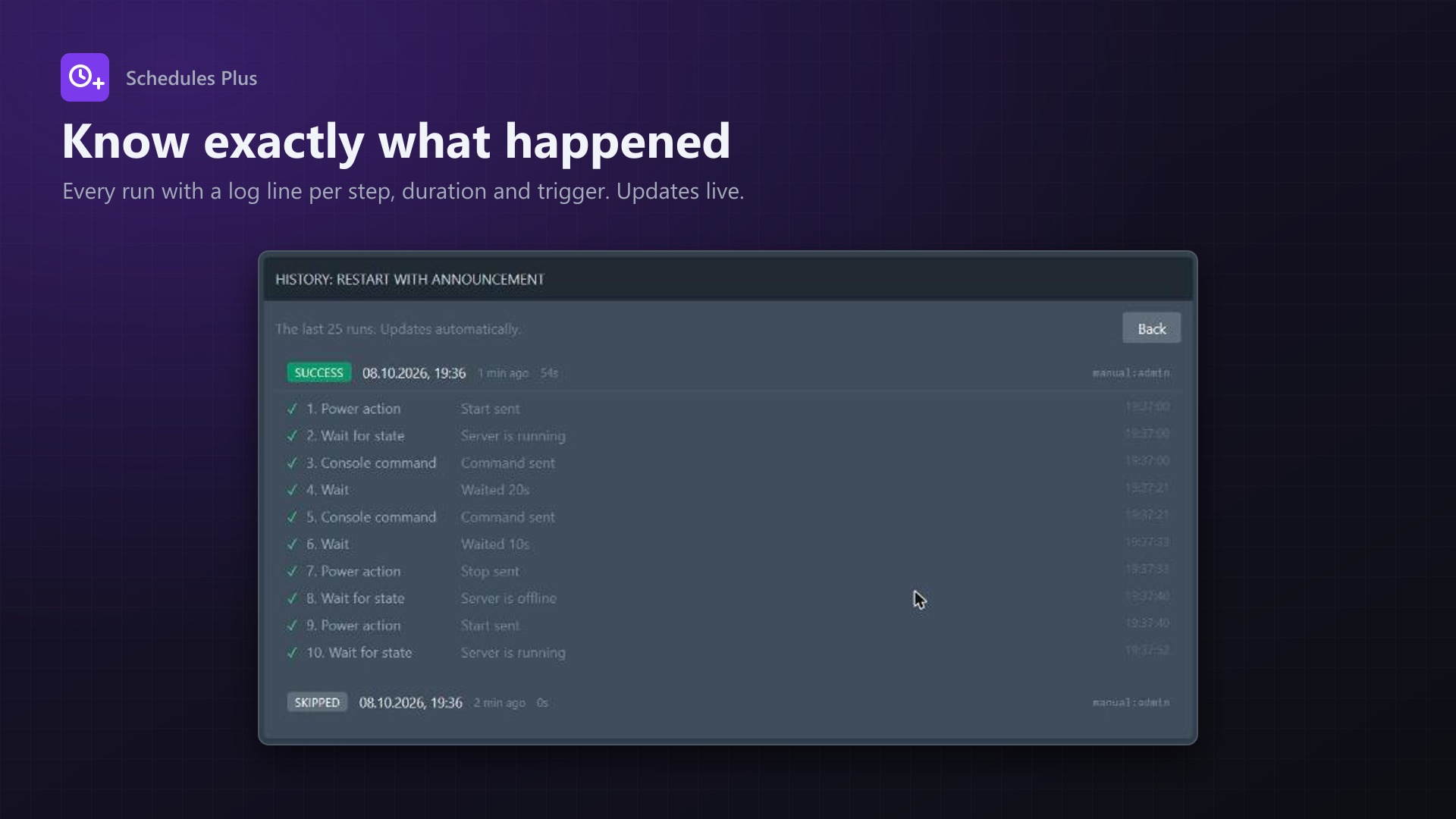
- Run history with a log line for every step
- Five templates:
- Announced restart
- Nightly backup with rotation
- Consistent offline backup
- Keep server running
- Daily restart
- Subuser permissions respected per step: power steps need the power permission, commands need console access, backups need backup permissions
- Actions appear in the server's activity log
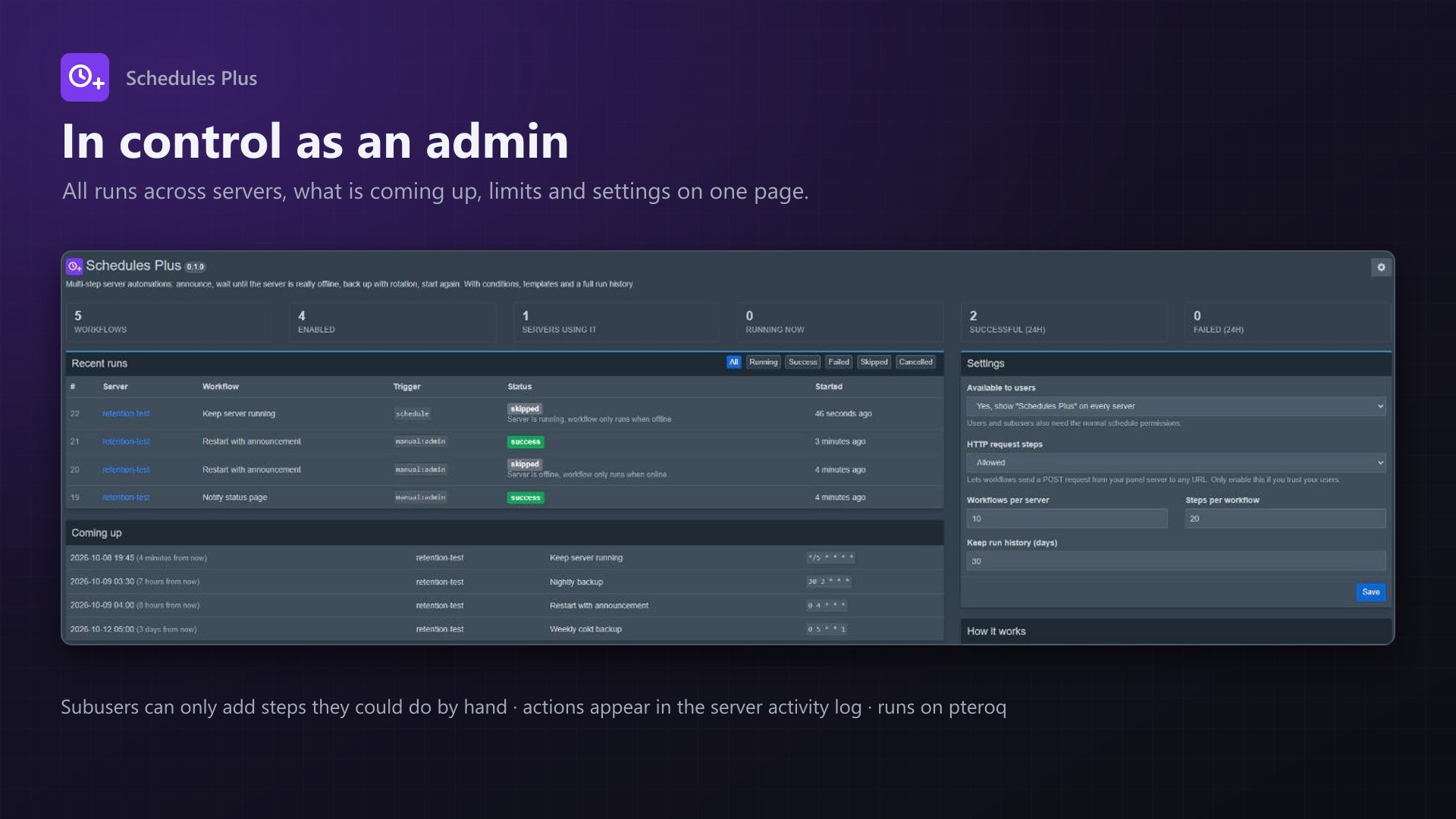
- Admin page with:
- Statistics
- Upcoming runs
- All runs with a status filter
- Limits per server
- Run history retention
- Runs on Pterodactyl's own queue worker. Waiting steps don't block it.
- No core files are modified, the built-in schedules keep working
Requirements
- Pterodactyl Panel 1.15.x
- Blueprint (beta-2026-08 or newer)
- The panel cron job and queue worker (
pteroq), as required by Pterodactyl anyway
Installation
- Upload
schedulesplus.blueprintto/var/www/pterodactyl - Run
blueprint -install schedulesplus - Every server now has a "Schedules Plus" tab. Settings are under Admin > Extensions > Schedules Plus.
Support
The README in the download explains every step type, the permissions and how runs are executed. If something doesn't work, send me the run history of the workflow (it shows which step failed and why).