Security Alerts
Product information
Release v0.1.0 (Updated )
Reviews
0 von 5 Sternen
0 purchases
Email users when someone signs in from a new IP, their password or email changes, 2FA is turned off or a key is added.
€4,99
Release historyDescription
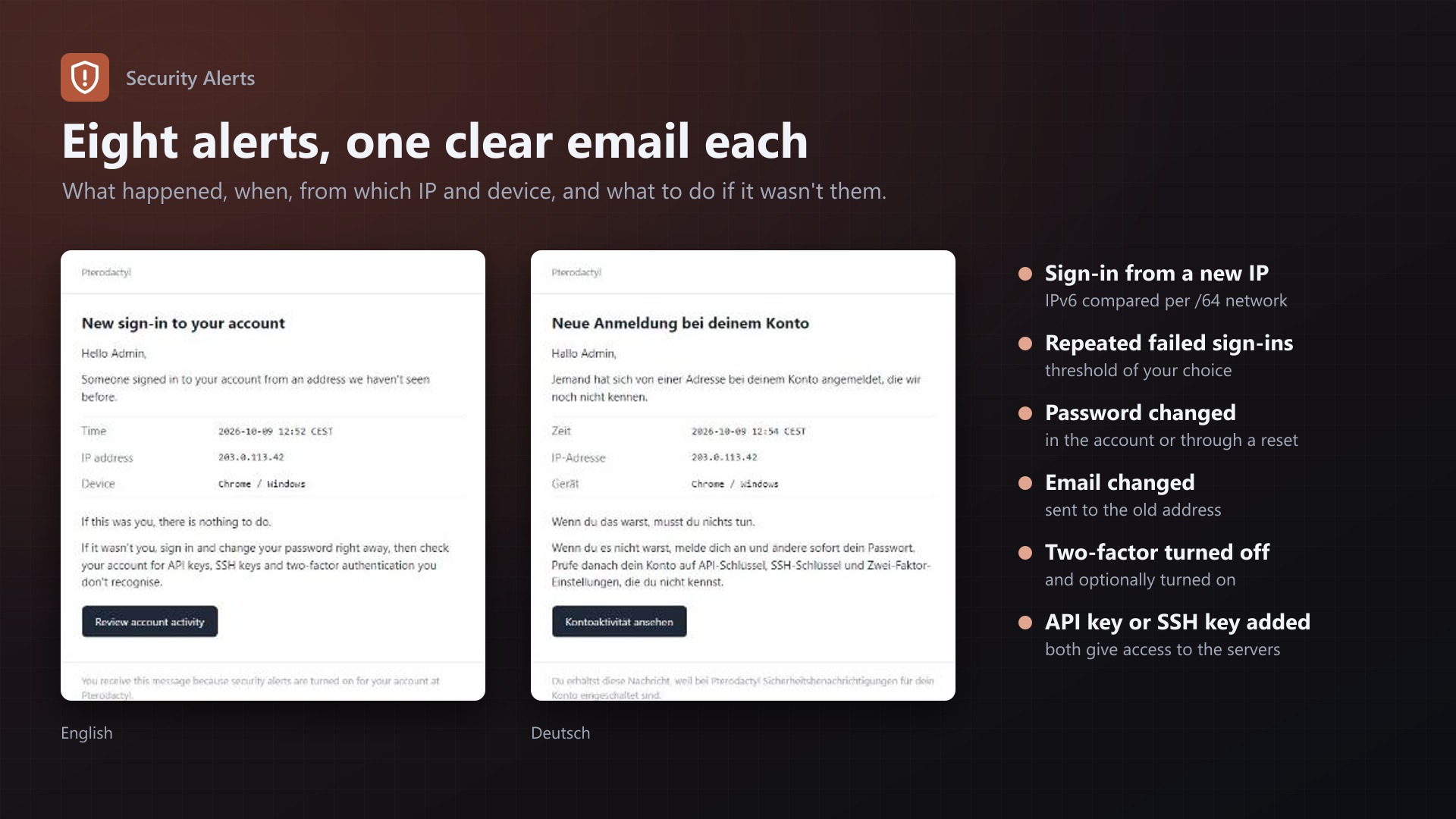
Pterodactyl records sign-ins and account changes in each account's activity log, but nobody looks there until it's too late. Security Alerts emails your users within a minute, so an account takeover gets noticed by the one person who can tell whether it was them.
Alerts
- Sign-in from a new IP address (IPv6 compared by /64 network)
- Repeated failed sign-ins, threshold of your choice
- Password changed, in the account or through "Forgot password"
- Email address changed, sent to the old address
- Two-factor authentication turned off (and optionally turned on)
- API key created
- SSH key added
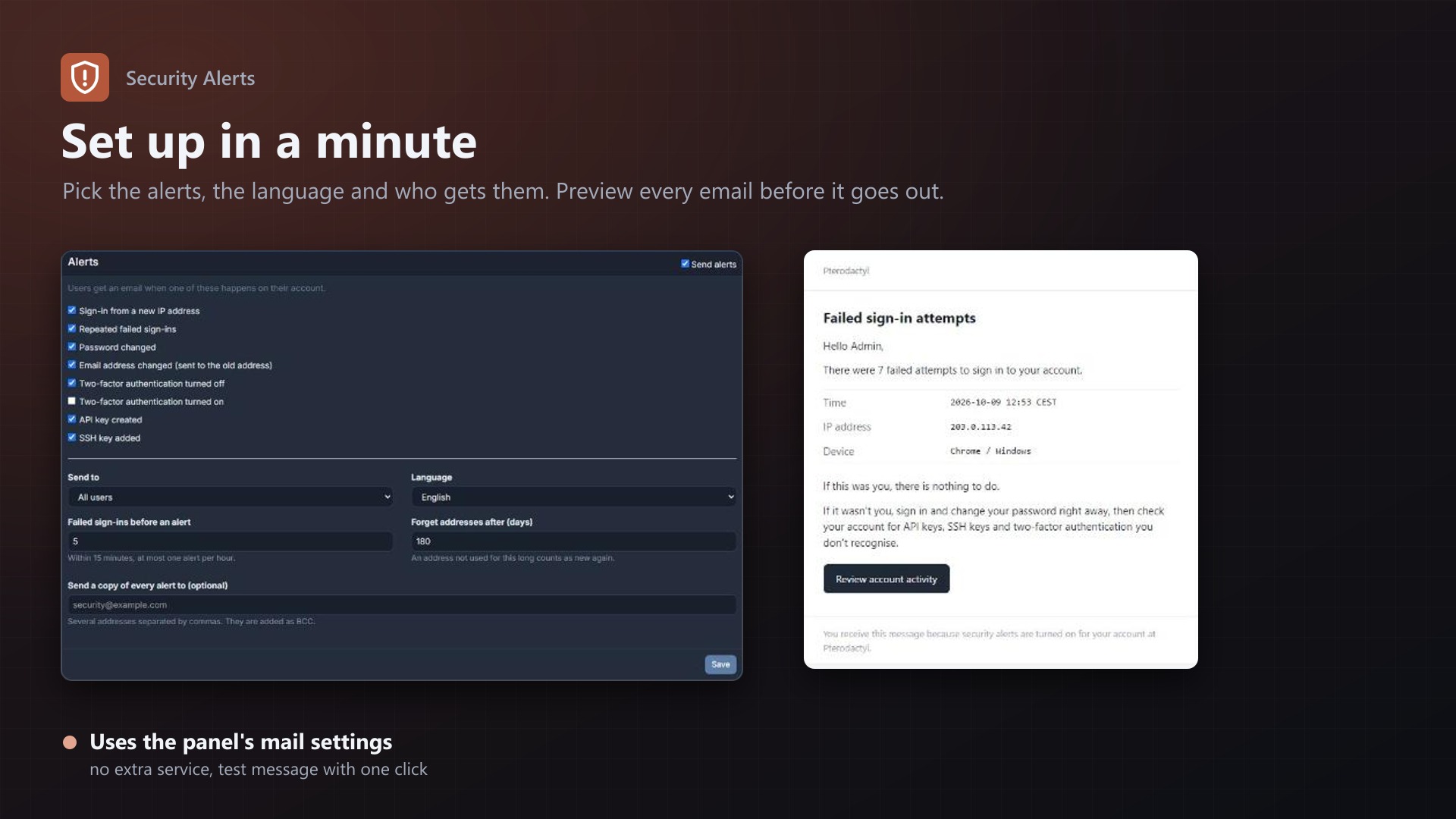
Each alert can be turned on or off.
Features
- Clear emails with time, IP address, browser and system, what to do if it wasn't them, and a link to the account activity
- English and German emails, with a preview of every email on the admin page
- Send to all users or administrators only
- Optional BCC addresses that receive a copy of every alert
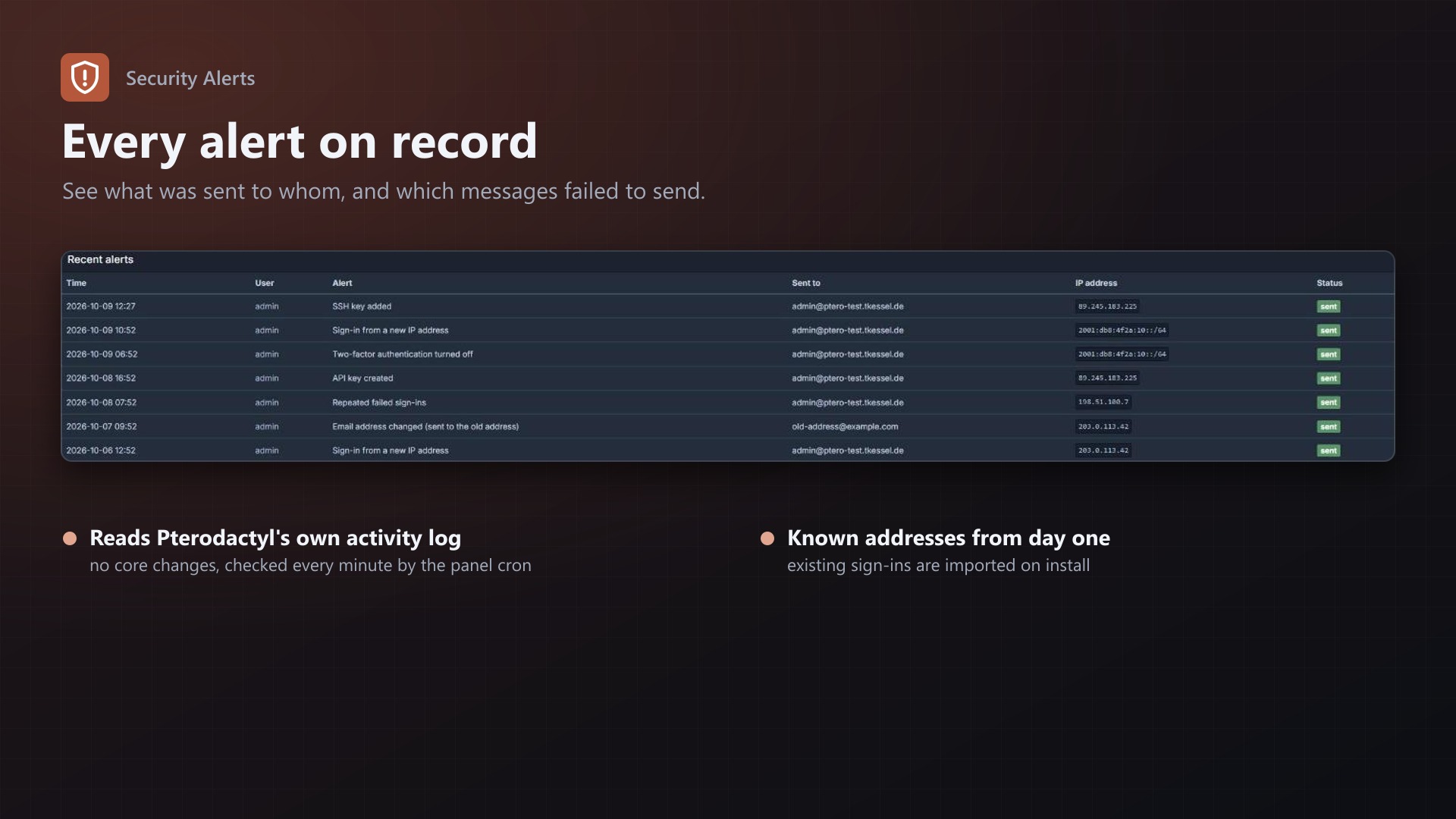
- Test message button and a log of every alert, including send errors
- Known sign-in addresses are imported on install, so nobody gets flooded on day one
- Uses the panel's own mail settings and activity log. No core files are modified.
Requirements
- Pterodactyl Panel 1.15.x
- Blueprint (beta-2026-08 or newer)
- Working mail settings in the panel (as needed for password resets anyway)
- The panel cron job
Installation
- Upload
securityalerts.blueprintto/var/www/pterodactyl - Run
blueprint -install securityalerts - Open Admin > Extensions > Security Alerts and click "Send a test message"
Support
The README in the download explains every alert and setting. If alerts don't arrive, send me the error from the "Recent alerts" table or the test message.