Server Cloner
Product information
Release v0.2.0 (Updated )
Reviews
0 von 5 Sternen
0 purchases
Copy a server with its settings and files into a new server, or create a new server from one of its backups.
€9,99
Release historyDescription
Setting up a second server like an existing one means creating it by hand with the same egg, image, startup command, variables and limits, then moving the files over. Server Cloner does both in one go.
Clone a server
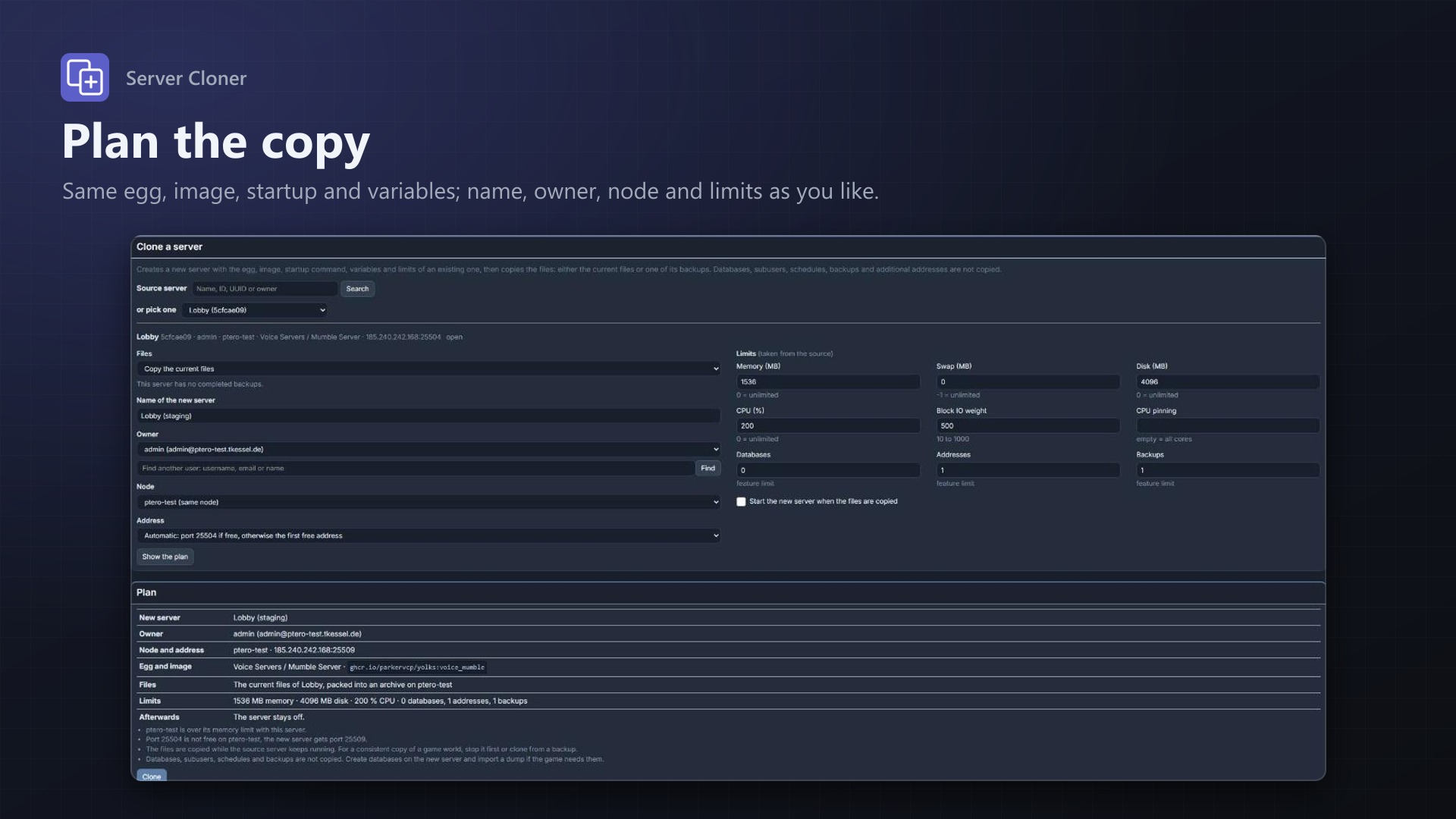
- Search the source server by name, ID, UUID or owner
- Current files or a backup: copy the files as they are now, or start from any completed backup (local or S3)
- Name, owner, node, address and limits are taken from the source and can be changed
- The source's port is kept where it is free on the node, otherwise the first free address is used
- See the plan before anything is created, then clone
Copied node to node
- The new server is created with Pterodactyl's own server creation: same nest, egg, Docker image, startup command, variables, limits and feature limits
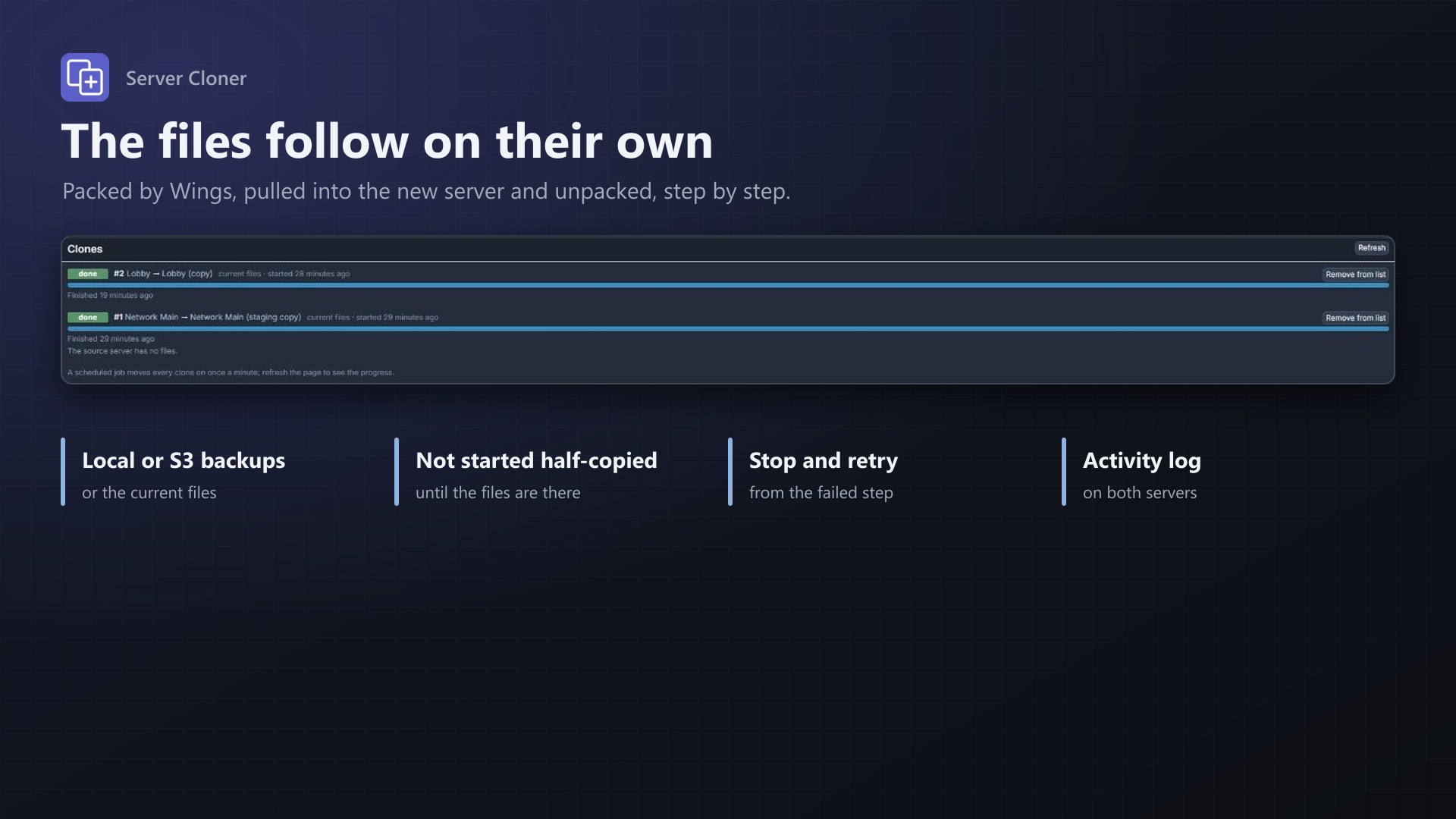
- Wings packs the files and the new server's Wings downloads and unpacks them, no detour through the panel
- Archives are deleted on both servers afterwards; optionally the new server is started
- Progress per clone with clear error messages, retry, stop, and deleting the new server with one click
- A scheduled job keeps it going when you close the page
- Activity log entries on both servers; no core files modified
Databases, subusers, schedules and backups are not copied.
Licence
One purchase = one licence = one panel. The licence is bound to one panel domain and the server it runs on. Subdomains count as separate panels: test1.example.com and test2.example.com can't share a licence. You can move the licence to another panel at any time on texus-addons.de.
After buying, sign in on texus-addons.de with your sourceXchange email address. Your licence key is created automatically; download the extension there with the key built in, or enter the key on the extension's admin page.
Requirements
- Pterodactyl Panel 1.15.x with Wings 1.11 or newer on all nodes
- Blueprint (beta-2026-08 or newer)
- The panel's cron job (
schedule:runevery minute) - Nodes that can download from each other over their configured addresses (and from S3 for S3 backups)
- A licence key from texus-addons.de, free with your purchase, for one panel
- Outgoing HTTPS from the panel to texus-addons.de
Installation
- Upload
texusclone.blueprintto/var/www/pterodactyl - Run
blueprint -install texusclone - Enter the licence key under Admin > Extensions > Server Cloner
Support
The README in the download explains every option. Questions and bug reports through the support link.
Website: texus-addons.de – licence keys, downloads and your account
Support: Discord support server or support@texus-addons.de