Server Splitter
Product information
Release v0.2.0 (Updated )
Reviews
0 von 5 Sternen
0 purchases
Let customers split their server into several servers and merge them back, without a support ticket.
€16,99
Release historyDescription
A customer rents a server with 8 GB of memory and wants a second, smaller one for a lobby, a test world or a bot. Today that means a ticket, and someone on your team creates the server and lowers the limits of the first one by hand. Server Splitter lets the owner do it on their own, and the total never grows.
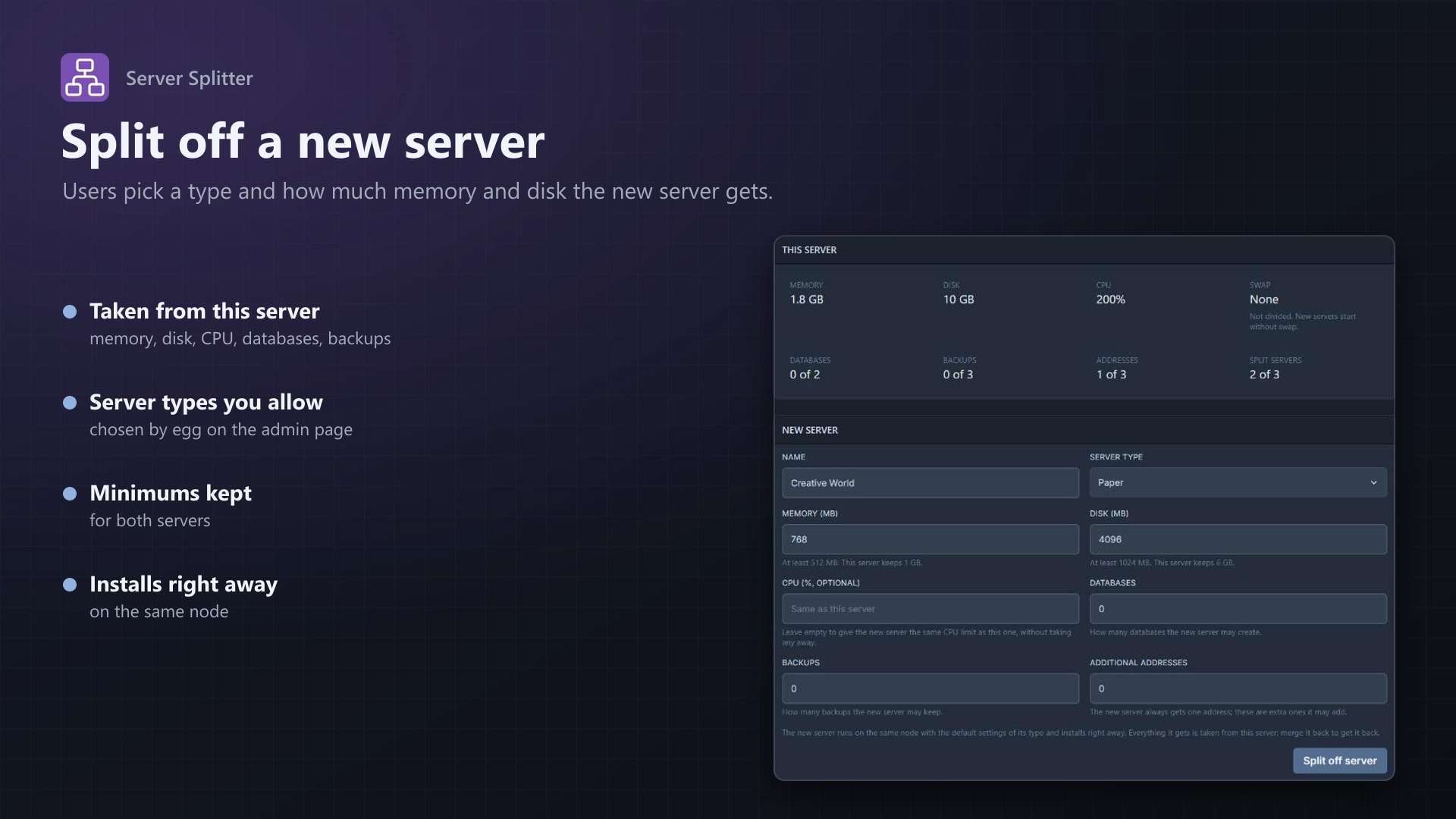
Split
- A Split page on every server, for the owner only (not for subusers)
- Shows the server's limits: memory, disk, CPU, swap, databases, backups and addresses, with what is in use
- Name, server type, memory and disk, optionally a CPU share, databases, backups and extra addresses for the new server
- The new server runs on the same node, belongs to the same user and gets a free address, on the same IP where possible
- It uses the egg's default image, startup command and variables and installs right away
- The original server's limits are lowered by the same amount. If the new server can't be created, nothing changes
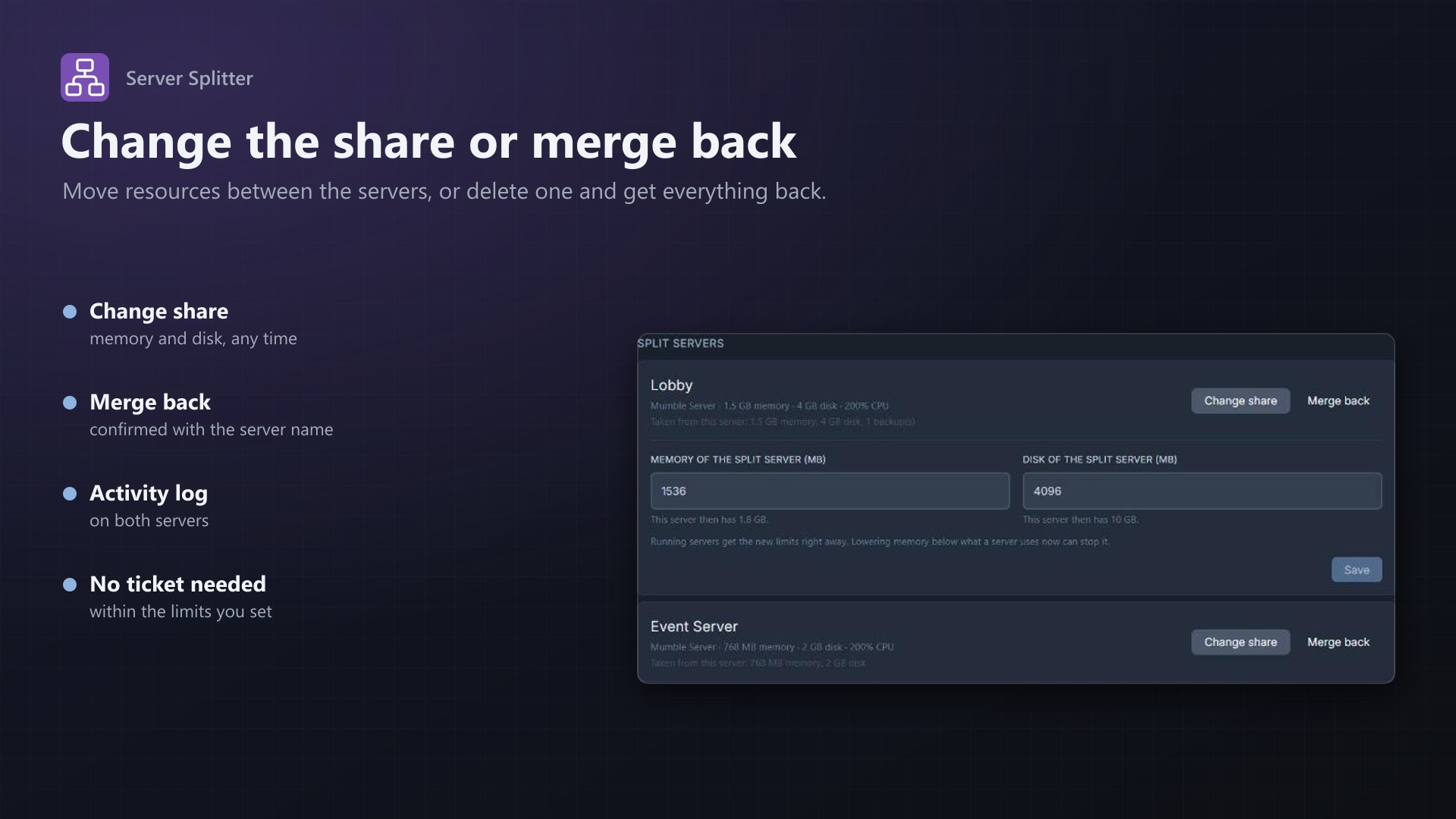
Merge back
- A list of all split servers with what each one took
- Change share: move memory and disk between the original and a split server
- Merge back: deletes the split server after the owner has typed its name; its resources go back to the original server
You stay in control
- Choose which eggs new servers may use, grouped by nest
- Minimum memory and disk per server, the number of split servers per server, and whether CPU has to be split too
- Unlimited resources can't be split; the page tells the owner why
- An overview of every split server in the admin area
- Activity log entries for every split, share change and merge
- Uses Pterodactyl's own services for creating, changing and deleting servers; no core files modified
Licence
One purchase = one licence = one panel. The licence is bound to one panel domain and the server it runs on. Subdomains count as separate panels: test1.example.com and test2.example.com can't share a licence. You can move the licence to another panel at any time on texus-addons.de.
After buying, sign in on texus-addons.de with your sourceXchange email address. Your licence key is created automatically; download the extension there with the key built in, or enter the key on the extension's admin page.
Requirements
- Pterodactyl Panel 1.15.x
- Blueprint (beta-2026-08 or newer)
- Free addresses (allocations) on the nodes, one for each new server
- A licence key from texus-addons.de, free with your purchase, for one panel
- Outgoing HTTPS from the panel to texus-addons.de
Installation
- Upload
texussplitter.blueprintto/var/www/pterodactyl - Run
blueprint -install texussplitter - Enter the licence key under Admin > Extensions > Server Splitter
- Tick the eggs that new servers may use
Support
The README in the download explains every option. Questions and bug reports through the support link.
Website: texus-addons.de – licence keys, downloads and your account
Support: Discord support server or support@texus-addons.de