SSO Login
Product information
Release v0.1.0 (Updated )
Reviews
0 von 5 Sternen
0 purchases
Sign in to Pterodactyl with Authentik, Keycloak, Entra ID, Okta, Google, Discord or GitHub, with groups mapped to admin rights.
€12,99
Release historyDescription
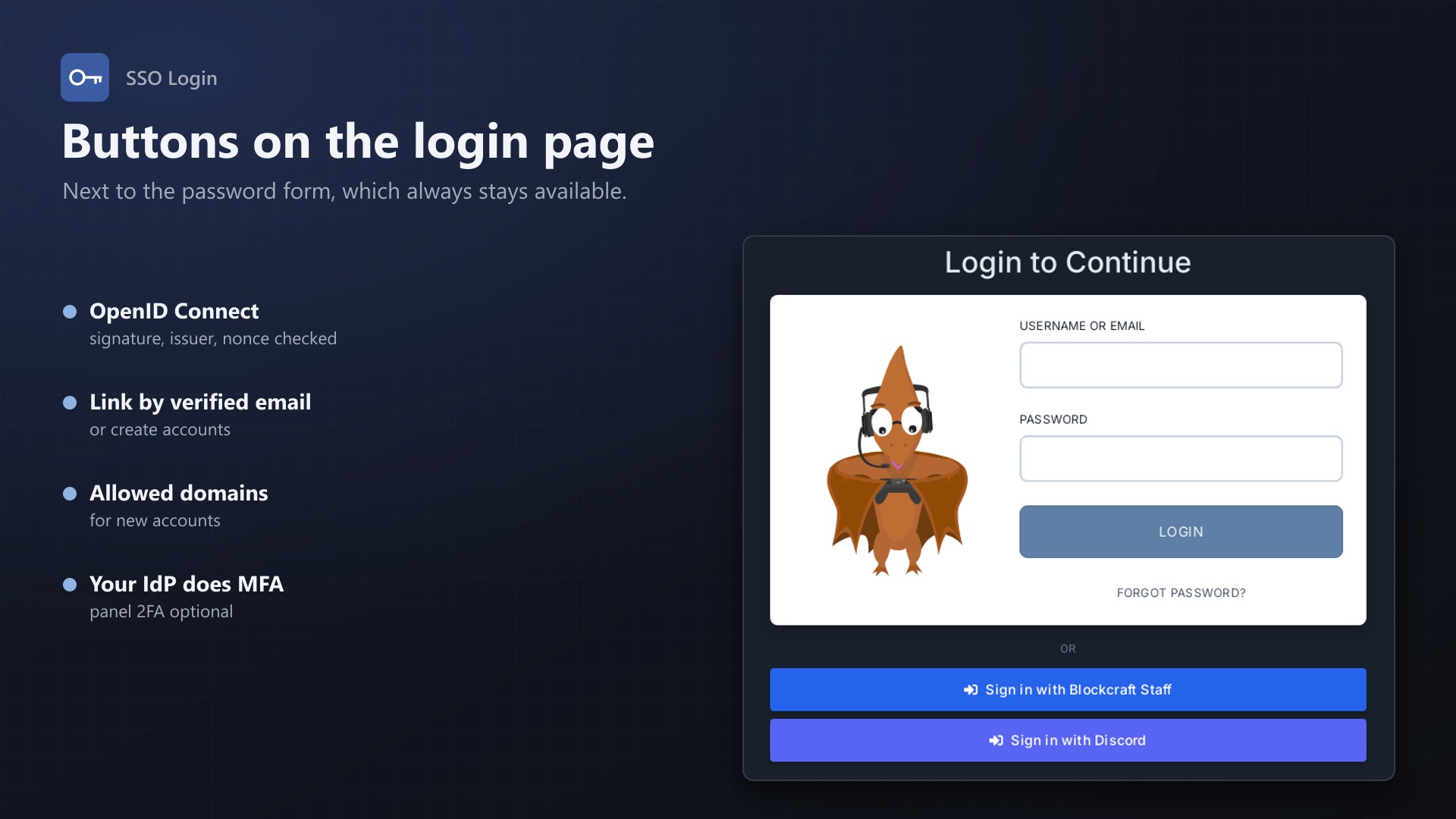
Your team already has accounts at an identity provider, and your players have Discord or GitHub. With Pterodactyl they still need yet another password. SSO Login adds "Sign in with ..." buttons to the panel's login page.
Providers
- Any OpenID Connect provider: Authentik, Keycloak, Microsoft Entra ID, Okta and others; just enter the issuer URL
- Google, Discord and GitHub as ready-made presets
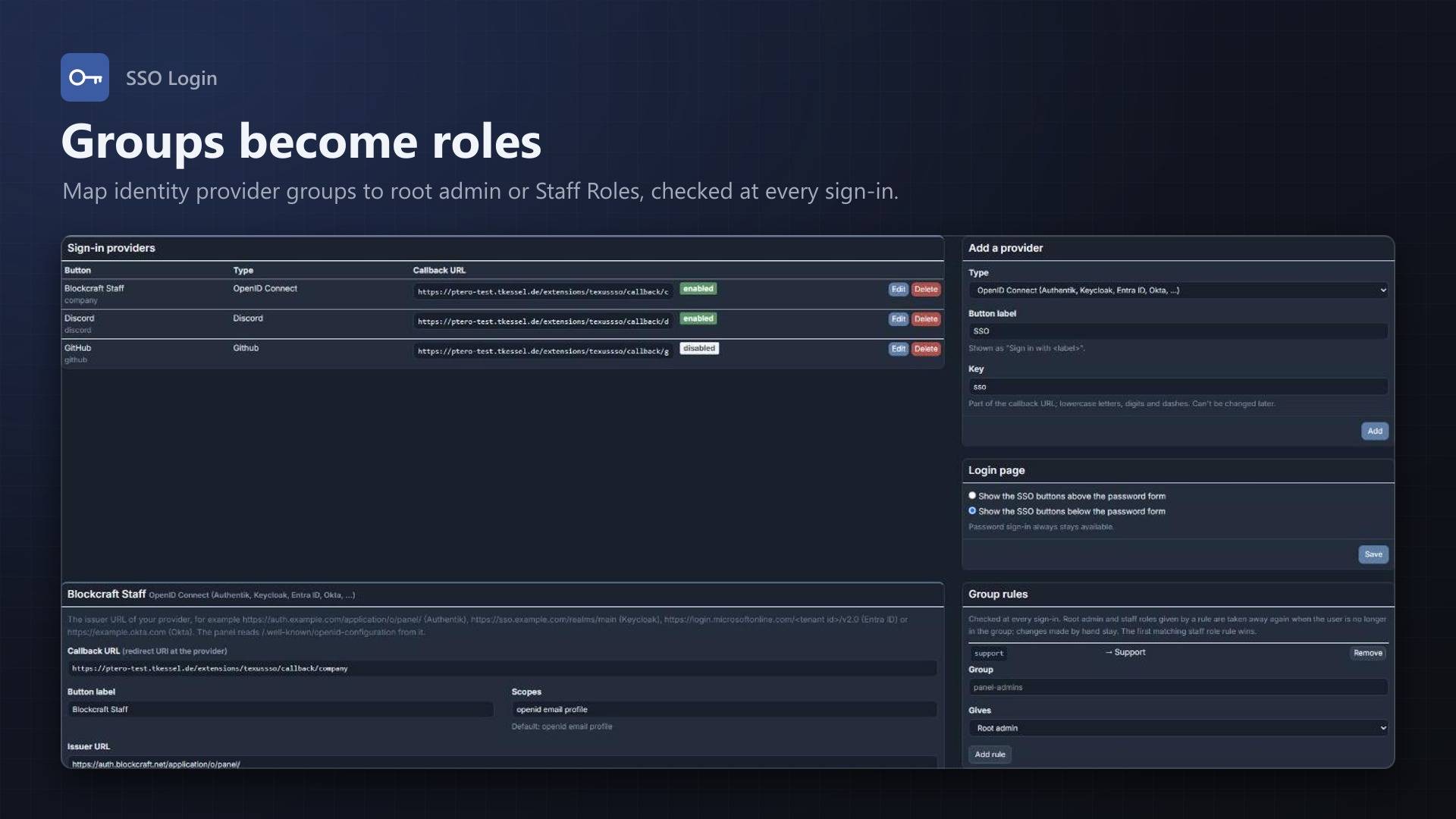
- Several providers at once, each with its own button label, enabled or disabled
- The admin page shows the callback URL to paste at the provider
- Buttons above or below the password form; password sign-in stays available
Accounts
- Linked once, then recognised by the provider's user id
- Links existing accounts by verified email on the first sign-in (can be turned off)
- Creates accounts for new users if you want, optionally only for certain email domains
- Users link and unlink providers themselves on their account page; admins see and search all linked accounts
- The provider does the multi-factor check; the panel's own 2FA can be skipped or kept per provider
Groups to rights
- Group → root admin and group → staff role of our Staff Roles extension
- Checked at every sign-in; only what a rule granted is taken away again, manual changes stay
Secure by default
- Authorization code flow with PKCE, state and nonce
- id_token signature checked against the provider's keys (RS, ES and HS algorithms), plus issuer, audience, expiry and nonce
- Client secrets stored encrypted, never shown again; sign-ins rate limited per IP
- Every sign-in in the activity log; no core files modified
Licence
One purchase = one licence = one panel. The licence is bound to one panel domain and the server it runs on. Subdomains count as separate panels: test1.example.com and test2.example.com can't share a licence. You can move the licence to another panel at any time on texus-addons.de.
After buying, sign in on texus-addons.de with your sourceXchange email address. Your licence key is created automatically; download the extension there with the key built in, or enter the key on the extension's admin page.
Requirements
- Pterodactyl Panel 1.15.x
- Blueprint (beta-2026-08 or newer)
APP_URLin the panel's.envset to the address users open- Outgoing HTTPS from the panel to the identity provider
- A licence key from texus-addons.de, free with your purchase, for one panel
- Outgoing HTTPS from the panel to texus-addons.de
Installation
- Upload
texussso.blueprintto/var/www/pterodactyl - Run
blueprint -install texussso - Enter the licence key under Admin > Extensions > SSO Login
Support
The README in the download explains every option. Questions and bug reports through the support link.
Website: texus-addons.de – licence keys, downloads and your account
Support: Discord support server or support@texus-addons.de