Staff Roles
Product information
Release v0.1.2 (Updated )
Reviews
0 von 5 Sternen
0 purchases
Give your support team what it needs without root admin: roles for servers, users, nodes and the activity log, plus time-limited support access.
€14,99
Release historyDescription
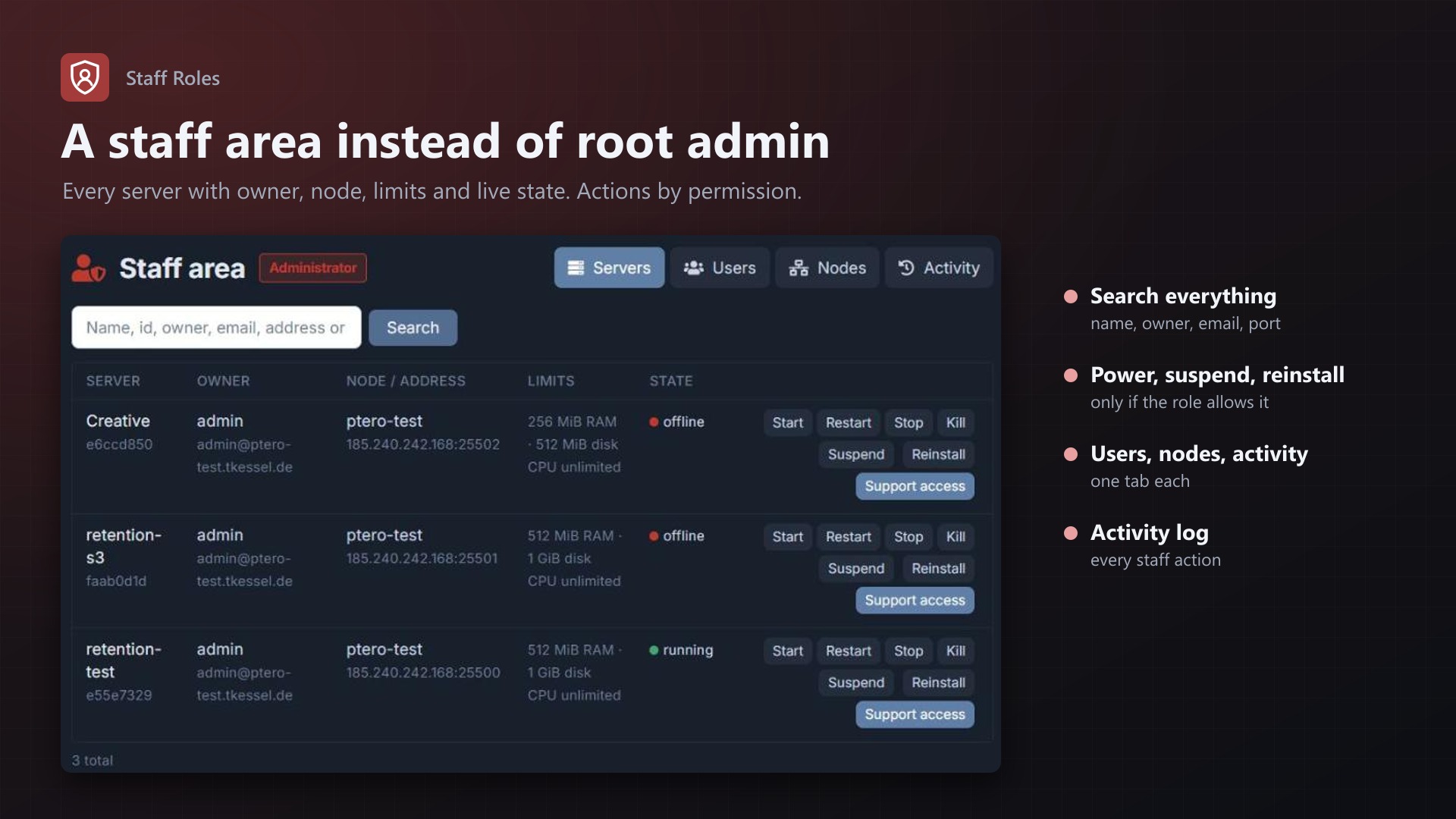
Pterodactyl has normal users and root admins, nothing in between. A supporter who should restart a customer's server or suspend it after a chargeback gets everything: settings, nodes, eggs, API keys, every user's data. Staff Roles adds roles in between.
Roles
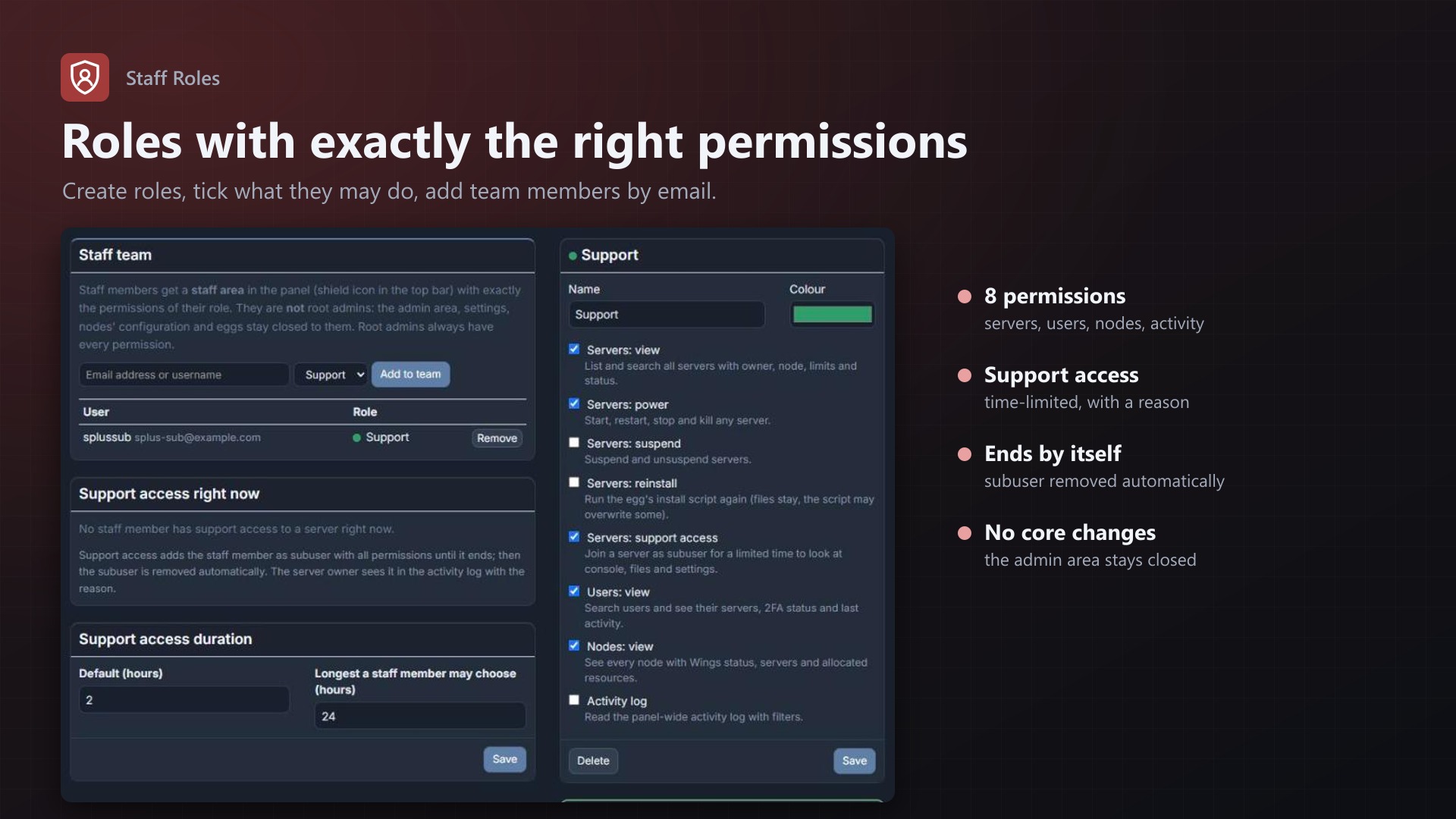
- Create roles like "Support" or "Moderator" and tick what they may do
- Add team members by email or username; they stay normal users, no root admin
- Team members get a staff area under a shield icon in the top bar
Permissions
- Servers: view and search all servers (name, id, owner, email, address, port) with live state; power; suspend and unsuspend; reinstall
- Support access: join a server as subuser for a limited time with a reason, e.g. a ticket number. Ends automatically
- Users: search users, see their servers, 2FA status and sign-up date
- Nodes: Wings status, servers and allocated RAM and disk per node
- Activity log: the panel-wide log, filtered by event, user or IP
Safe
- The admin area stays root-admin only; no core files modified, no Pterodactyl permission changed
- Every staff action is in the activity log under the staff member's name
- Support access shows up for the server owner with reason and end time, and is removed by itself
- Admins see and end every support access on the admin page
Licence
One purchase = one licence = one panel. The licence is bound to one panel domain and the server it runs on. Subdomains count as separate panels: test1.example.com and test2.example.com can't share a licence. You can move the licence to another panel at any time on texus-addons.de.
After buying, sign in on texus-addons.de with your sourceXchange email address. Your licence key is created automatically; download the extension there with the key built in, or enter the key on the extension's admin page.
Requirements
- Pterodactyl Panel 1.15.x
- Blueprint (beta-2026-08 or newer)
- The panel's cron job (part of every Pterodactyl install)
- A licence key from texus-addons.de, free with your purchase, for one panel
- Outgoing HTTPS from the panel to texus-addons.de
Installation
1. Upload texusroles.blueprint to /var/www/pterodactyl
2. Run blueprint -install texusroles
3. Open Admin > Extensions > Staff Roles, enter the licence key, create a role and add your team
Support
Website: texus-addons.de – licence keys, downloads and your account
Support: Discord support server or support@texus-addons.de