Subdomain Manager
Product information
Release v0.1.0 (Updated )
Reviews
0 von 5 Sternen
0 purchases
Let users give their servers an address like survival.example.com. DNS records on Cloudflare, with SRV records for Minecraft.
€9,99
Release historyDescription
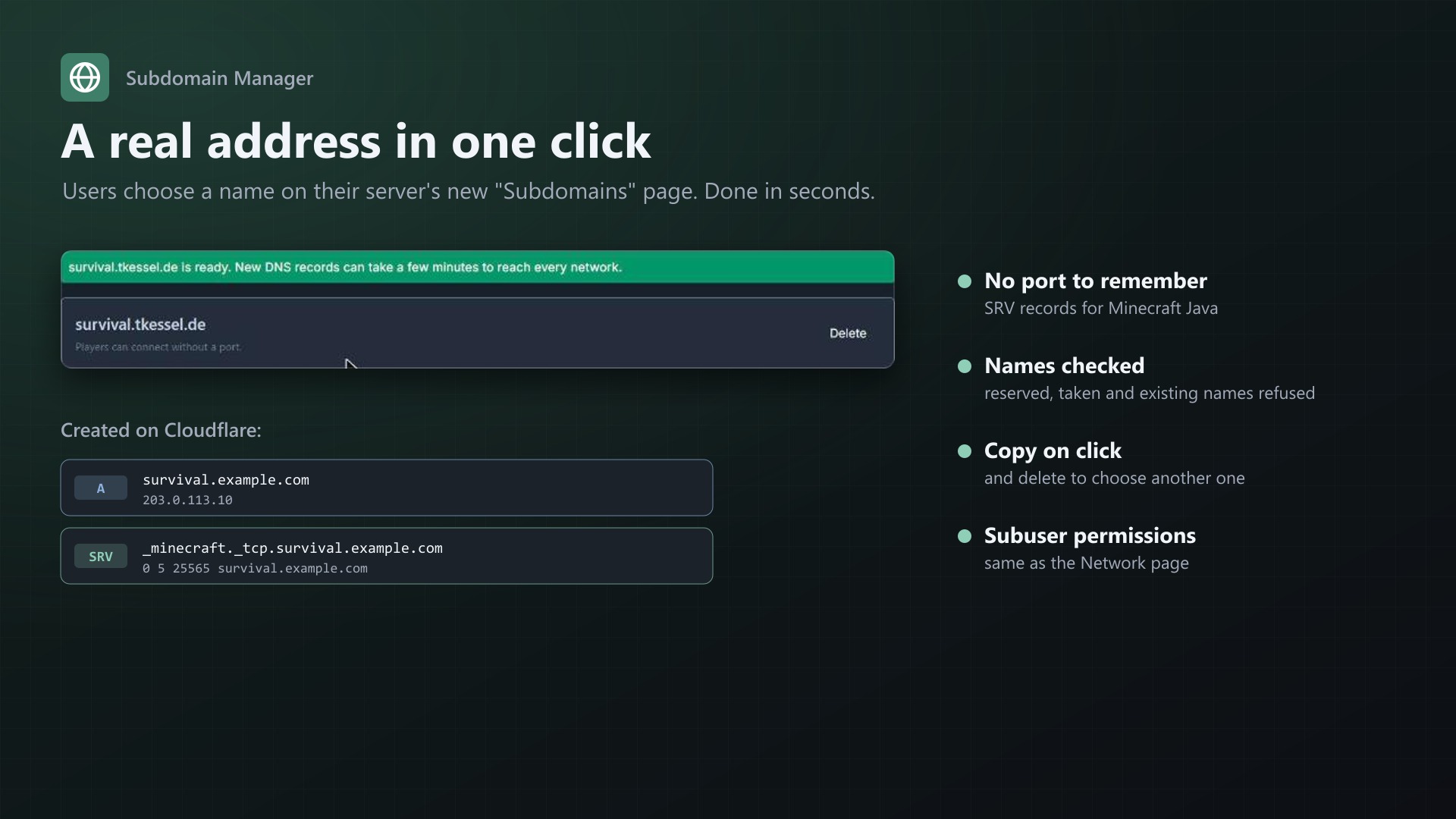
survival.example.com instead of 203.0.113.10:25565. Subdomain Manager adds a "Subdomains" page to every server: users pick a name and one of your domains, and the extension creates the DNS records on Cloudflare. For Minecraft Java it adds an SRV record, so players connect without a port.
For your users
- Choose a name, pick a domain, done in seconds
- Copy on click, delete to choose another one
- Subuser permissions as on the Network page
DNS records
- A, AAAA or CNAME record pointing to the server, never proxied
- SRV record with the port for games that support it (Minecraft Java by default, configurable per egg)
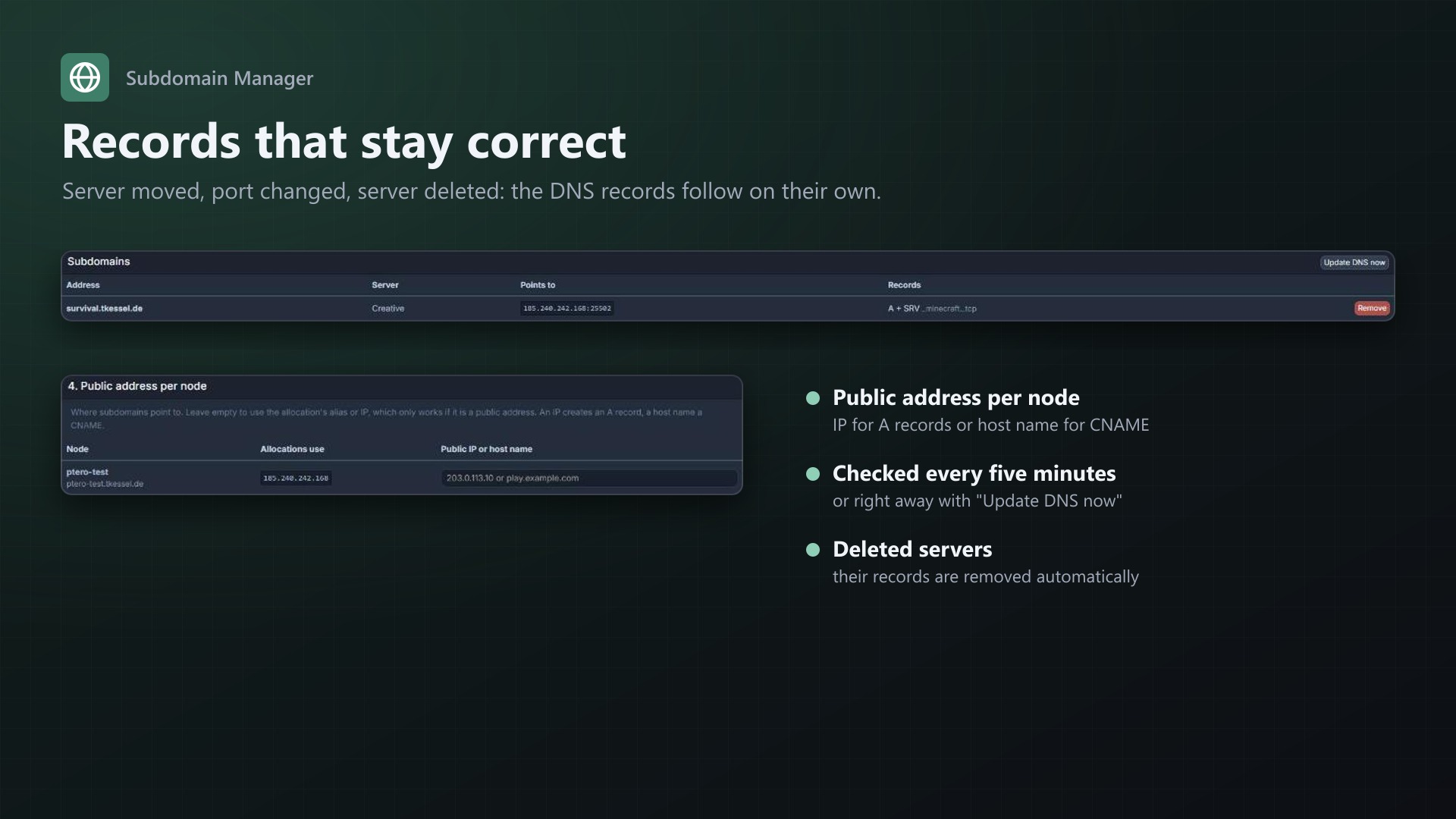
- Records stay correct: when the main allocation, the node address or the egg changes, they follow. Deleted servers lose their records automatically.
For you
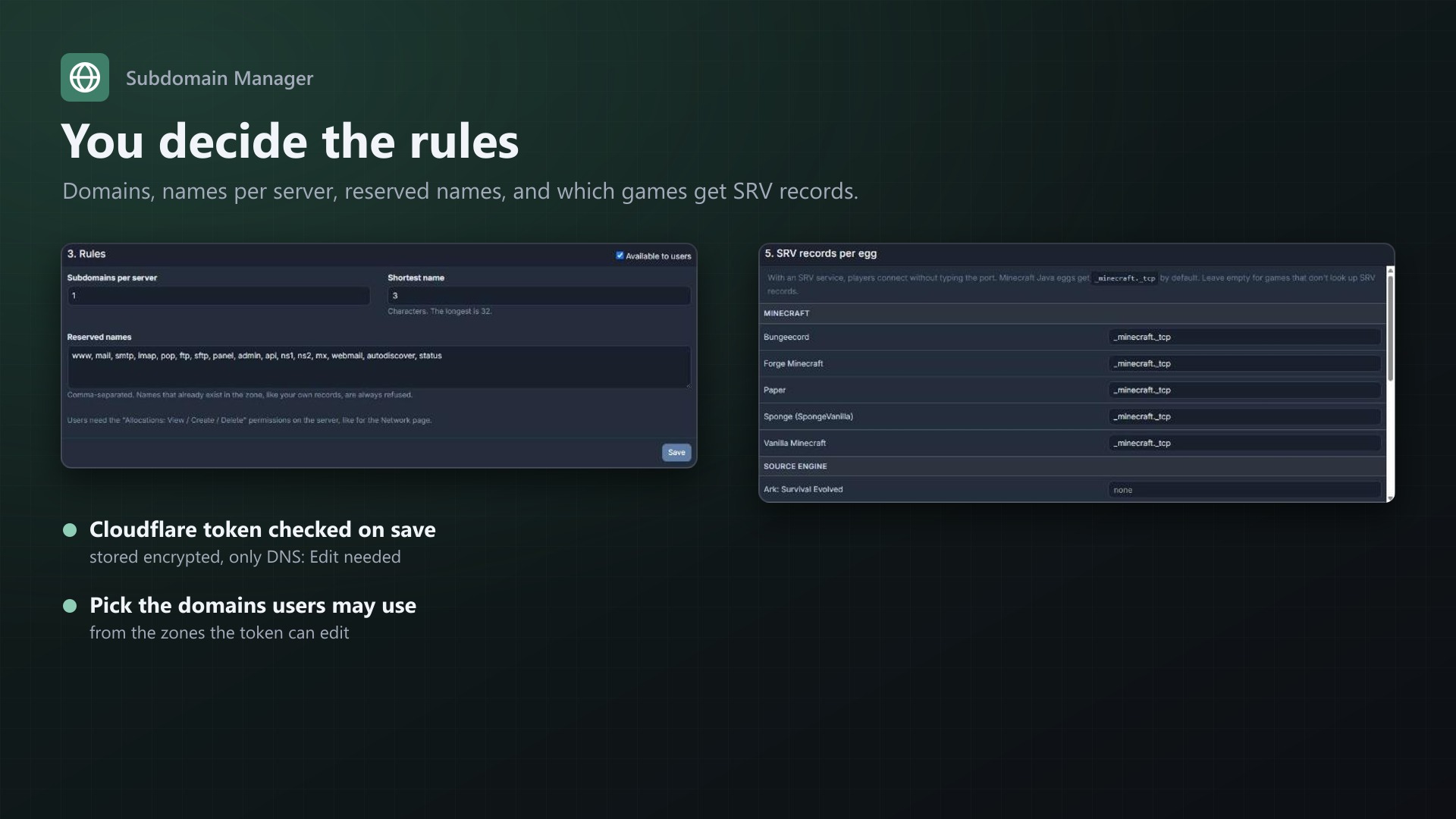
- Use one or several of your Cloudflare domains
- Subdomains per server, shortest name, reserved names
- Names that already exist in the zone are refused, so your own records are safe
- Public address per node for NAT or internal IPs (IP or host name)
- Overview of all subdomains with removal and "Update DNS now"
- Token checked on save and stored encrypted; only "Edit zone DNS" permissions needed
- Changes appear in the server's activity log
Requirements
- Pterodactyl Panel 1.15.x
- Blueprint (beta-2026-08 or newer)
- A domain on Cloudflare (free plan is enough)
- The panel cron job
Installation
- Upload
subdomains.blueprintto/var/www/pterodactyl - Run
blueprint -install subdomains(rebuilds the panel, takes a few minutes) - Open Admin > Extensions > Subdomain Manager, add a Cloudflare token and choose your domains
Support
The README in the download walks through the setup step by step. If creating a subdomain fails, send me the message shown on the page.