Rust Toolkit
Product information
Release v0.1.1 (Updated )
Reviews
0 von 5 Sternen
0 purchases
Wipes for Rust servers on a schedule or at a click, with warnings in the game, a new seed and a backup first, plus a uMod plugin manager for Oxide and Carbon.
€24,99
Release historyDescription
A Rust wipe means: warn the players, stop the server, delete the right files, set a new seed and start again, every week or on the first Thursday of the month. Done by hand that is a ticket or a late night. Rust Toolkit adds a Wipe tab and a Plugins tab to the server page.
Wipe
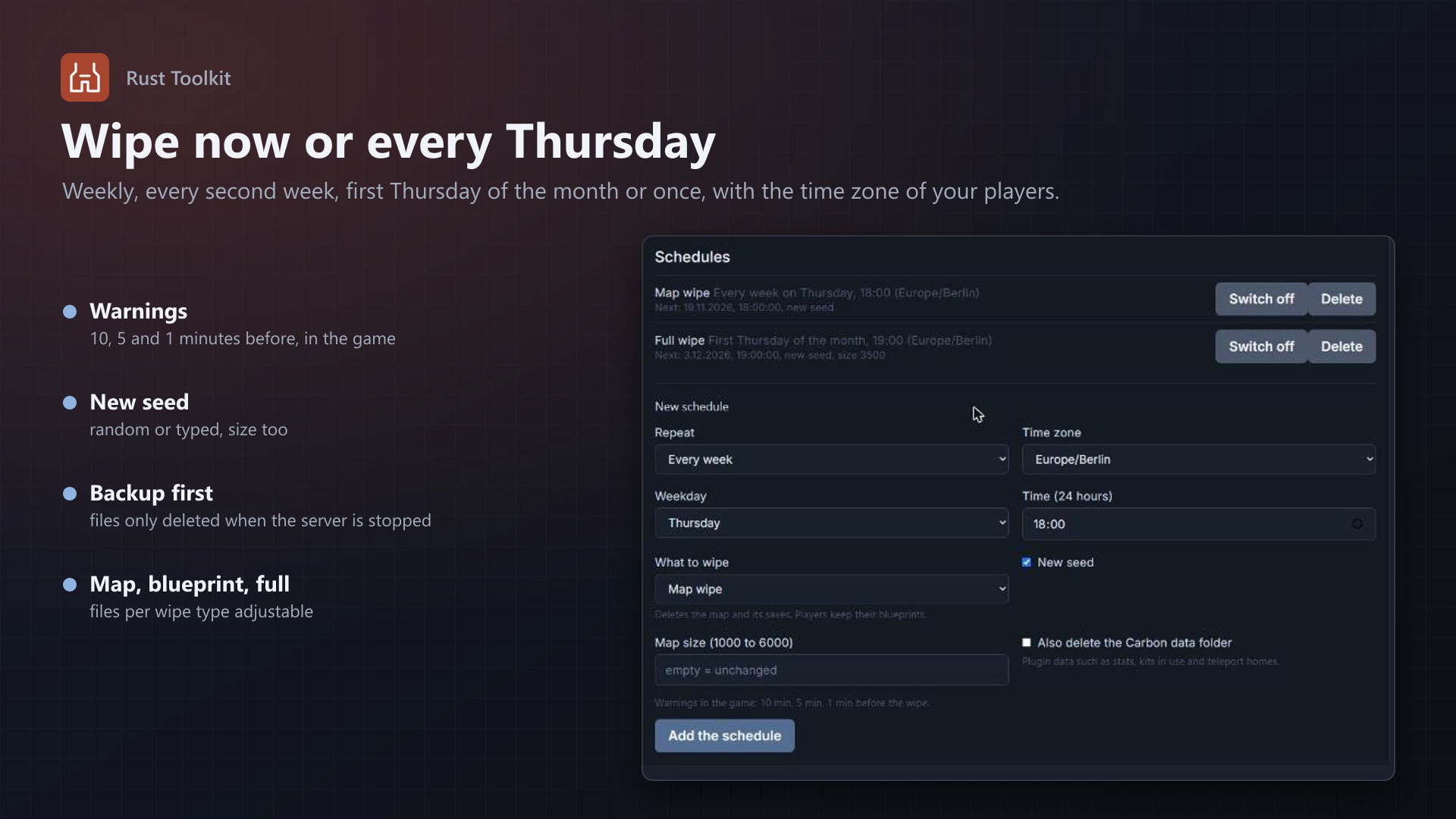
- Wipe now: map, blueprint or full wipe, a new seed (random or typed), a map size, and with Oxide or Carbon the plugin data too; the customer types the server's name to confirm
- Schedules: every week, every second week, first Thursday of the month, or once; day, time and time zone, summer time followed; several schedules per server
- Warnings in the game: minutes before a scheduled wipe (you choose the times and the text)
- The steps: backup, warnings, stop, delete the wipe files, set the seed and size in the egg's variables, start; progress and history shown
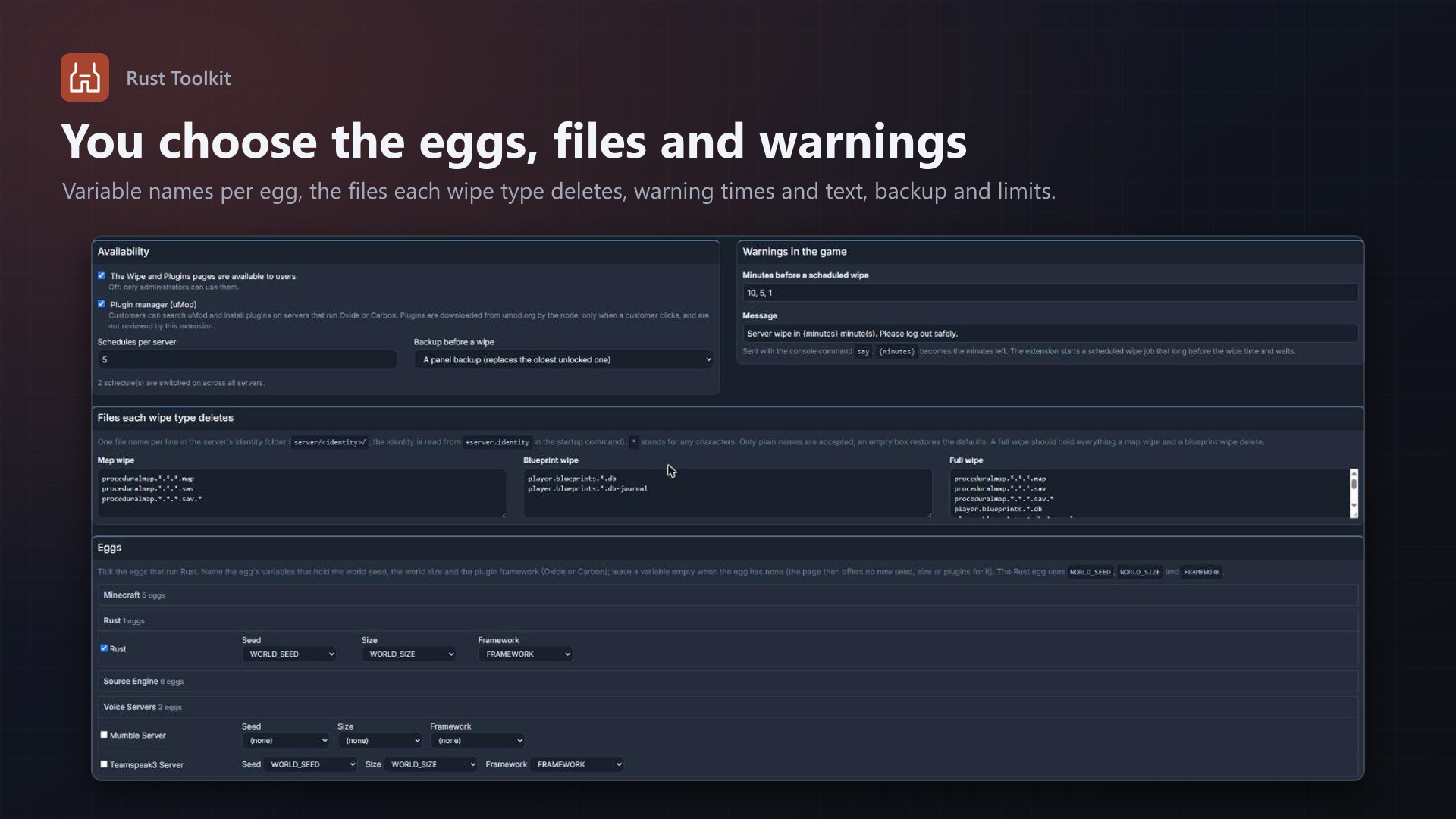
- What is deleted per wipe type follows the Pterodactyl Rust egg and can be changed
Plugins
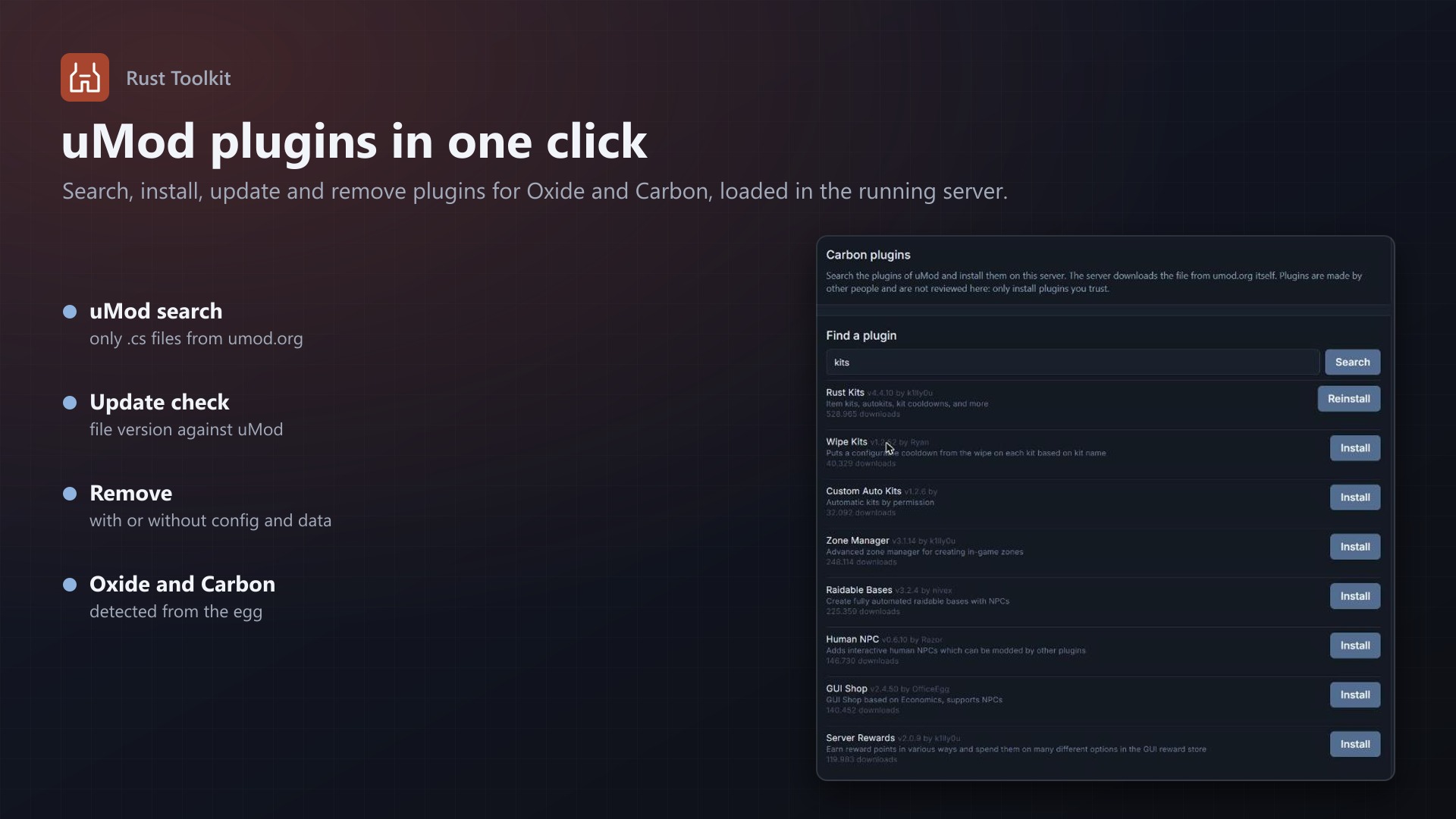
- Search uMod, install with one click (the server downloads the file itself), update, remove with or without the plugin's data
- Check for updates: the version in the plugin file against uMod's latest
- Oxide and Carbon, detected from the egg's framework variable; plugins are loaded or unloaded in the running server
- Only
.csfiles from umod.org, only on a click, answers kept for a while
What you control
- Which eggs run Rust and the names of their seed, size and framework variables (suggested for you)
- The files each wipe type deletes, warning times and text, a backup before a wipe, schedules per server, plugin manager on or off
- A list of the latest wipes with state and errors
Safe by design
- A wipe needs the owner, an administrator, or a subuser who may delete files, stop and start the server
- Files are only deleted from a server the node reports as stopped, and behind a successful backup when the backup is on
- A wipe that finds no files fails and starts the server again; the server can not be started by hand while a wipe changes it
- One wipe at a time; a run missed by more than an hour is skipped, not run late
- Everything is written to the server's activity log; no core files are modified
Licence
One purchase = one licence = one panel. The licence is bound to one panel domain and the server it runs on. Subdomains count as separate panels: test1.example.com and test2.example.com can't share a licence. You can move the licence to another panel at any time on texus-addons.de.
After buying, sign in on texus-addons.de with your account email address. Your licence key is created automatically; download the extension there with the key built in, or enter the key on the extension's admin page.
Requirements
- Pterodactyl Panel 1.x with Blueprint (beta-2026-08 or newer)
- A Rust egg with seed, size and framework variables (the standard egg has them); the panel's scheduler running
- For the plugin manager: the node may download files
- A licence key from texus-addons.de, free with your purchase, for one panel