Turnstile & hCaptcha for Pterodactyl
Product information
Release v0.1.0 (Updated )
Reviews
0 von 5 Sternen
0 purchases
Use Cloudflare Turnstile or hCaptcha instead of Google reCAPTCHA on your panel's login. No core changes.
€7,99
Release historyDescription
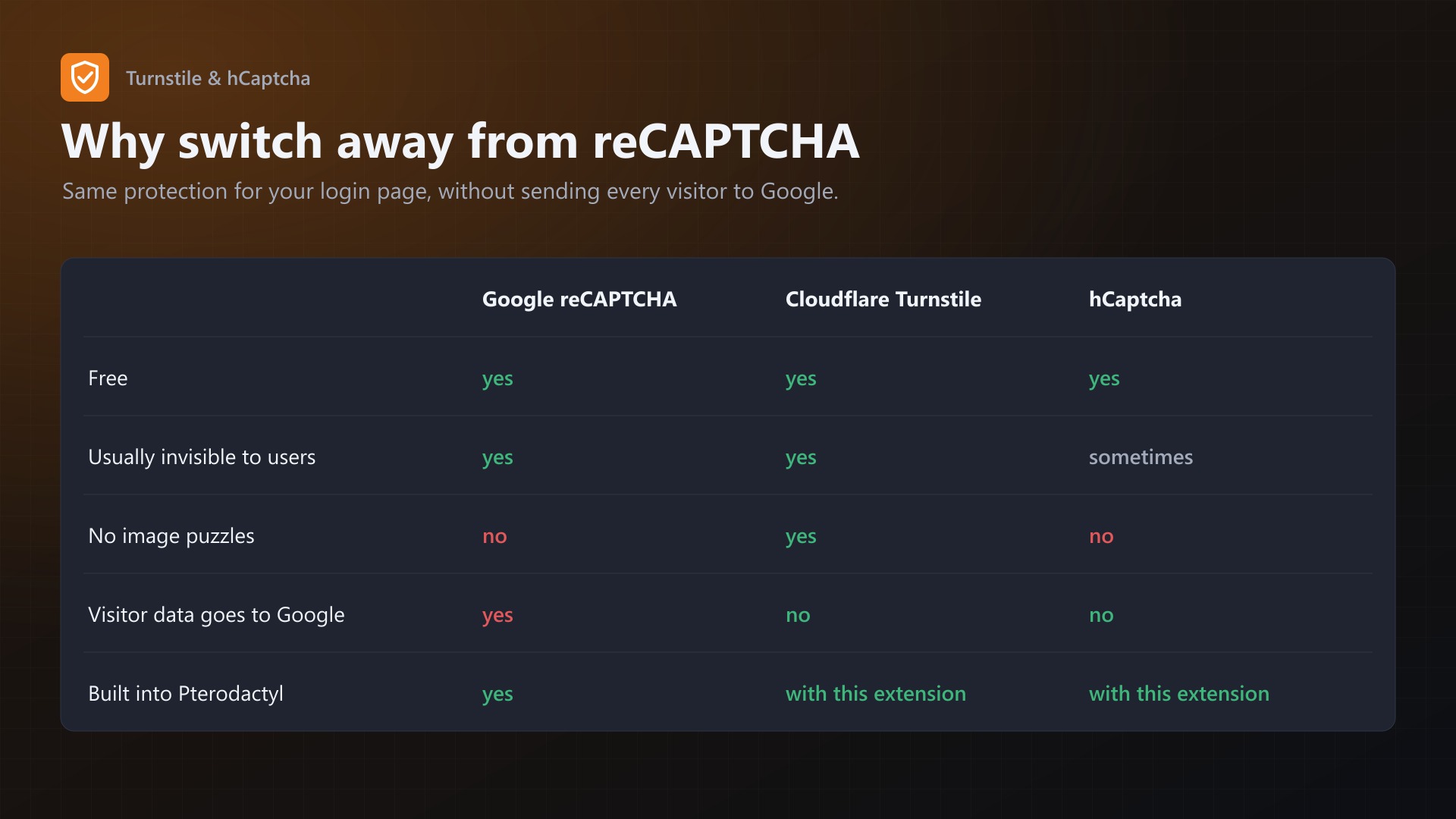
Pterodactyl only supports Google reCAPTCHA. This extension lets you use Cloudflare Turnstile or hCaptcha on the login and password reset pages instead, without touching any Pterodactyl files.
Why
- Your customers' logins don't go through Google anymore
- Turnstile is invisible for almost everyone, no image puzzles
- Both are free
Features
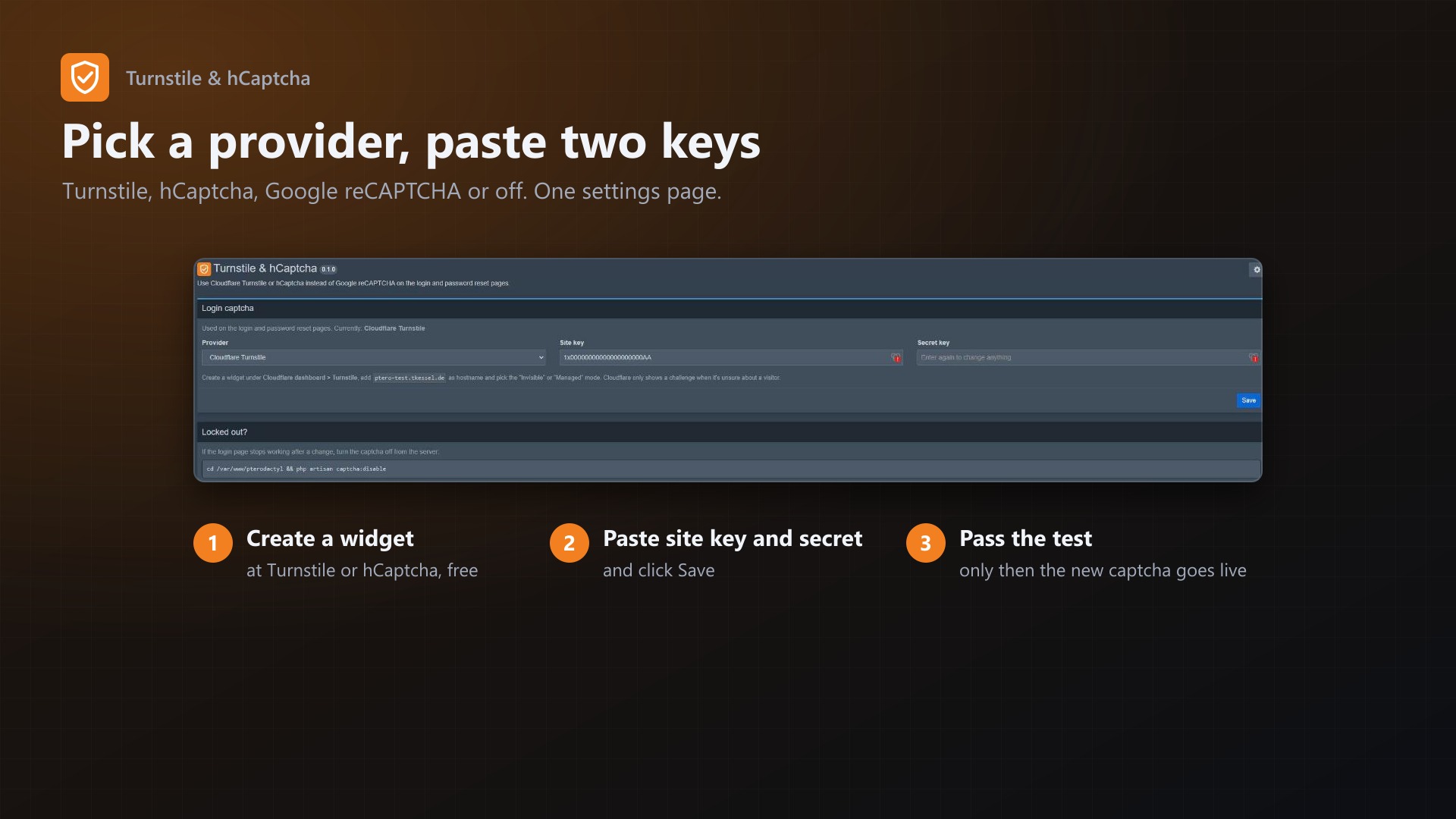
- Cloudflare Turnstile, hCaptcha, Google reCAPTCHA or off, switchable on one settings page
- Login and "forgot password" pages
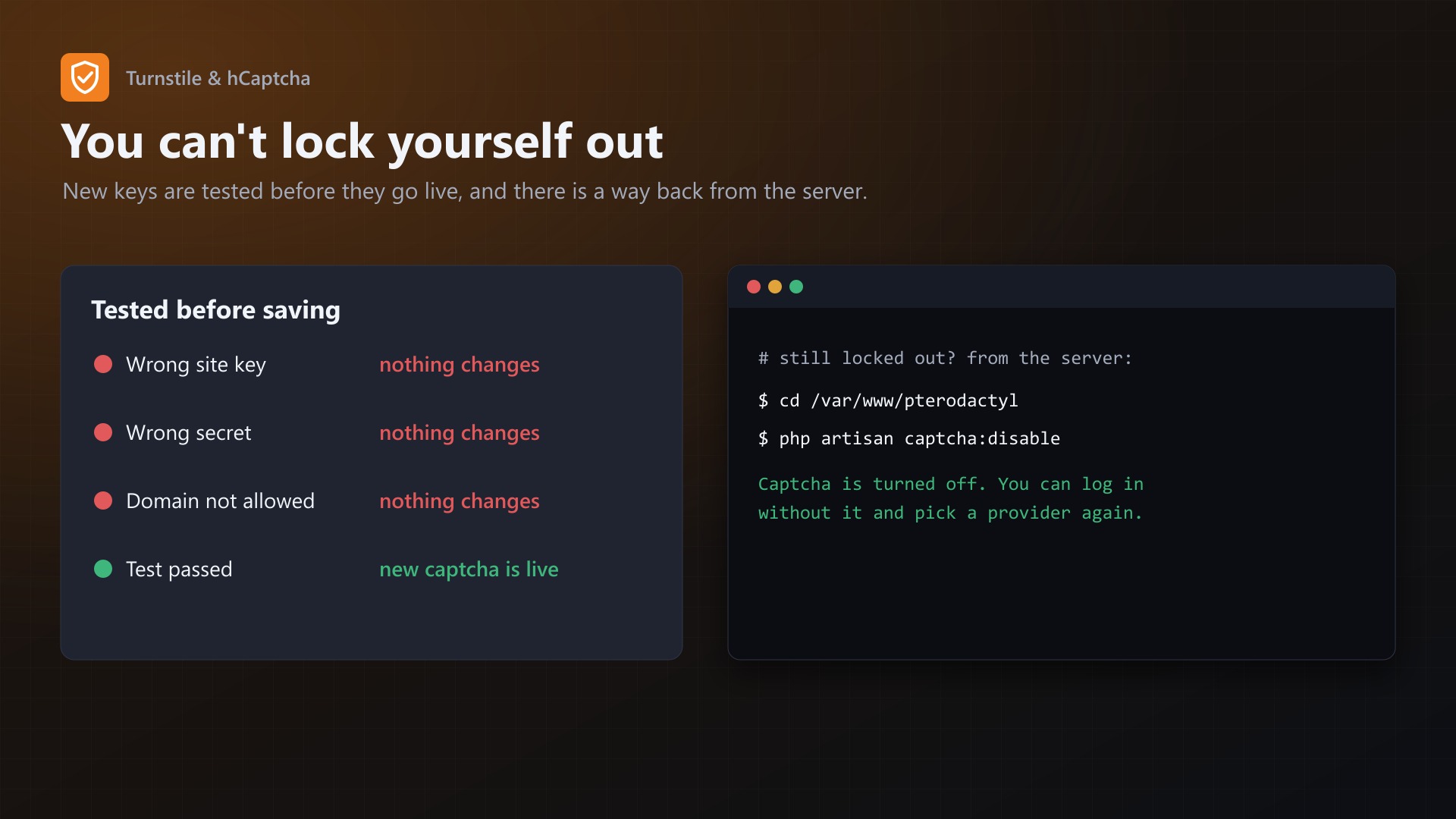
- Can't lock you out by accident: new keys are only saved after a test with those keys passed on the settings page. Wrong site key, wrong secret or a domain that isn't allowed, and nothing changes.
php artisan captcha:disableturns the captcha off from the server if you ever need it- No core files are modified
Requirements
- Pterodactyl Panel 1.15.x
- Blueprint (beta-2026-08 or newer)
- A free Turnstile widget or hCaptcha site for your panel's domain
Installation
- Upload
captcha.blueprintto/var/www/pterodactyl - Run
blueprint -install captcha - Open Admin > Extensions > Turnstile & hCaptcha, pick a provider, paste the keys, save
Good to know
- Add your panel's domain to the Turnstile widget or hCaptcha site. Pterodactyl checks that the captcha was solved on your domain.
- The Cloudflare/hCaptcha test keys report a different hostname, so they can't be used for logins. Use real keys.
Support
The README in the download explains the setup for both providers step by step. If something doesn't work, send me a screenshot of the settings page and the browser console of the login page.