World Manager
Product information
Release v0.1.2 (Updated )
Reviews
0 von 5 Sternen
0 purchases
A Worlds tab for Minecraft servers: download, upload, switch, reset with a new seed, copy, rename and delete worlds, with a backup first.
€14,99
Release historyDescription
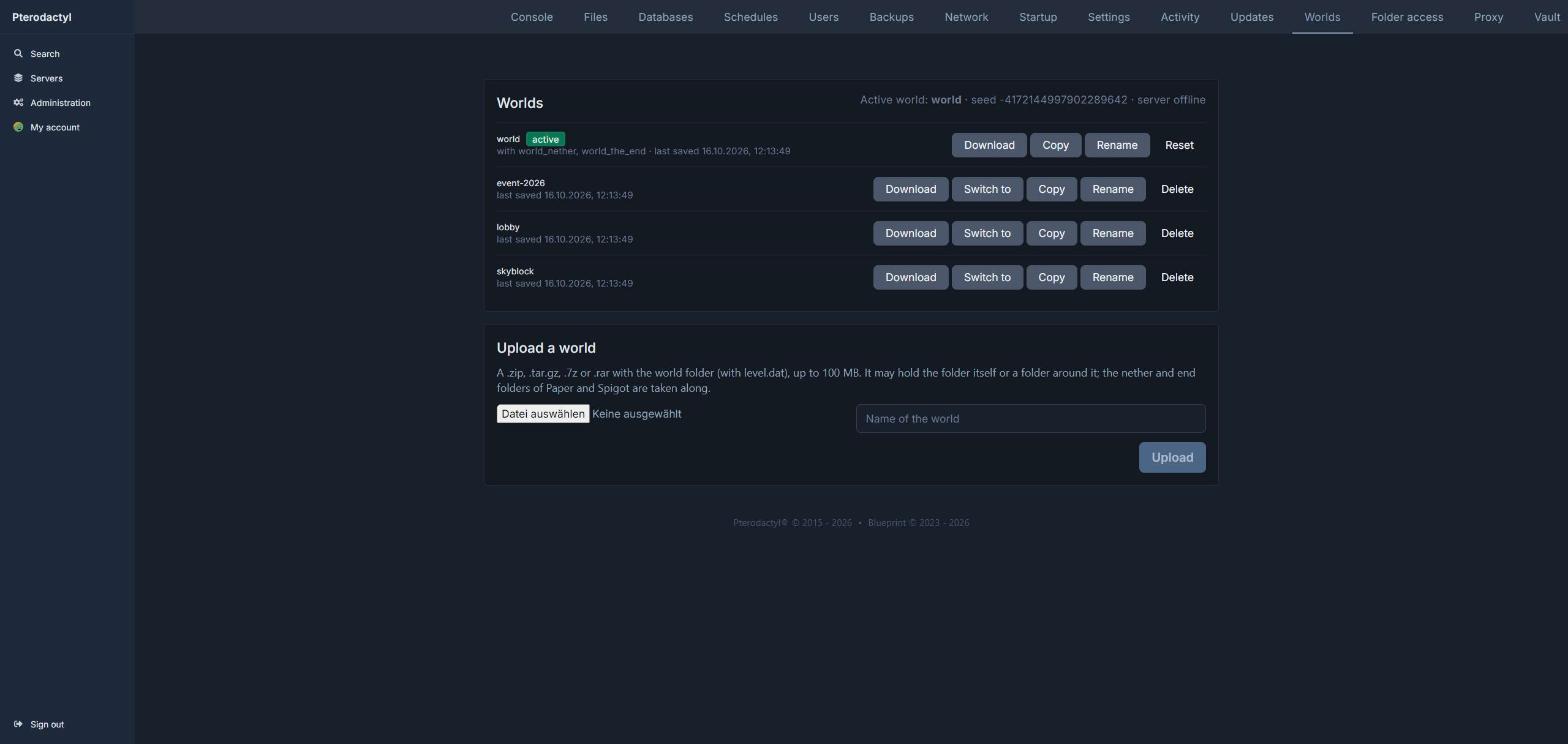
"How do I upload my map?" and "Can you reset the world?" are among the most common support tickets of a Minecraft host. World Manager gives every server a Worlds tab, so players handle their worlds themselves, without digging through folders in the file manager.
All worlds at a glance
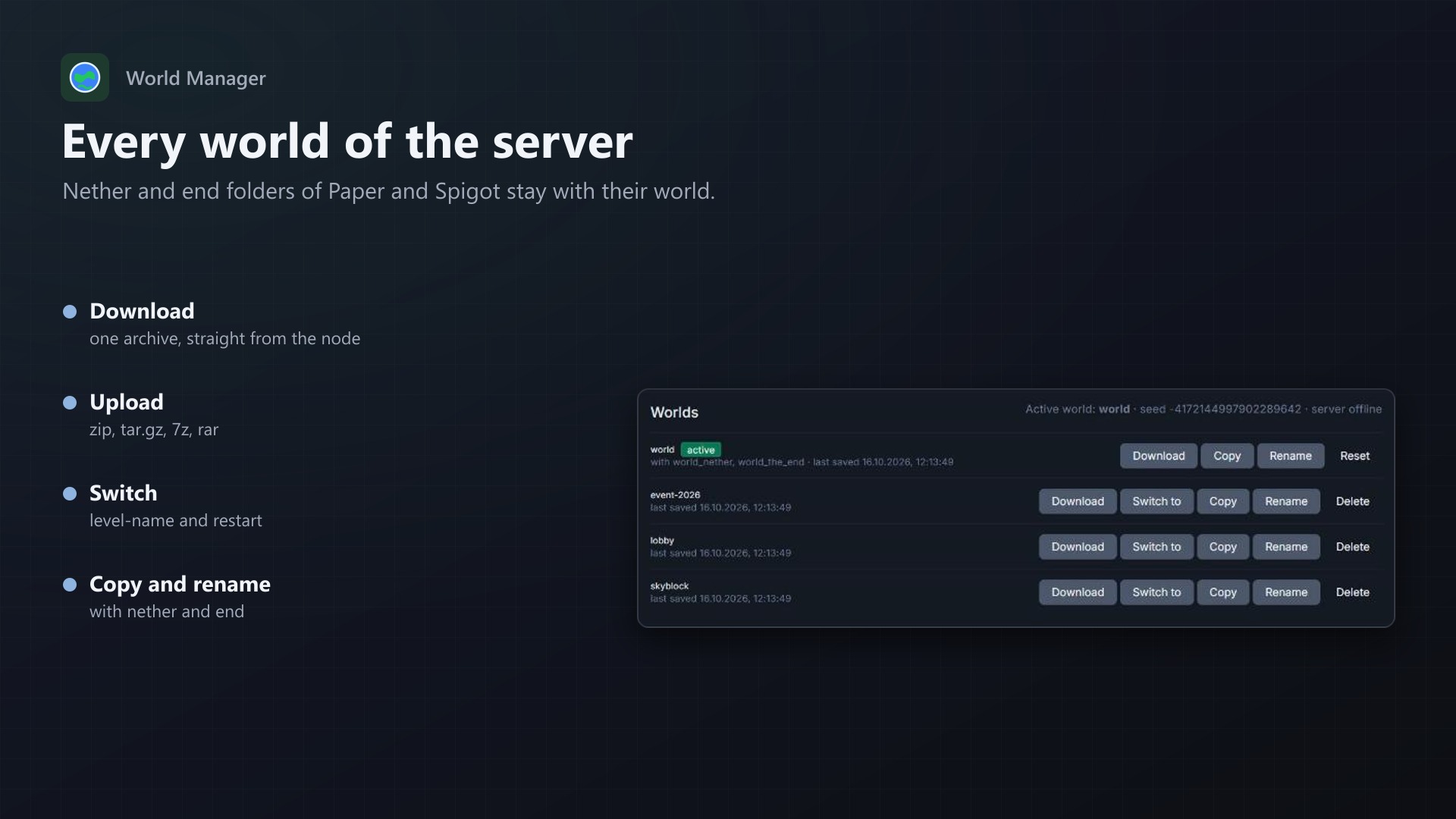
- Every world of the server: folders with a
level.datfor Java,worlds/for Bedrock - The nether and end folders of Paper and Spigot are shown and handled together with their world
- The active world, the seed and the server's state
What players can do
- Download a world (with nether and end) as one archive, straight from the node
- Upload a world as .zip, .tar.gz, .7z or .rar, with or without a folder around it; archives without a
level.datare refused - Switch the active world with one click, with a restart
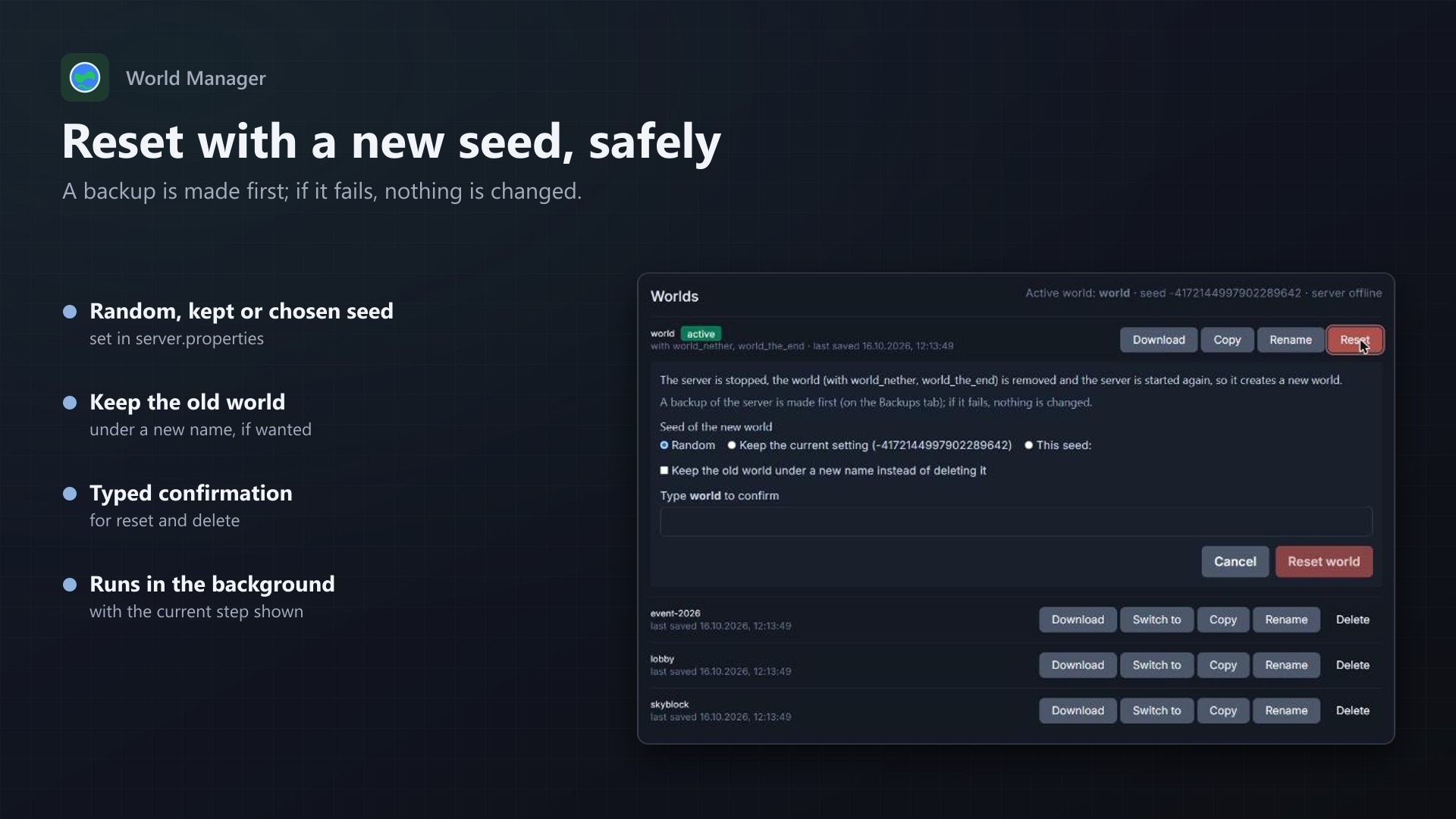
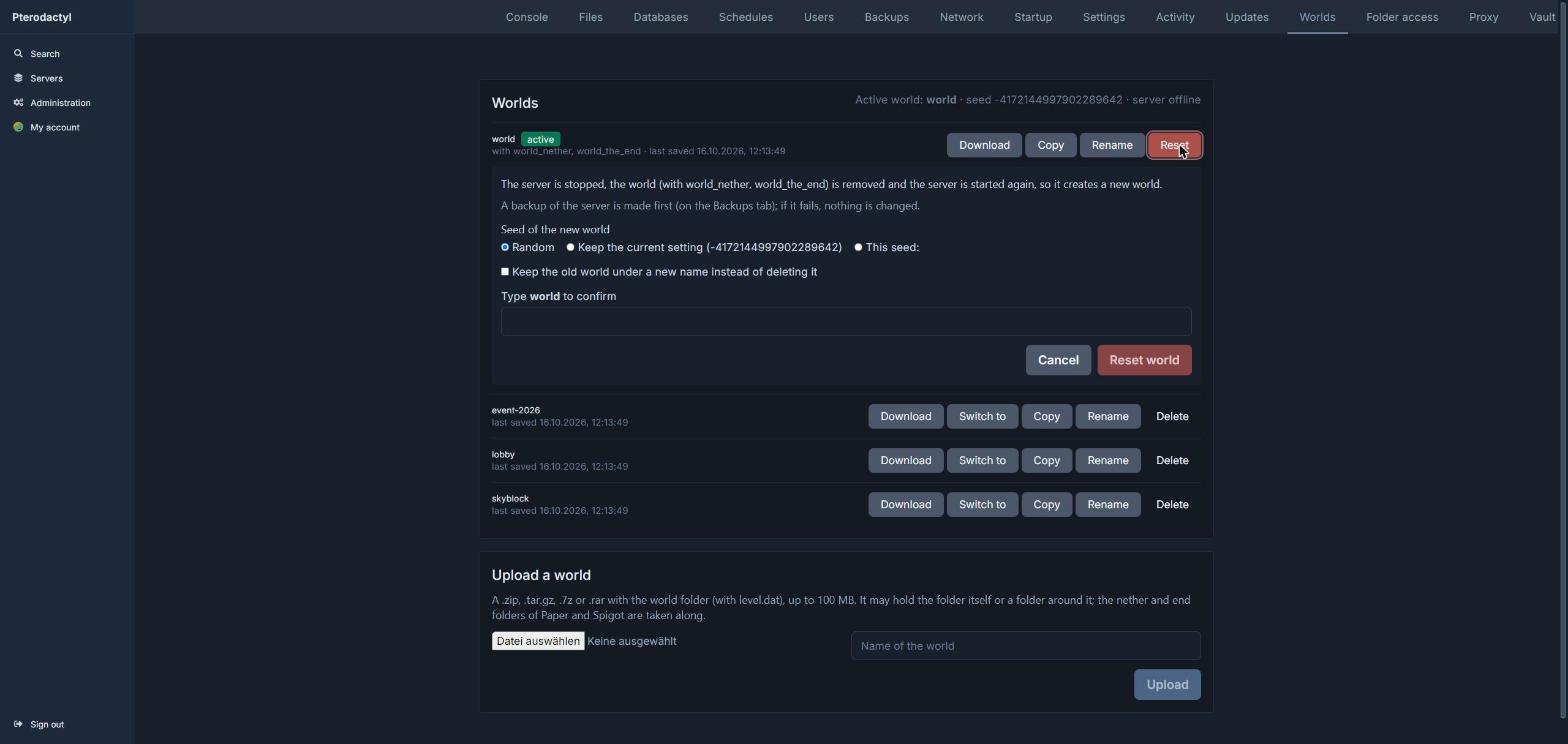
- Reset the active world with a random, the current or a chosen seed, and keep the old one if wanted
- Copy, rename and delete worlds; deleting and resetting need the world's name typed in
Safe by design
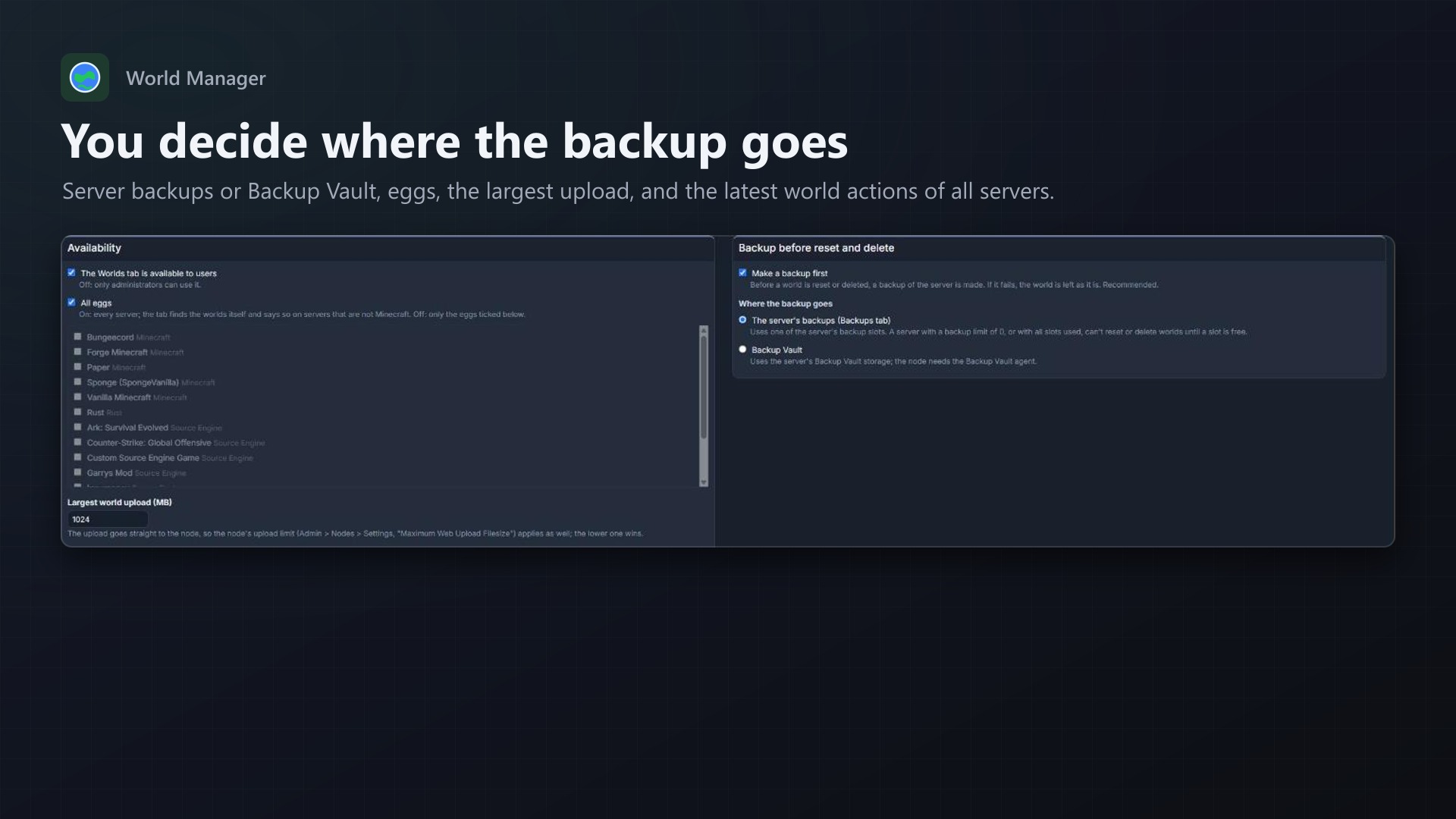
- A backup first: before a reset or delete, a backup of the server is made, as a server backup or in Backup Vault. If it fails, nothing is changed. The admin can turn it off.
- Longer actions run on the panel's queue, one at a time per server, with the current step on the tab
- Every action checks the subuser permissions (file archive for downloads, start and stop for a reset, and so on)
- Every action is written to the server's activity log
- No core files and no Wings changes
Admin page
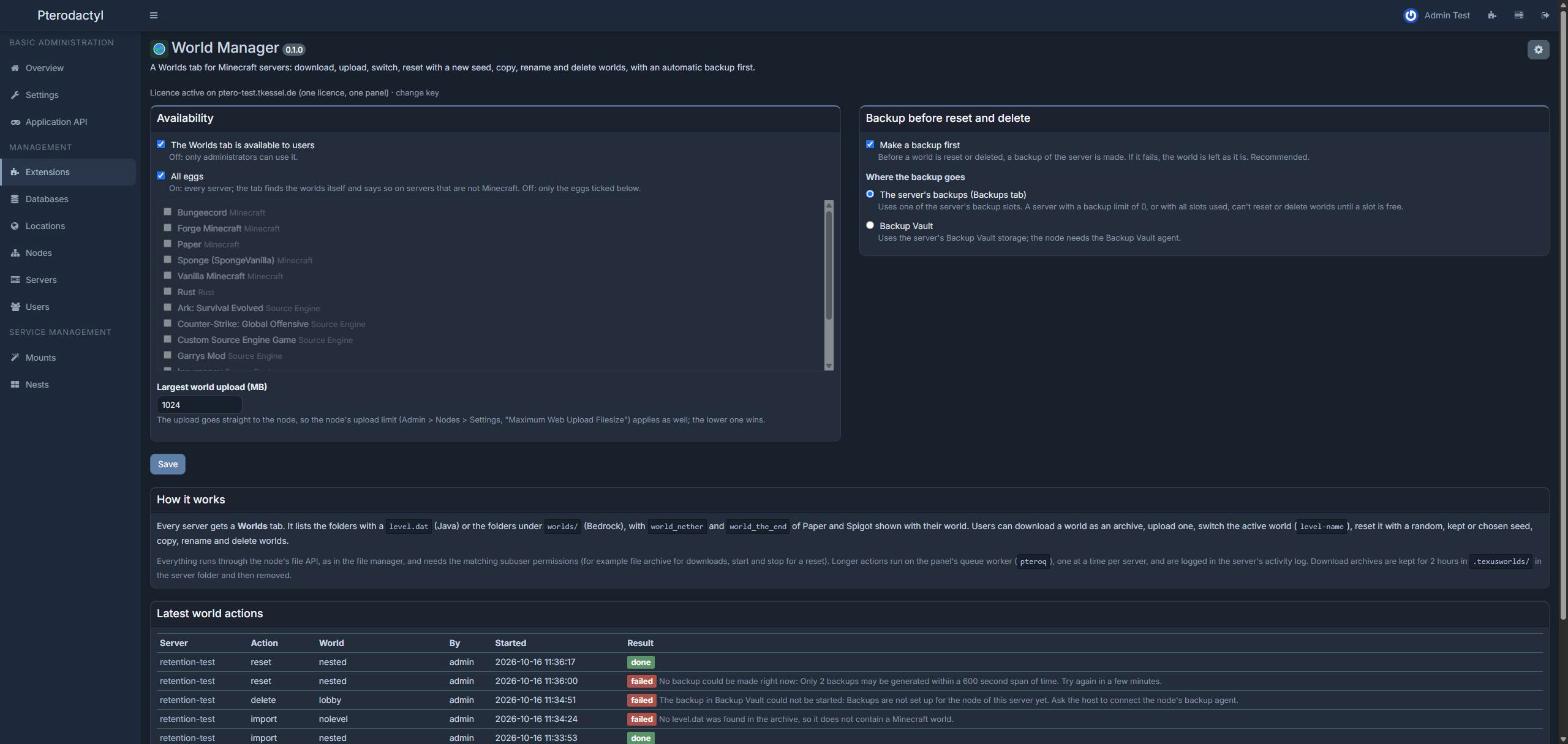
- Turn the tab on or off, for all eggs or chosen ones
- Largest upload, backup on or off, server backups or Backup Vault
- The latest world actions of all servers
Licence
One purchase = one licence = one panel. The licence is bound to one panel domain and the server it runs on. Subdomains count as separate panels: test1.example.com and test2.example.com can't share a licence. You can move the licence to another panel at any time on texus-addons.de.
After buying, sign in on texus-addons.de with your sourceXchange email address. Your licence key is created automatically; download the extension there with the key built in, or enter the key on the extension's admin page.
Requirements
- Pterodactyl Panel 1.15.x with Wings 1.11 or newer
- Blueprint (beta-2026-08 or newer)
- The panel's queue worker (pteroq), as in every standard installation
- A licence key from texus-addons.de, free with your purchase, for one panel