Game Servers for FOSSBilling
Product information
Release v0.2.0 (Updated )
Reviews
0 von 5 Sternen
0 purchases
Sell Pelican and Pterodactyl game servers with FOSSBilling: servers are created, suspended and deleted with the order.
€29,99
Release historyDescription
FOSSBilling has no integration for Pelican or Pterodactyl. Game Servers for FOSSBilling connects both: order activated, game server created, and your customers run it right on the order page.
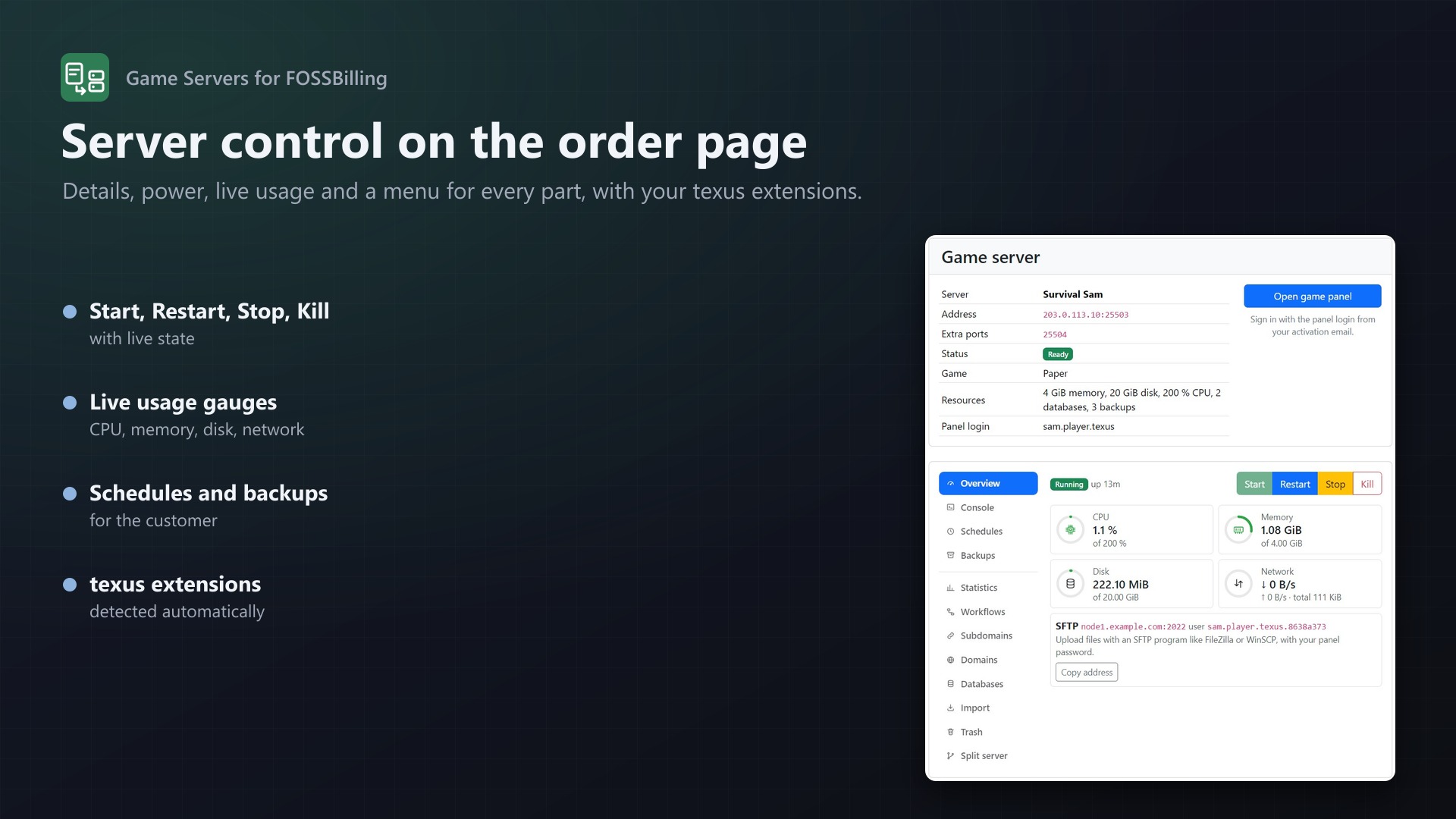
Server control on the order page (new in 0.2.0)
With a client API key of an admin account, the order page gets a full server control with a menu for every part:
- Start, Restart, Stop, Kill with live state, uptime and live gauges for CPU, memory, disk and network
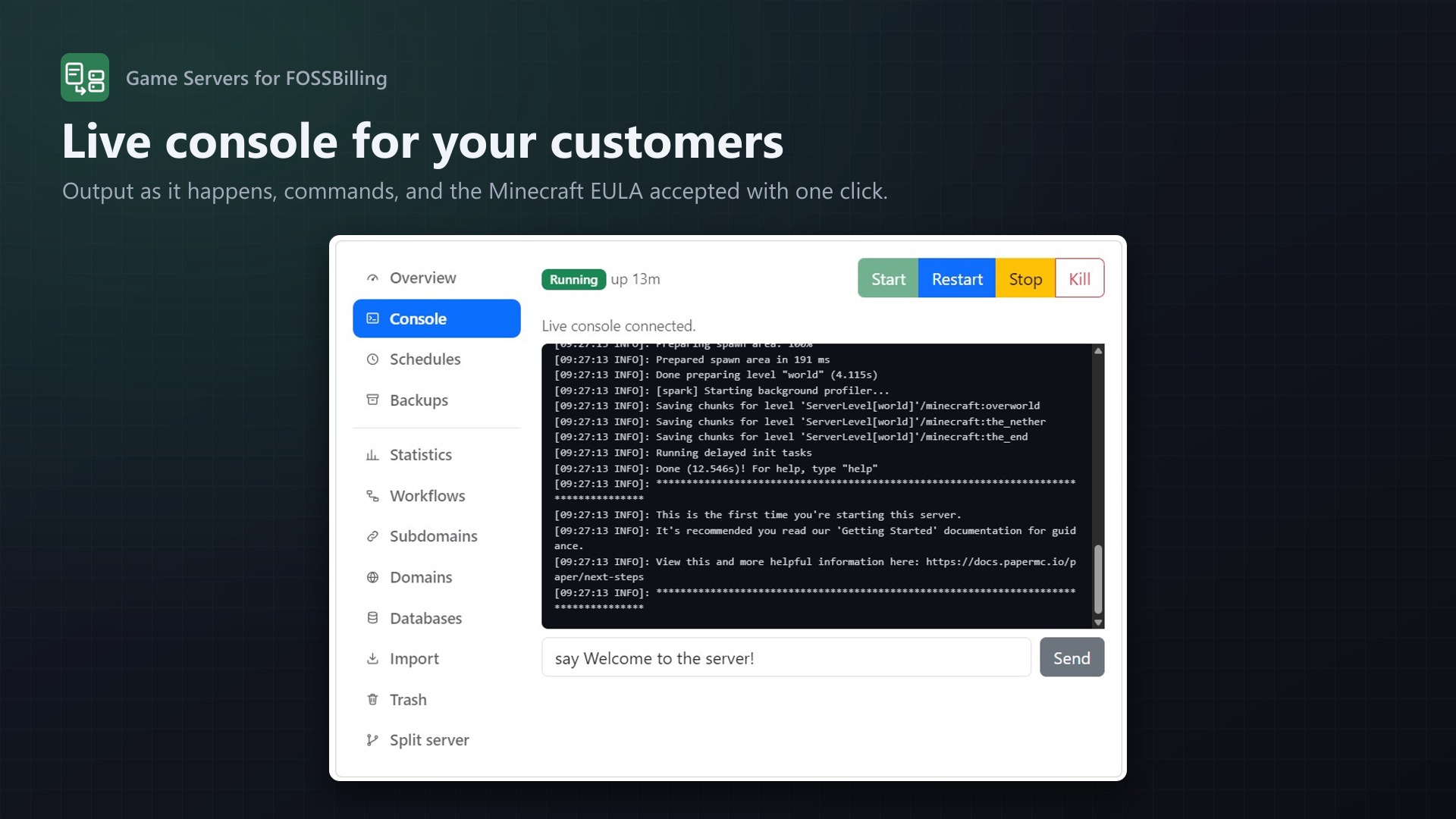
- Live console with commands; the Minecraft EULA accepted with one click
- Schedules with presets and tasks, backups to create, download, lock and delete
- Your texus extensions included: with Usage Statistics, Schedules Plus, Subdomain Manager, Custom Domains, Database Manager, Server Importer, File Explorer, Server Splitter, Idle Stop or SFTP Address on the panel, their features appear by themselves
- Customer features per product: choose exactly what the client area offers
- A customer only ever reaches their own server: every request goes through the module, which passes on a fixed list of panel routes
The whole order lifecycle
- Activation creates the server: panel user found or created, node and ports chosen, server installed with the product's egg
- Suspend and unsuspend with the order, cancel and reactivate (the server is suspended, not lost)
- Delete the order and the server goes, optionally with the panel user's last server
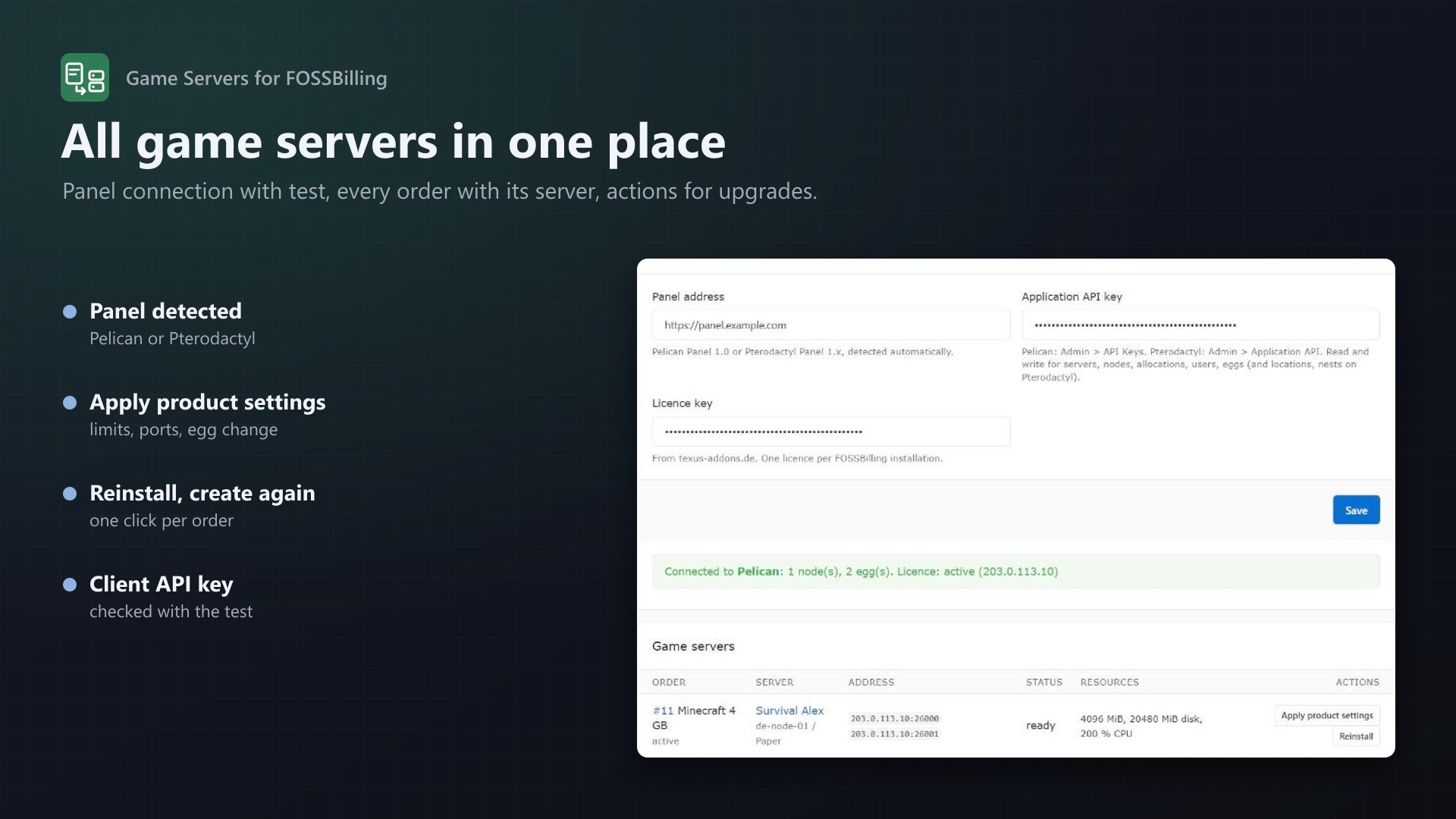
- Apply product settings for upgrades: new limits, more ports, even a different egg with reinstall
- An activation that fails ends in "Failed setup" with the reason in the order history, and can be retried with one click
Pelican and Pterodactyl
- The panel type is detected from its API: Pelican Panel 1.0 and Pterodactyl Panel 1.x
- Pelican node tags or Pterodactyl locations pick region or hardware
- The panel's own node selection: only nodes with room for memory and disk
- Port range, dedicated IP and extra ports on the same IP as the main port
Products your way
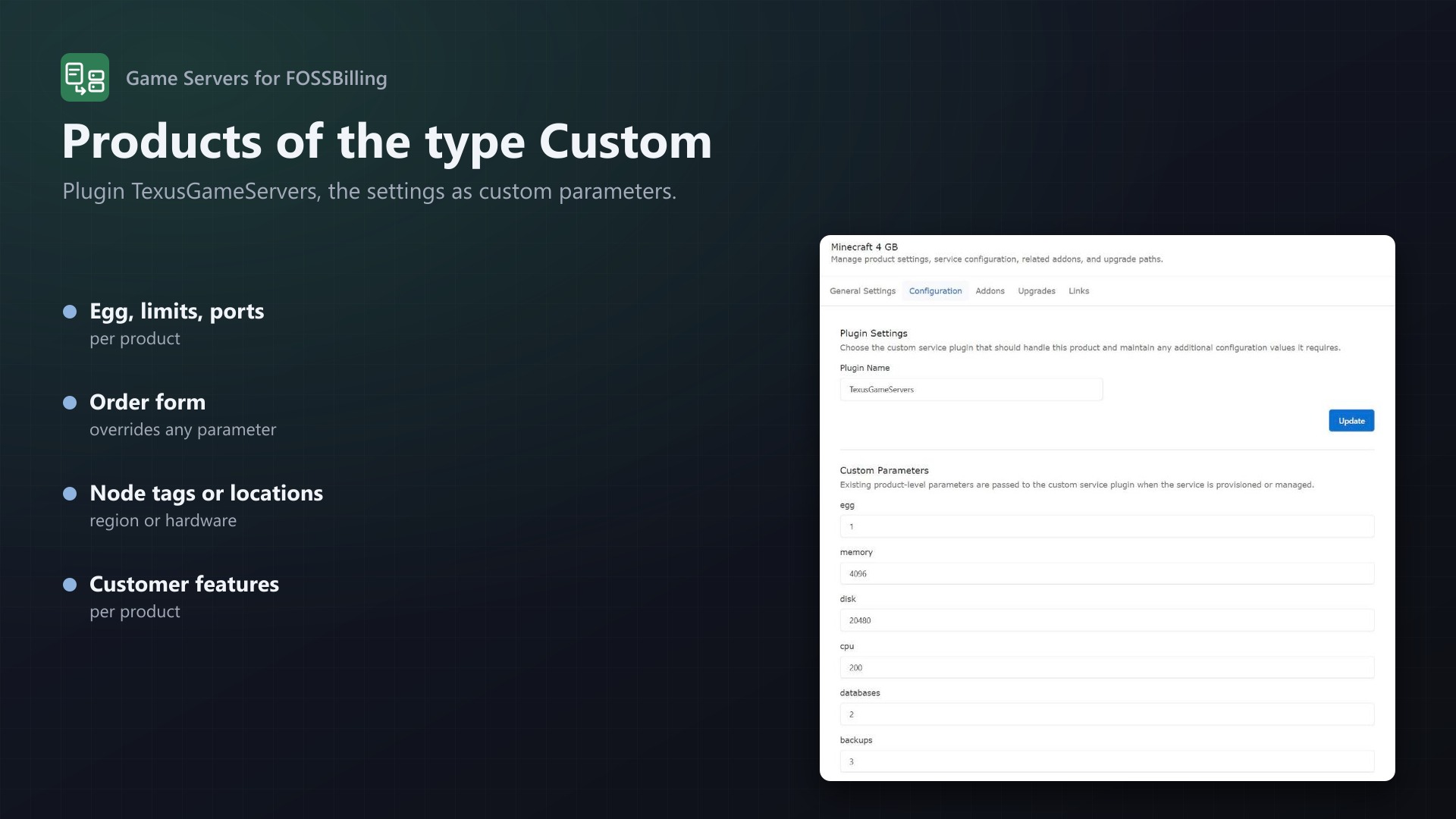
- Products of FOSSBilling's type Custom with the plugin
TexusGameServers - Egg, limits, image, startup command and egg variables as product parameters
- The order form overrides any parameter: memory (
2 GBor2048), location, egg, or any egg variable likeMINECRAFT_VERSION - Server name template with product, service ID and client name
For your customers and your staff
- Client area: the order page shows the server's address and extra ports, status, game and resources, with an "Open game panel" button
- Panel login in the activation email (
panel_username,panel_password,server_address) - Admin page under Extensions: panel connection with test, all game servers with status and address, "Apply product settings", "Reinstall", "Create server"
Built to be reliable
- Servers and users carry external IDs (
fossbilling-), so FOSSBilling always finds its server again - Running suspend, unsuspend or delete twice does no harm
- Suspend, unsuspend and delete keep working even without a valid licence
- Tested through a real FOSSBilling 0.8.8 against Pelican 1.0.0-rc.1 and Pterodactyl 1.15.1: order, install, suspend, cancel, upgrade with egg change, reinstall, delete; the server control end to end against Pterodactyl 1.15.1
Licence
One purchase = one licence = one FOSSBilling installation. The licence is bound to the address of your FOSSBilling and the server it runs on. You can move it at any time on texus-addons.de.
After buying, sign in on texus-addons.de with your sourceXchange email address. Your licence key is created automatically; download the module there with the key built in, or enter the key on the module's settings page.
Requirements
- FOSSBilling 0.8 on PHP 8.2 or newer (curl and sodium)
- Pelican Panel 1.0 or Pterodactyl Panel 1.x with an application API key, plus a client API key of an admin account for the server control
- For the live console: your FOSSBilling address in
allowed_originsof the Wings configuration - Outgoing HTTPS from FOSSBilling to the panel and to texus-addons.de
Installation
- Copy the folders
modulesandlibraryinto your FOSSBilling folder - Activate "Game Servers" under Extensions, enter panel address, API key and licence key
- Create a product of the type Custom with the plugin
TexusGameServersand its parameters
Support
The README in the download explains every parameter. Questions and bug reports through the support link.
Website: texus-addons.de – licence keys, downloads and your account
Support: Discord support server or support@texus-addons.de