Pterodactyl 2.0 Server Extension | Paymenter
Product information
Release v1.0.2 (Updated )
Reviews
0 out of 5 stars
94 downloads
Pterodactyl 2.0 (v2) support for Paymenter 1.5.9 and earlier: orders, eggs and upgrades work again. Reads every page of eggs, nodes and locations, adds egg tags and node tags. Drop-in, one command, also on 1.x. Free, MIT.
Release history
Description
Upgraded to Pterodactyl 2.0 and Paymenter stopped creating servers? This is the fix, and it works today on Paymenter 1.5.9.
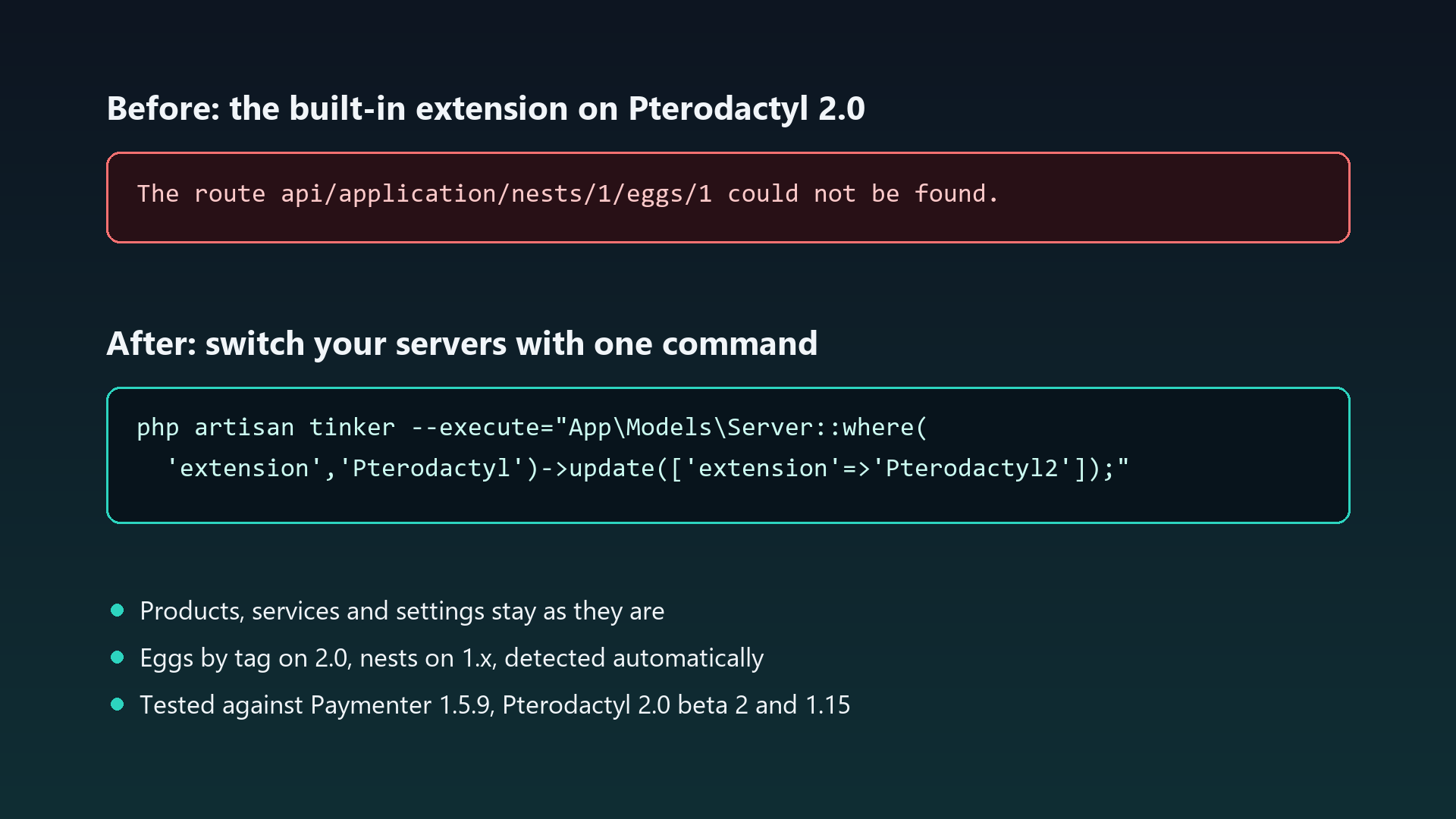
Pterodactyl 2.0 removed the nest endpoints from the Application API. Paymenter's built-in Pterodactyl extension in 1.5.9 still calls them, so after the panel upgrade:
- new orders fail and no server is created
- the egg list on the product page is empty
- plan upgrades fail
and the log says:
The route api/application/nests/1/eggs/1 could not be found.
This extension replaces the built-in one with a version that speaks both APIs. Copy one folder, run one command, and your store works again on Pterodactyl 2.0 and 1.x.
Free vs Karelia Bridge
| This extension (free) | Karelia Bridge (paid add-on) | |
|---|---|---|
| Create, suspend, upgrade and terminate servers on 2.0 and 1.x | ✅ | uses this extension |
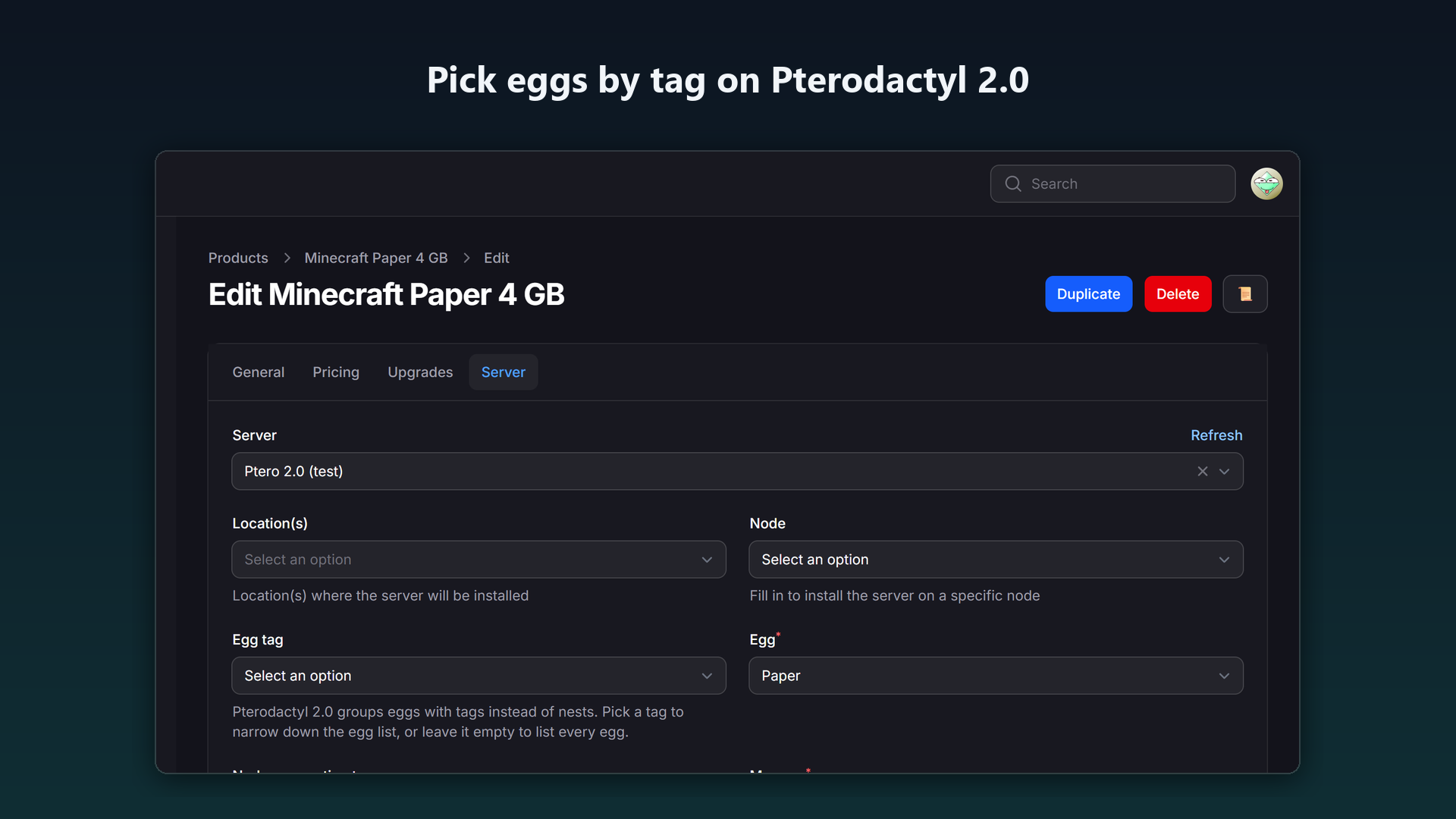
| Egg tag filter and node reservation tags on 2.0 | ✅ | ✅ |
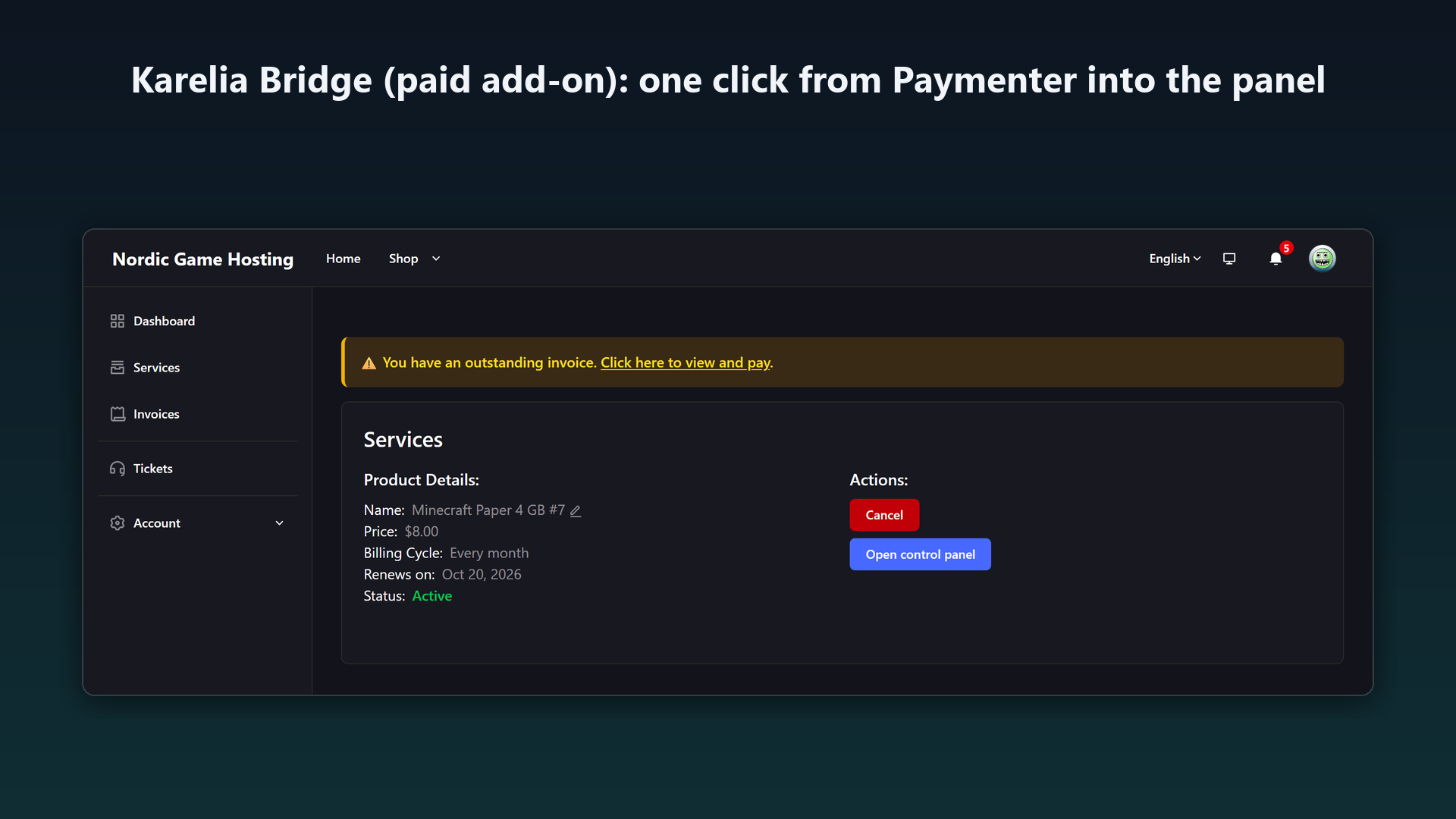
| One click from Paymenter into the server, already signed in | ✅ | |
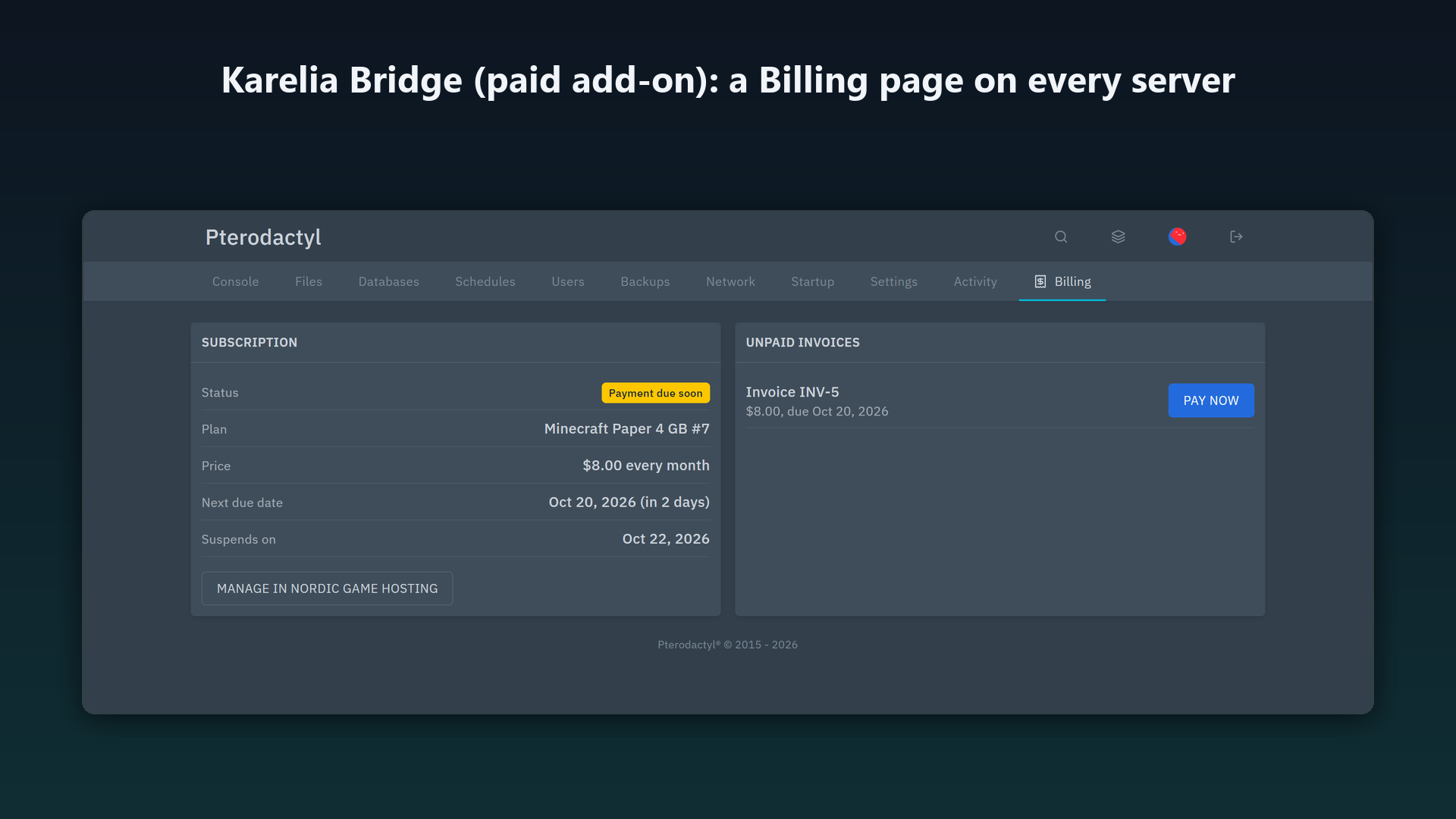
| Billing page in the panel: plan, next due date, unpaid invoices, Pay now | ✅ | |
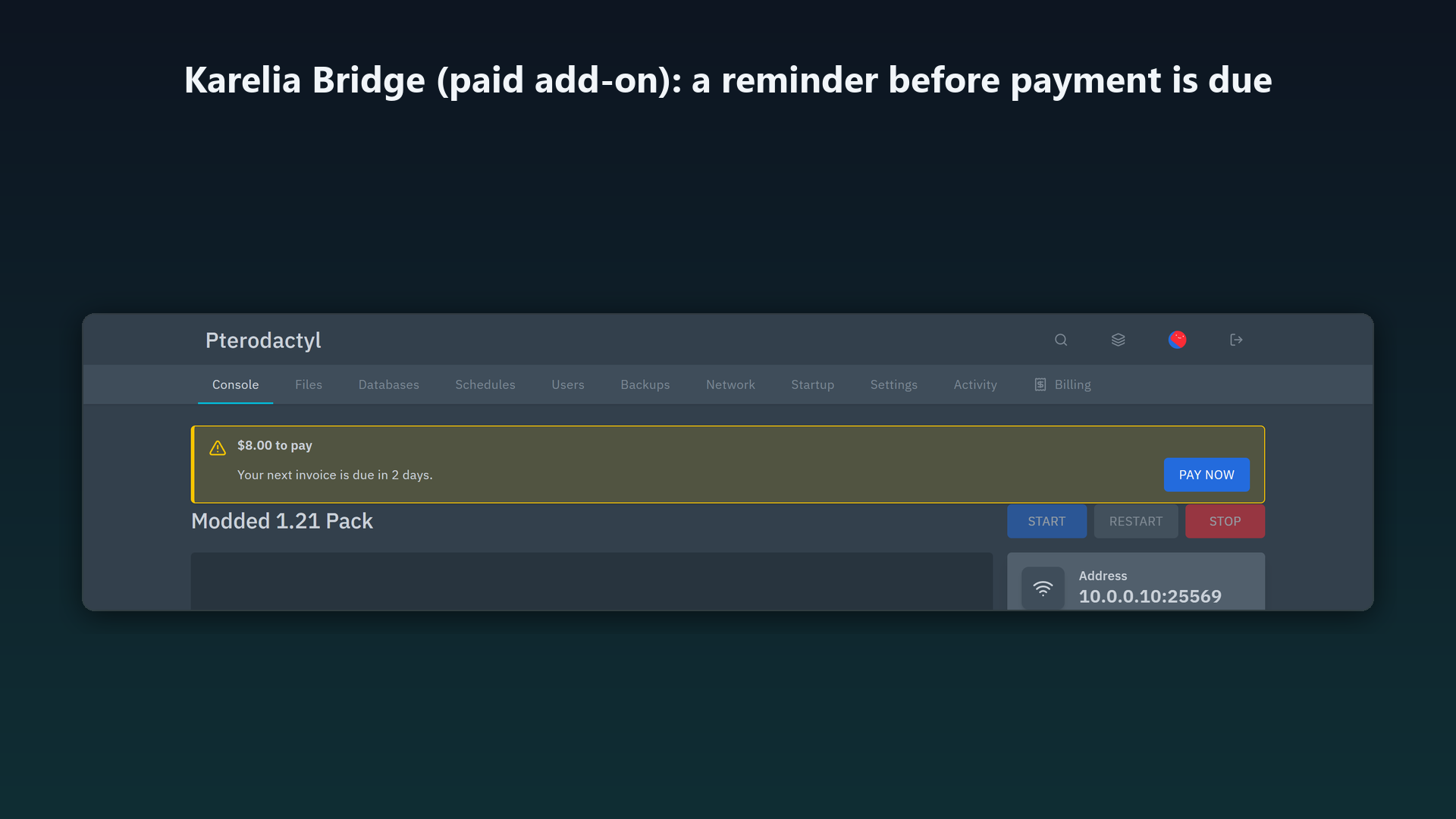
| Banner before payment is due, badges on the server list | ✅ |
Paymenter's own 2.0 support is coming
Paymenter added basic Pterodactyl 2.0 support to its master branch on 2026-10-23 (commit c1bd743). It is not in a release yet: 1.5.9 still needs this extension. Once the next Paymenter version is out:
- Fewer than 50 eggs and no tags? The built-in extension will be enough. Switching back is the same one command with the names swapped.
- What this extension still adds: it reads every page of eggs, nodes and locations (the built-in code reads only the first page of each list, 50 items by default), the egg tag filter, node reservation tags and readable error messages.
Why this extension
- No reconfiguration. Same server settings and product options as the built-in extension. Egg IDs survive the 2.0 upgrade, so every product keeps its egg.
- Upgrade in any order. It detects the panel version by itself: nests on 1.x, eggs and tags on 2.0.
- Everything else as before. Locations, fixed nodes, port arrays and ranges, dedicated IPs, plan upgrades, suspend, unsuspend, terminate and the service buttons.
- Clear errors. The HTTP status and the panel's own reason instead of a bare 404.
- Free and open source. MIT, based on Paymenter's own extension, with the full source on GitHub.
Tested against real panels
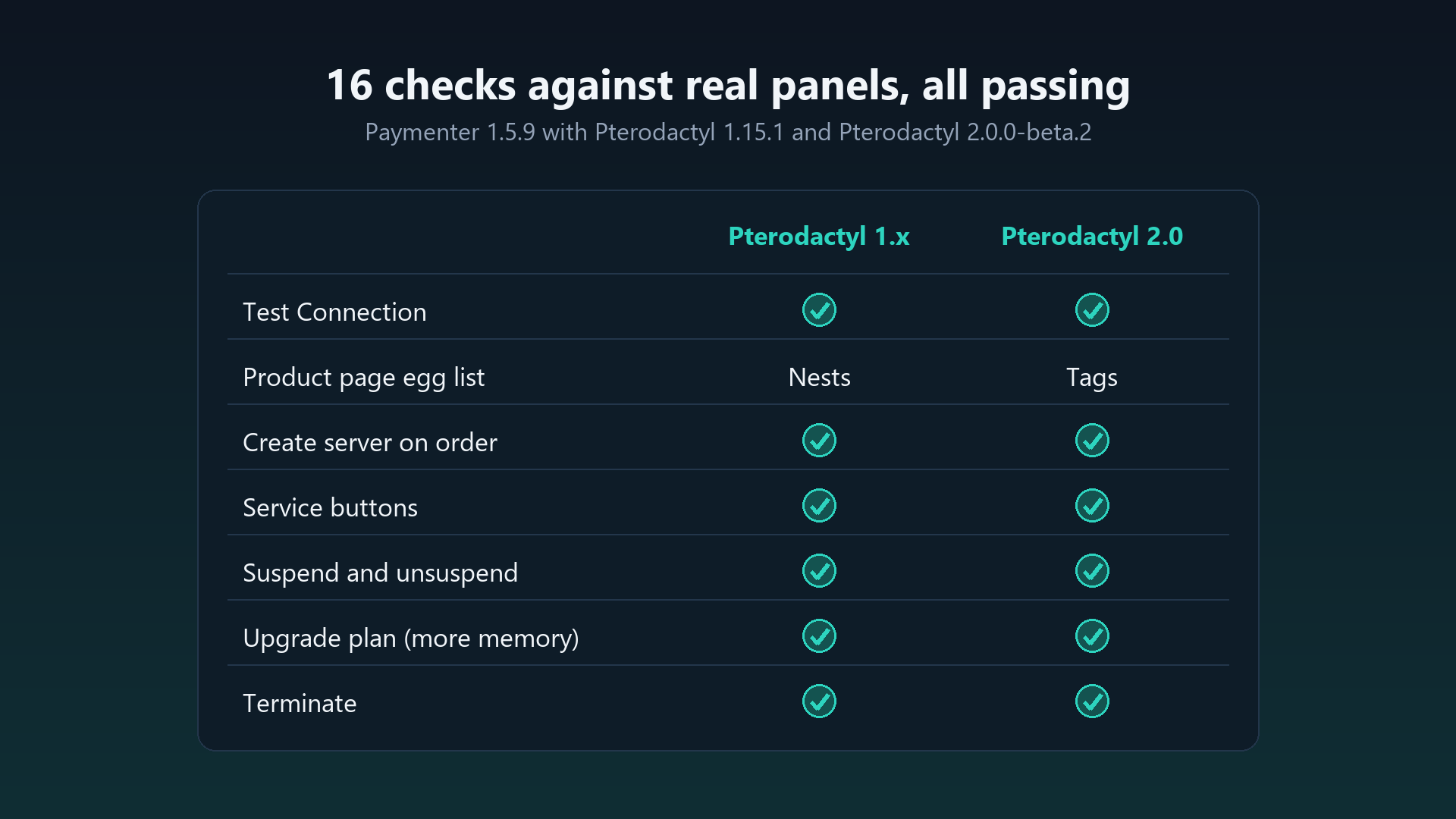
16 checks with Paymenter 1.5.9, all passing:
| Check | Pterodactyl 1.15.1 | Pterodactyl 2.0.0-beta.2 |
|---|---|---|
| Test Connection | ✅ | ✅ |
| Product page egg list | ✅ nests | ✅ tags |
| Create server on order | ✅ | ✅ |
| Service buttons | ✅ | ✅ |
| Suspend and unsuspend | ✅ | ✅ |
| Upgrade plan | ✅ | ✅ |
| Terminate | ✅ | ✅ |
Install in two minutes
- Copy the
Pterodactyl2folder from the zip toextensions/Servers/in Paymenter. - Switch your existing Pterodactyl servers. Settings, products and services stay:
php artisan tinker --execute="App\Models\Server::where('extension','Pterodactyl')->update(['extension'=>'Pterodactyl2']);"
- Paymenter → Admin → Servers → Test Connection.
On Docker, put docker compose exec paymenter in front of the command. To roll back, swap the two names.
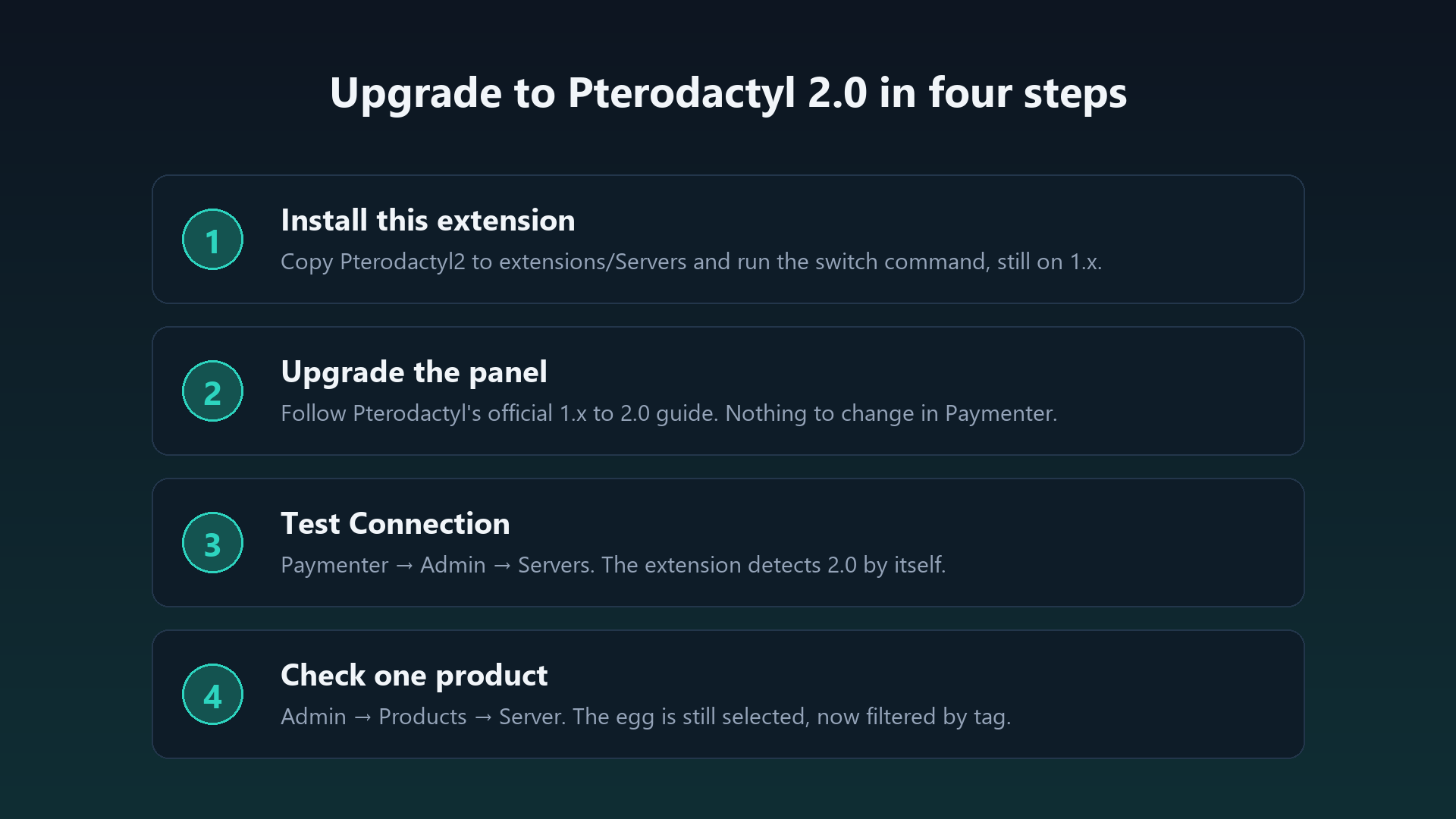
Upgrading the panel to 2.0, in order
- Install this extension and switch your servers while the panel is still on 1.x. Nothing changes for your customers.
- Upgrade the panel with the official guide: https://docs.pterodactyl.io/v2/upgrading/upgrading-from-v1.
- Run Test Connection on the server.
- Open one product (Admin → Products → Server) and check the egg.
Troubleshooting
- "The route api/application/nests could not be found": that server still uses the built-in extension. Run the switch command above.
- No tag filter on 2.0: give the Application API key read access to tags. The egg list works without it.
- 403 from the panel: the API key needs read and write on servers, users, nodes, locations, allocations and eggs, the same as the built-in extension.
More for Paymenter hosts
From the same team, each tested on Paymenter 1.5.9 with Pterodactyl 1.x and 2.0:
- Auto Stock ($4.99): product stock follows the servers that still fit on your nodes, so a full node shows as out of stock instead of taking an order that fails to deploy.
- Free Trials ($12.99): 24-hour or 3-day trial servers, one per person (account, email aliases, IP), with a reminder email and an "Upgrade and keep my server" button.
- Pay All Invoices (free): customers pay every unpaid invoice in one checkout, with one gateway fee.
- Sign in with Paymenter (free): a "Sign in with Paymenter" button on your Pterodactyl 2.0 login page.
FAQ
Is it really free? Yes. MIT licence, use it on as many stores as you like.
Do I have to set up my products again? No. One command switches your servers; products and services stay as they are.
Do I need to install anything on the panel? No. It only talks to the Application API, like the built-in extension. Karelia Bridge is the part that adds pages to the panel.
Is it affiliated with Paymenter or Pterodactyl? No. It is an independent extension based on Paymenter's built-in Pterodactyl extension (MIT). The names describe compatibility.
Support and source
- Bugs and questions: https://github.com/ziroxonline111/paymenter-pterodactyl-v2/issues
- Source and changelog: https://github.com/ziroxonline111/paymenter-pterodactyl-v2
- Did it save you an evening? A short review here helps other hosts find it.
Karelia Bridge
One-click sign-in and billing inside the panel, for Paymenter and Pterodactyl 2.0: customers click Open control panel in Paymenter and land on their server already signed in, every server gets a Billing page with Pay now, and a banner appears before payment is due.